Question: CODE IN JAVA (DairyProduct.java, Pair.java, Duo.java, SinglyLinkedList.java, Lab3_Driver.java) Pair class SinglyLinkedList class 1. Code the generic Pair class from our class notes (L01_). Create a
CODE IN JAVA
(DairyProduct.java, Pair.java, Duo.java, SinglyLinkedList.java, Lab3_Driver.java)
Pair class
 SinglyLinkedList class
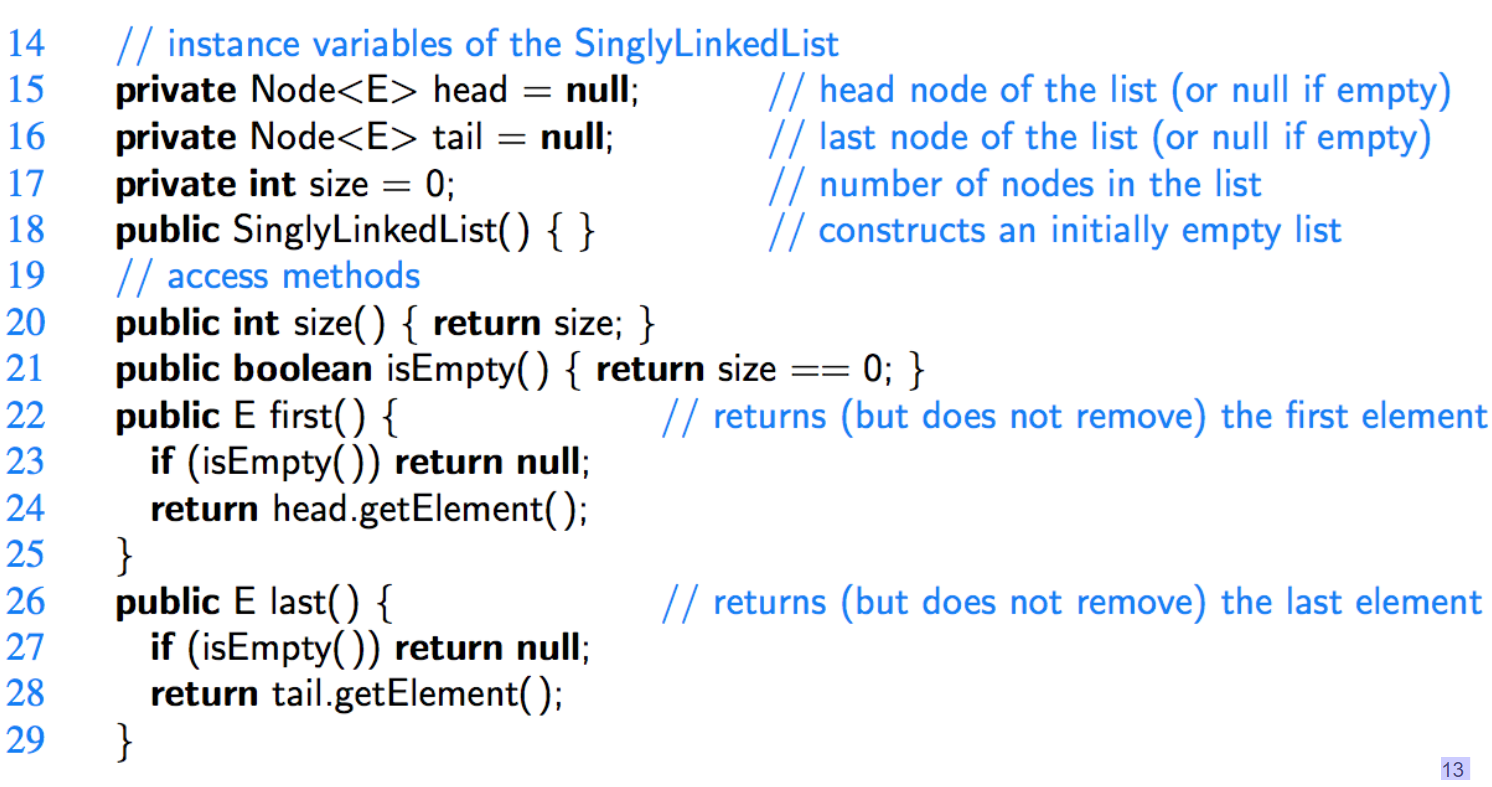
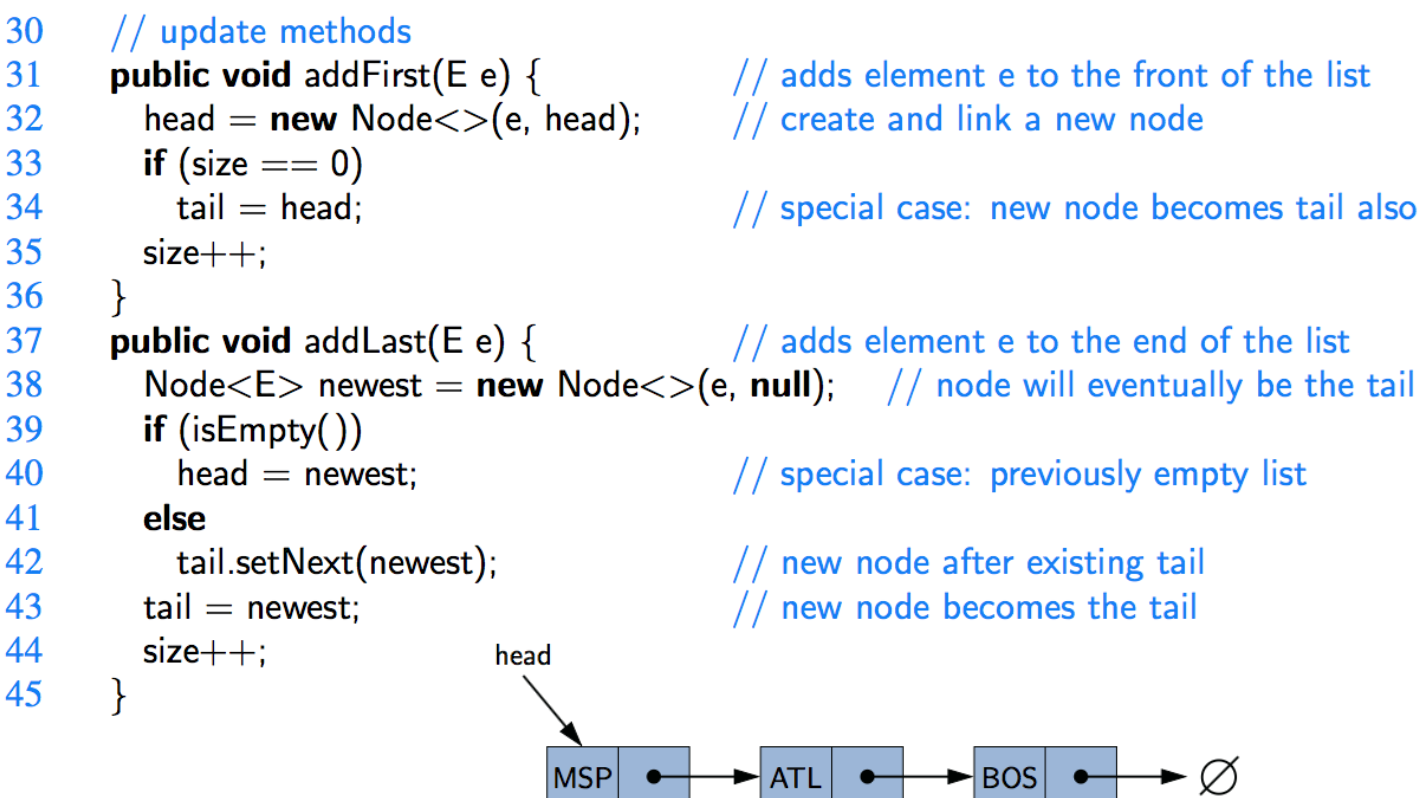
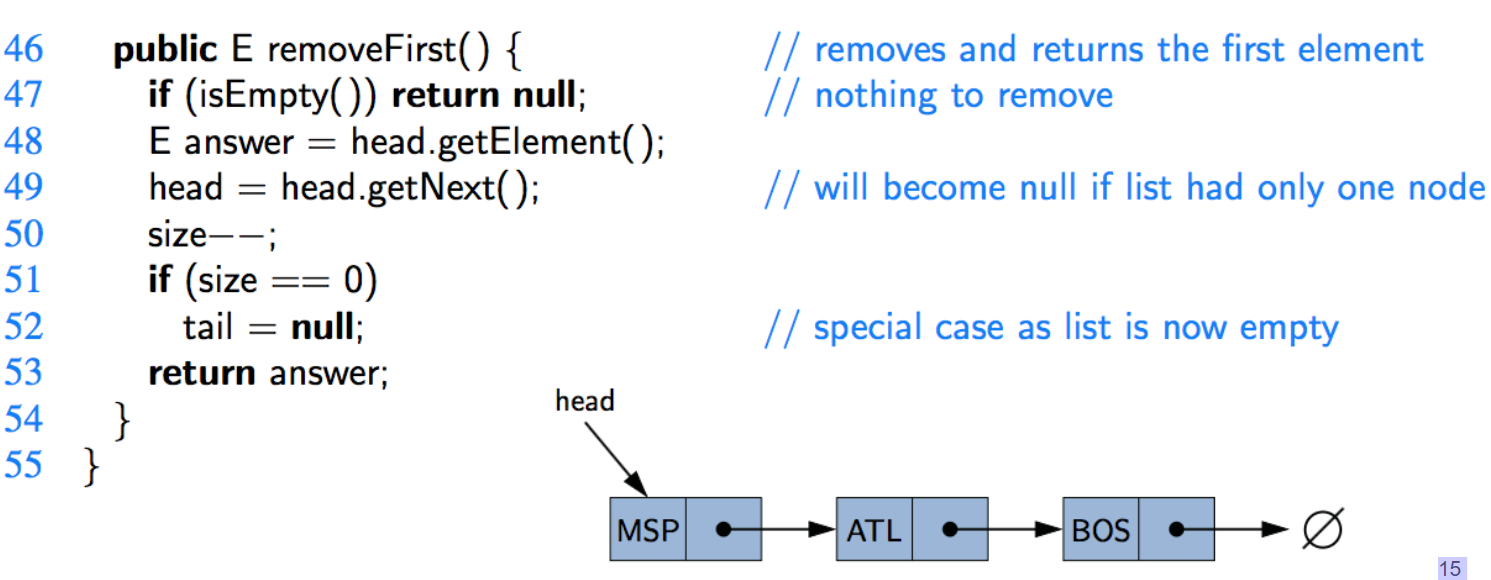
1. Code the generic Pair class from our class notes (L01_). Create a simple class named Dairy Product that consists of a string pName and double price. Include getters and override the toString method to display the details of a product (see sample output below). In a Lab3_Driver class, create two Pair objects that hold Dairy Product and Integer (for the quantity of the product) instances with your own sample products and quantity data. Display the product information and total price of the two products in the following manner (): 5 Milk (4L) : 5.05 2 Cheese sticks : 3.99 Total price: $ 33.23 2. Consider the following: Duo friends = new Duo ("Harry", "Ron"); friends.setData2 ("Dobby"); System.out.println(friends); Output: [Harry & Dobby] Write the code for the generic class Duo that stores two elements (datal and data2) of the same object type. Include all getters, setters, and applicable methods. Add the 3 lines of code above to your Lab3_Driver to test your Duo class. 3. Code the SinglyLinkedList class from our class notes (L03_). Override the tostring method by using StringBuilder to list every element, in order from head to tail. In the same Lab3_Driver file, create a SinglyLinkedlist instance called productList that holds a list of DairyProduct. Add elements into the SinglyLinkedList instance so that the following statement (in your driver file): System.out.println(productList); would display the following output: [Milk (4L) : 5.05, Cheese Sticks : 3.99, Yoghurt : 4.99, Ice cream (1L) : 2.99, Butter : 5.65, Drinkable yoghurt : 4.99] Note that your list must be built to contain and display these products in this order. 2 Il constructor 4 5 6 7 8 9 10 amt nora public class Pair { private A first private B second public Pair(A a, B b) { first = a; second = b; } public A getFirst() { return first } public B getSecond() { return second } } = 1 public class SinglyLinked List { 2 //--------- nested Node class 3 private static class Node { 4 private E element; // reference to the element stored at this node 5 private Node next; // reference to the subsequent node in the list 6 public Node(E e, Node n) { e 7 element - e; 8 next = n; 9 } 10 public EgetElement() { return element; } 11 public Node getNext() { return next; } public void setNext(Node n) { next = n; } = 13 } //----------- end of nested Node class 12 = 14 15 16 17 18 19 20 = 21 == // instance variables of the SinglyLinked List private Node head = null; // head node of the list (or null if empty) private Node tail = null; // last node of the list (or null if empty) private int size = 0; // number of nodes in the list public SinglyLinkedList() { } // constructs an initially empty list // access methods public int size() { return size; } public boolean isEmpty() { return size 0; } public E first() { // returns (but does not remove) the first element if (isEmpty()) return null; return head.getElement(); } public E last() { // returns (but does not remove) the last element if (isEmpty()) return null; return tail.getElement(); } 22 23 24 25 26 27 28 29 13 == = 30 31 32 33 34 35 36 37 38 39 40 // update methods public void addFirst(E e) { // adds element e to the front of the list head = new Node(e, head); // create and link a new node if (size -0) tail head; // special case: new node becomes tail also size++; } public void addLast(E e) { // adds element e to the end of the list Node newest = new Node(e, null); // node will eventually be the tail if (isEmpty()) head newest; // special case: previously empty list else tail.setNext(newest): // new node after existing tail tail newest; // new node becomes the tail size++; head } - 41 42 43 44 45 MSP ATL BOS // removes and returns the first element // nothing to remove // will become null if list had only one node 46 public E removeFirst() { 47 if (isEmpty()) return null; 48 E answer = head.getElement(); 49 head = head.getNext(); 50 size--; 51 if (size 52 tail = null; 53 return answer; head 54 } 55 } :0) = // special case as list is now empty MSP ATL BOS 15









 Study Help