







Question: Code is not working use printf() instead of fprintf() no input or output #include #pragma warning(disable : 4996) int main(void) { //open a file. if
Code is not working
use printf() instead of fprintf()
no input or output
#include
int main(void) { //open a file. if its not present it will be created FILE* f = fopen("file1.txt", "w"); //adding text to file fprintf(f, "This is first line This is second line."); //open a file. if its not present it will be created binary modr FILE*f =fopen("file2", "wb"); const unsigned short kBinaryData[] = { 26946, 24942, 31090,25632, 29793,8289, 28518, 8306, 28537, 33141,39308 }; //append all elements into file for (int i = 0; i
output Example:
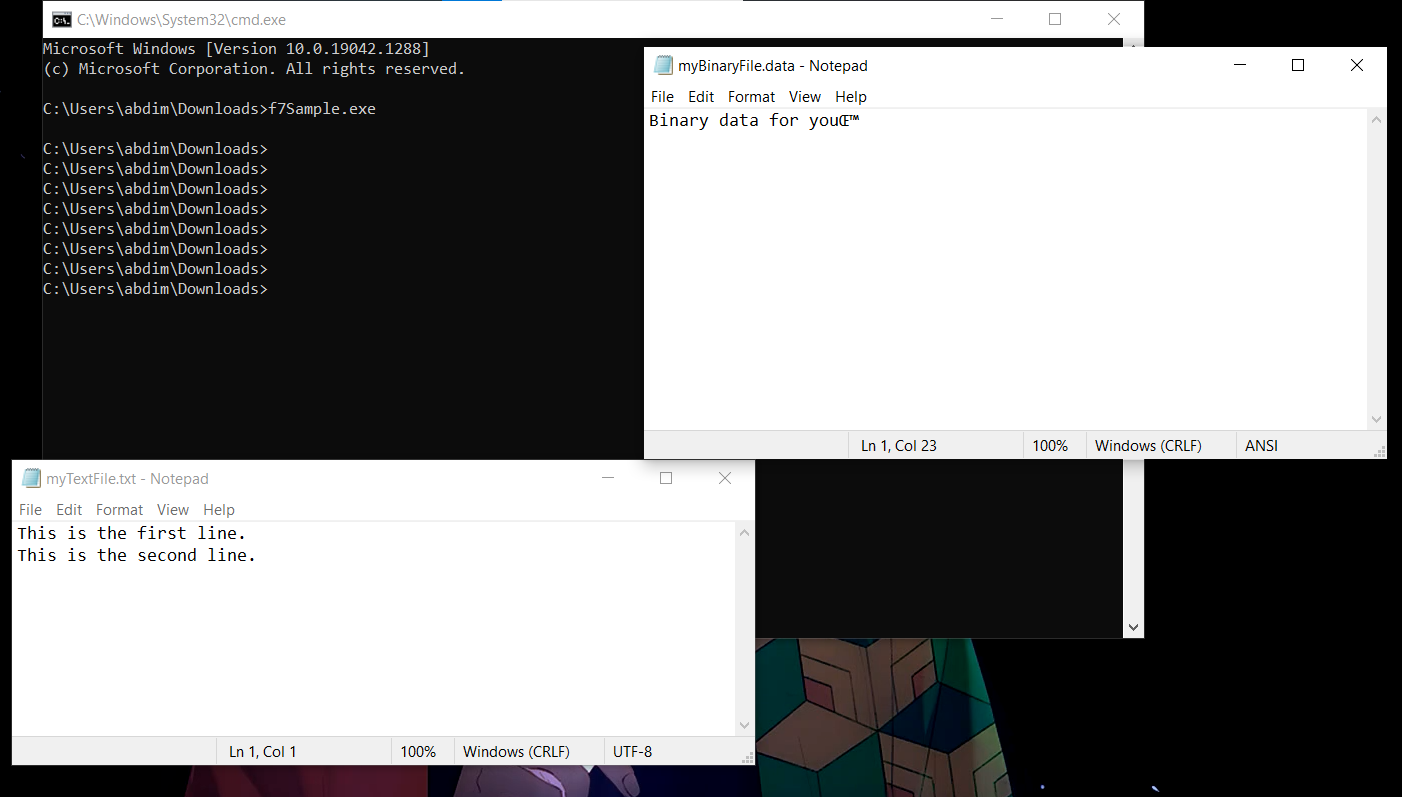
oil. C:\\Windows\\System32\\cmd.exe 0 X Microsoft Windows [Version 10.0.19042.1288] (c) Microsoft Corporation. All rights reserved. myBinaryFile.data - Notepad 0 X C: \\Users \\abdim\\Downloads>f7Sample. exe File Edit Format View Help Binary data for you A C: \\Users \\abdim\\Downloads> C: \\Users \\abdim\\Downloads> C: \\Users \\abdim\\Downloads> C: \\Users \\abdim\\Downloads> C: \\Users \\abdim\\Downloads> C: \\Users\\abdim\\Downloads> C: \\Users \\abdim \\Downloads> C: \\Users \\abdim\\Downloads> Ln 1, Col 23 100% Windows (CRLF) ANSI myTextFile.txt - Notepad X File Edit Format View Help This is the first line. A This is the second line. Ln 1, Col 1 100% Windows (CRLF) UTF-8
Step by Step Solution
There are 3 Steps involved in it

Get step-by-step solutions from verified subject matter experts
 Study Help