







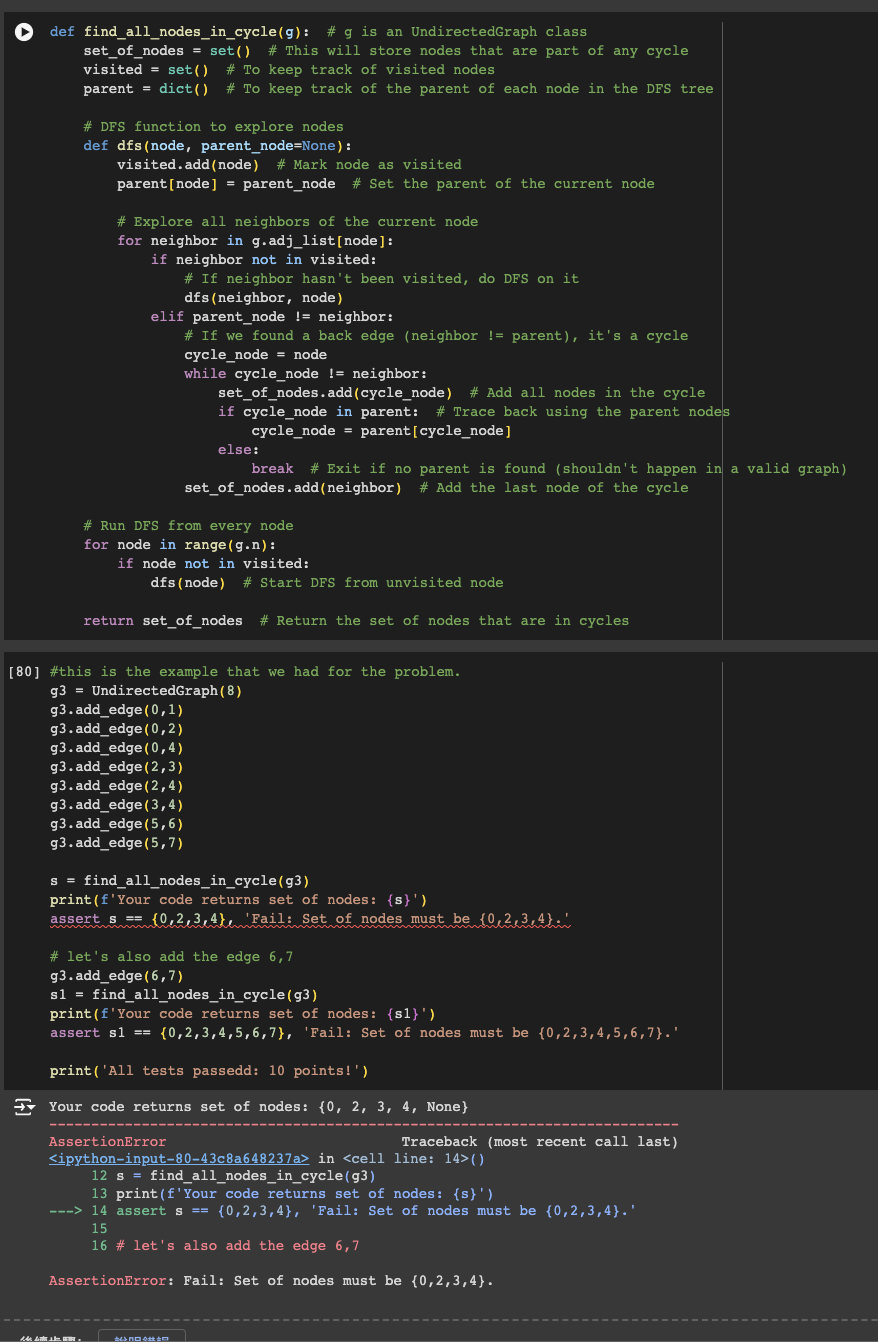
Question: * * Code is still not working, please help * * I attahced my class code: class DFSTimeCounter: def _ _ init _ _ (
Code is still not working, please help
I attahced my class code:
class DFSTimeCounter:
def initself:
self.count
def resetself:
self.count
def incrementself:
self.count self.count
def getself:
return self.count
class UndirectedGraph:
def initself n:
self.n n
self.adjlist set for i in rangeselfn
def addedgeself i j:
assert i self.n
assert j self.n
assert i j
# Make sure to add edge from i to j
self.adjlistiaddj
# Also add edge from j to i
self.adjlistjaddi
# get a set of all vertices that
# are neighbors of the
# vertex i
def getneighboringverticesself i:
assert i self.n
return self.adjlisti
def dfsvisitself i dfstimer, discoverytimes, finishtimes,
dfstreeparent, dfsbackedges:
assert i self.n
assert discoverytimesi None
assert finishtimesi None
discoverytimesi dfstimer.get
dfstimer.increment
for v in self.getneighboringverticesi:
if discoverytimesv is not None and finishtimesv is None:
dfsbackedges.appendiv
if discoverytimesv is None:
dfstreeparentv i
self.dfsvisitv dfstimer, discoverytimes, finishtimes, dfstreeparent, dfsbackedges
finishtimesi dfstimer.get
dfstimer.increment
# Function: dfstraversegraph
# Traverse the entire graph.
def dfstraversegraphself:
dfstimer DFSTimeCounter
discoverytimes Noneselfn
finishtimes Noneselfn
dfstreeparents Noneselfn
dfsbackedges
for i in rangeselfn:
if discoverytimesi None:
self.dfsvisitidfstimer, discoverytimes, finishtimes,
dfstreeparents, dfsbackedges
# Clean up the back edges so that if ij is a back edge then j cannot
# be is parent.
nontrivialbackedges ij for ij in dfsbackedges if dfstreeparentsi j
return dfstreeparents, nontrivialbackedges, discoverytimes, finishtimes
Step by Step Solution
There are 3 Steps involved in it
1 Expert Approved Answer
Step: 1 Unlock

Question Has Been Solved by an Expert!
Get step-by-step solutions from verified subject matter experts
Step: 2 Unlock
Step: 3 Unlock
 Study Help