







Question: Code should be written in C# using T-SQL Project 3 Book Store Requirements: a. 1. Creation of a Database called Book Store within this database
Code should be written in C# using T-SQL
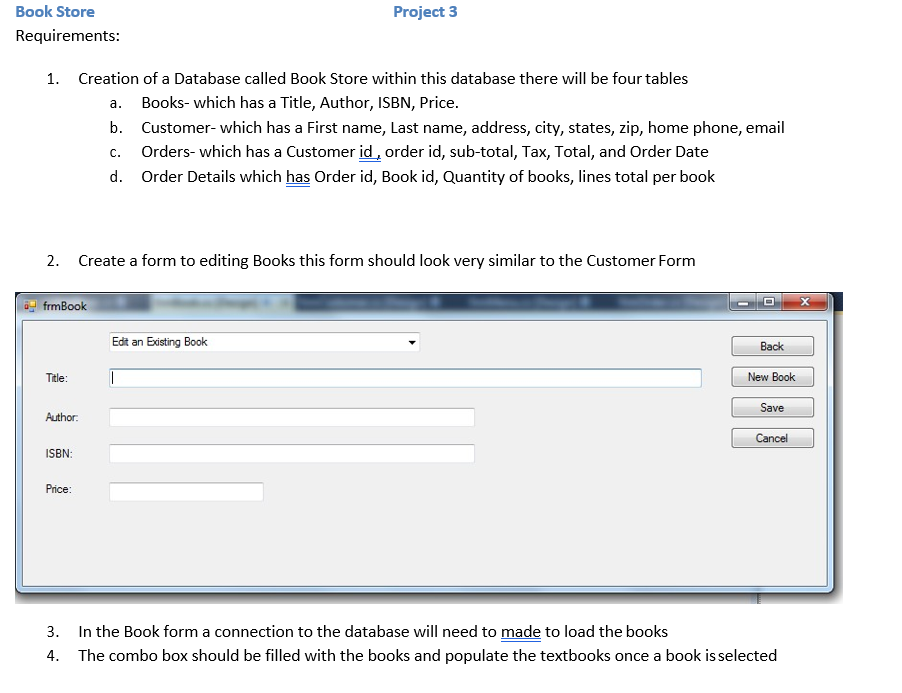
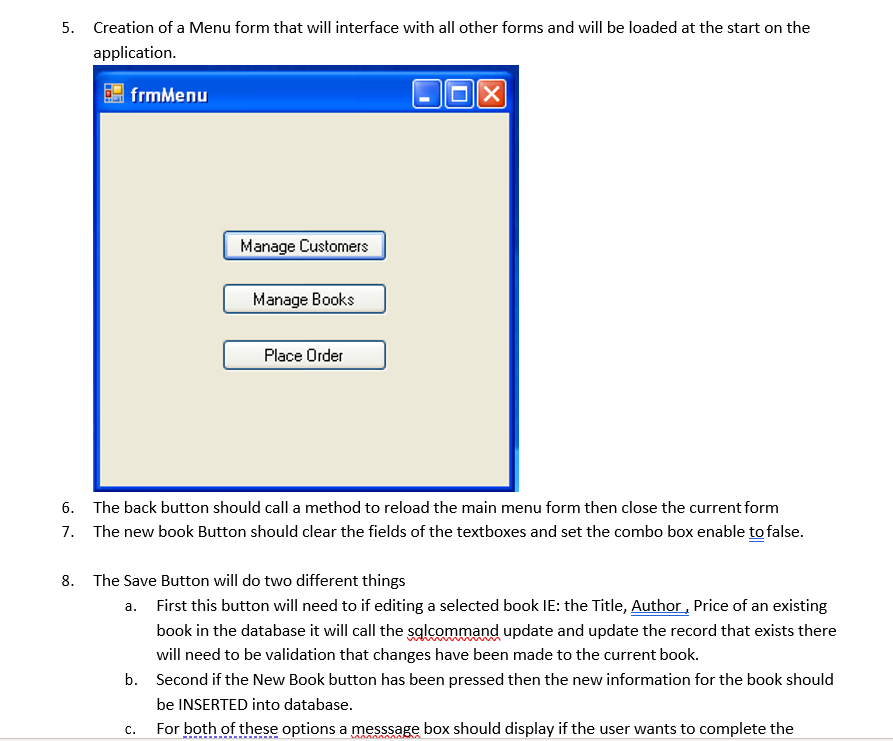
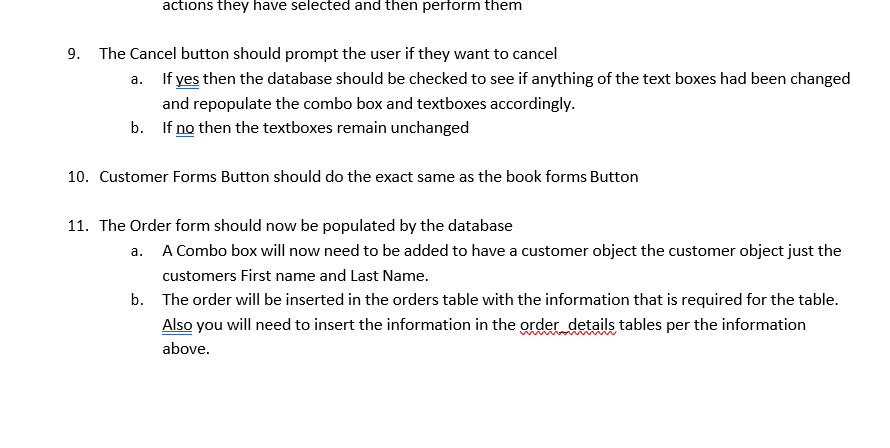
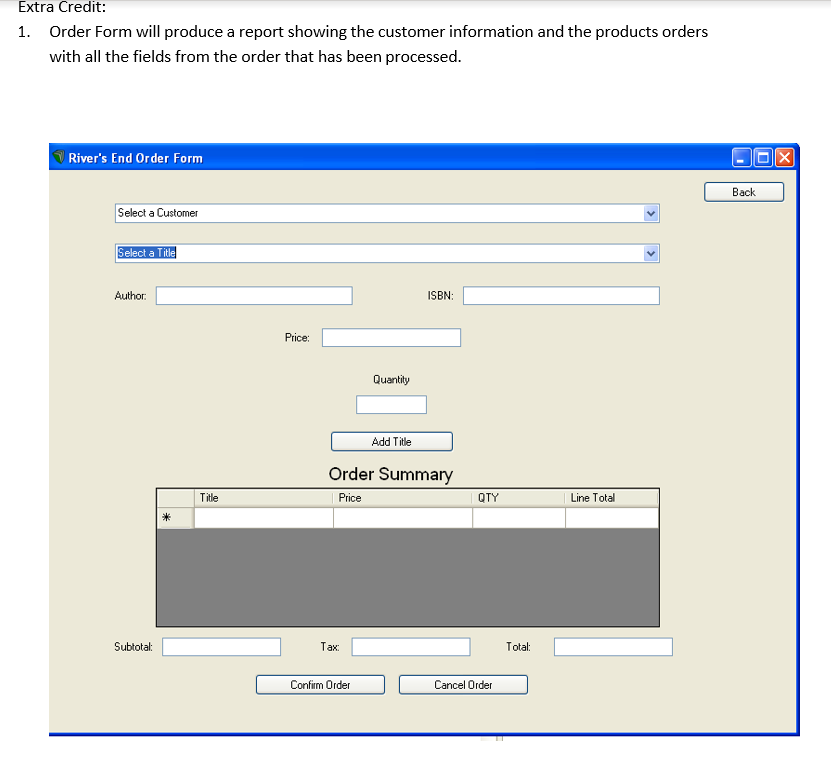
Project 3 Book Store Requirements: a. 1. Creation of a Database called Book Store within this database there will be four tables Books- which has a Title, Author, ISBN, Price. b. Customer- which has a First name, Last name, address, city, states, zip, home phone, email Orders- which has a Customer id, order id, sub-total, Tax, Total, and Order Date d. Order Details which has Order id, Book id, Quantity of books, lines total per book C. 2. Create a form to editing Books this form should look very similar to the Customer Form frmBook Edit an Existing Book Back Title: New Book Save Author: Cancel ISBN: Price: 3. In the Book form a connection to the database will need to made to load the books 4. The combo box should be filled with the books and populate the textbooks once a book is selected 5. Creation of a Menu form that will interface with all other forms and will be loaded at the start on the application. frmMenu Manage Customers Manage Books Place Order 6. The back button should call a method to reload the main menu form then close the current form 7. The new book Button should clear the fields of the textboxes and set the combo box enable to false. 8. The Save Button will do two different things a. First this button will need to if editing a selected book IE: the Title, Author , Price of an existing book in the database it will call the salcommand update and update the record that exists there will need to be validation that changes have been made to the current book. b. Second if the New Book button has been pressed then the new information for the book should be INSERTED into database. For both of these options a messsage box should display if the user wants to complete the c. actions they have selected and then perform them 9. The Cancel button should prompt the user if they want to cancel a. If yes then the database should be checked to see if anything of the text boxes had been changed and repopulate the combo box and textboxes accordingly. b. If no then the textboxes remain unchanged 10. Customer Forms Button should do the exact same as the book forms Button a. 11. The Order form should now be populated by the database A Combo box will now need to be added to have a customer object the customer object just the customers First name and Last Name. b. The order will be inserted in the orders table with the information that is required for the table. Also you will need to insert the information in the order details tables per the information above. Extra Credit: 1. Order Form will produce a report showing the customer information and the products orders with all the fields from the order that has been processed. River's End Order Form X Back Select a Customer Select a Title Author: ISBN: Price: Quantity Add Title Order Summary Price Title OTY Line Total Subtotal: Tax Total: Confirm Order Cancel Order Project 3 Book Store Requirements: a. 1. Creation of a Database called Book Store within this database there will be four tables Books- which has a Title, Author, ISBN, Price. b. Customer- which has a First name, Last name, address, city, states, zip, home phone, email Orders- which has a Customer id, order id, sub-total, Tax, Total, and Order Date d. Order Details which has Order id, Book id, Quantity of books, lines total per book C. 2. Create a form to editing Books this form should look very similar to the Customer Form frmBook Edit an Existing Book Back Title: New Book Save Author: Cancel ISBN: Price: 3. In the Book form a connection to the database will need to made to load the books 4. The combo box should be filled with the books and populate the textbooks once a book is selected 5. Creation of a Menu form that will interface with all other forms and will be loaded at the start on the application. frmMenu Manage Customers Manage Books Place Order 6. The back button should call a method to reload the main menu form then close the current form 7. The new book Button should clear the fields of the textboxes and set the combo box enable to false. 8. The Save Button will do two different things a. First this button will need to if editing a selected book IE: the Title, Author , Price of an existing book in the database it will call the salcommand update and update the record that exists there will need to be validation that changes have been made to the current book. b. Second if the New Book button has been pressed then the new information for the book should be INSERTED into database. For both of these options a messsage box should display if the user wants to complete the c. actions they have selected and then perform them 9. The Cancel button should prompt the user if they want to cancel a. If yes then the database should be checked to see if anything of the text boxes had been changed and repopulate the combo box and textboxes accordingly. b. If no then the textboxes remain unchanged 10. Customer Forms Button should do the exact same as the book forms Button a. 11. The Order form should now be populated by the database A Combo box will now need to be added to have a customer object the customer object just the customers First name and Last Name. b. The order will be inserted in the orders table with the information that is required for the table. Also you will need to insert the information in the order details tables per the information above. Extra Credit: 1. Order Form will produce a report showing the customer information and the products orders with all the fields from the order that has been processed. River's End Order Form X Back Select a Customer Select a Title Author: ISBN: Price: Quantity Add Title Order Summary Price Title OTY Line Total Subtotal: Tax Total: Confirm Order Cancel Order
Step by Step Solution
There are 3 Steps involved in it

Get step-by-step solutions from verified subject matter experts
 Study Help