







Question: CodeHs question - blue filter, Thank you! Should be close to this: In this exercise, you'll get some more practice writing image filters! YOUR JOB:
CodeHs question - blue filter, Thank you!
Should be close to this:
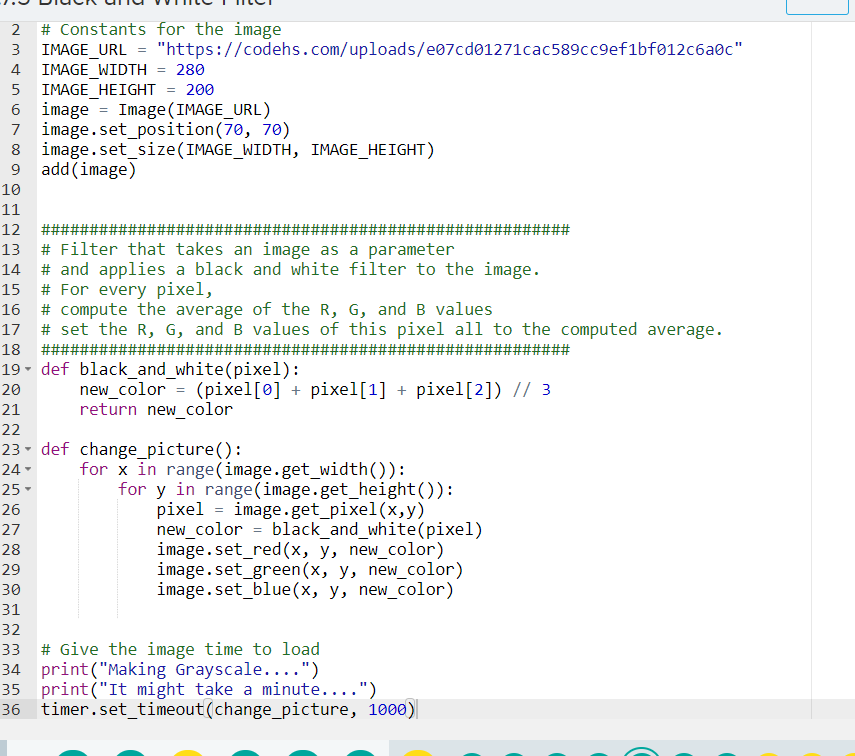
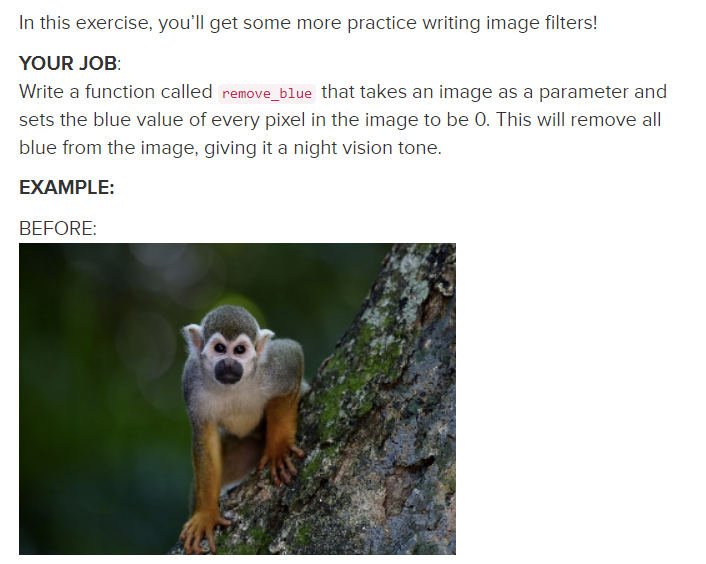
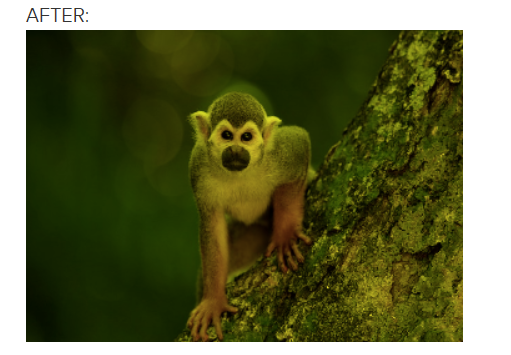
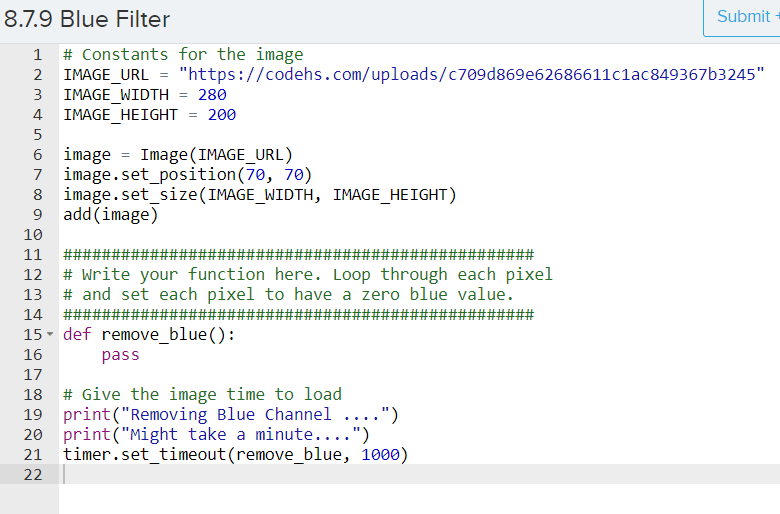
In this exercise, you'll get some more practice writing image filters! YOUR JOB: Write a function called remove_blue that takes an image as a parameter and sets the blue value of every pixel in the image to be 0. This will remove all blue from the image, giving it a night vision tone. EXAMPLE: BEFORE: AFTER: 8.7.9 Blue Filter Submit 1 # Constants for the image 2 IMAGE_URL = "https://codehs.com/uploads/c709d869e62686611c1ac849367b3245" 3 IMAGE_WIDTH = 280 4 IMAGE_HEIGHT = 200 5 6 image = Image (IMAGE_URL) 7 image.set_position (70, 70) image.set_size(IMAGE_WIDTH, IMAGE_HEIGHT) 9 add(image) 10 12 13 14 16 11 #### # Write your function here. Loop through each pixel # and set each pixel to have a zero blue value. ### 15- def remove_blue(): pass 18 #Give the image time to load 19 print("Removing Blue Channel ....") 20 print("Might take a minute....") 21 timer.set_timeout(remove_blue, 1000) 22 17 2 # Constants for the image 3 IMAGE_URL = "https://codehs.com/uploads/e07cd01271cac589cc9ef1bf01206ac" 4 IMAGE_WIDTH = 280 5 IMAGE HEIGHT 200 6 image = Image (IMAGE_URL) 7 image.set_position(70, 70) image.set_size(IMAGE_WIDTH, IMAGE_HEIGHT) 9 add (image) 10 11 12 ### 13 # Filter that takes an image as a parameter 14 # and applies a black and white filter to the image. # For every pixel, 16 # compute the average of the R, G, and B values 17 # set the R, G, and B values of this pixel all to the computed average. 18 ##### 19- def black_and_white(pixel): 20 new_color= (pixel[0] + pixel[1] + pixel[2]) // 3 return new_color 15 21 22 23- def change_picture(): 24 for x in range(image.get_width(): 25 - for y in range(image.get_height()): 26 pixel = image.get_pixel(x,y) 27 new_color = black_and_white(pixel) 28 image.set_red(x, y, new_color) 29 image.set_green(x, y, new_color) 30 image.set_blue(x, y, new_color) 31 32 33 # Give the image time to load 34 print("Making Grayscale....") 35 print("It might take a minute....") 36 timer.set_timeout(change_picture, 1000)
Step by Step Solution
There are 3 Steps involved in it

Get step-by-step solutions from verified subject matter experts
 Study Help