







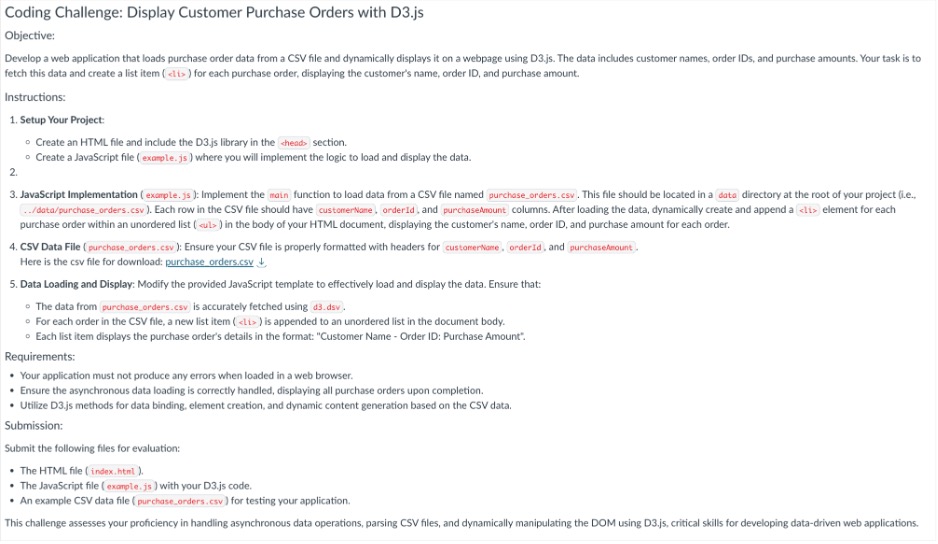
Question: Coding Challenge: Display Customer Purchase Orders with D 3 . js Objective: fetch this data and create a list item ( i b ) for
Coding Challenge: Display Customer Purchase Orders with Djs
Objective:
fetch this data and create a list item for each purchase order, displaying the customer's name, order ID and purchase amount.
Instructions:
Setup Your Project:
Create an HTML file and include the Djs library in the sheads section.
Create a JavaScript file exarole. js where you will implement the logic to load and display the data.
purchase order within an unordered list suls in the body of your HTML document, displaying the customer's name, order ID and purchase amount for each order.
CSV Data File purchaseorders.csv : Ensure your CSV file is properly formatted with headers for customerName, orderId, and purchasehmount
Here is the csv file for download: purchase orders.csv darr
Data Loading and Display: Modify the provided JavaScript template to effectively load and display the data. Ensure that:
The data from purchaseorders.csv is accurately fetched using ddsv
For each order in the CSV file, a new list item is appended to an unordered list in the document body.
Each list item displays the purchase order's details in the format: "Customer Name Order ID: Purchase Amount".
Requirements:
Your application must not produce any errors when loaded in a web browser.
Ensure the asynchronous data loading is correctly handled, displaying all purchase orders upon completion.
Utilize Djs methods for data binding, element creation, and dynamic content generation based on the CSV data.
Submission:
Submit the following files for evaluation:
The HTML file index, htmi
The JavaScript file example js with your Djs code.
An example CSV data file purchaseorders.csv for testing your application.
Step by Step Solution
There are 3 Steps involved in it
1 Expert Approved Answer
Step: 1 Unlock

Question Has Been Solved by an Expert!
Get step-by-step solutions from verified subject matter experts
Step: 2 Unlock
Step: 3 Unlock
 Study Help