







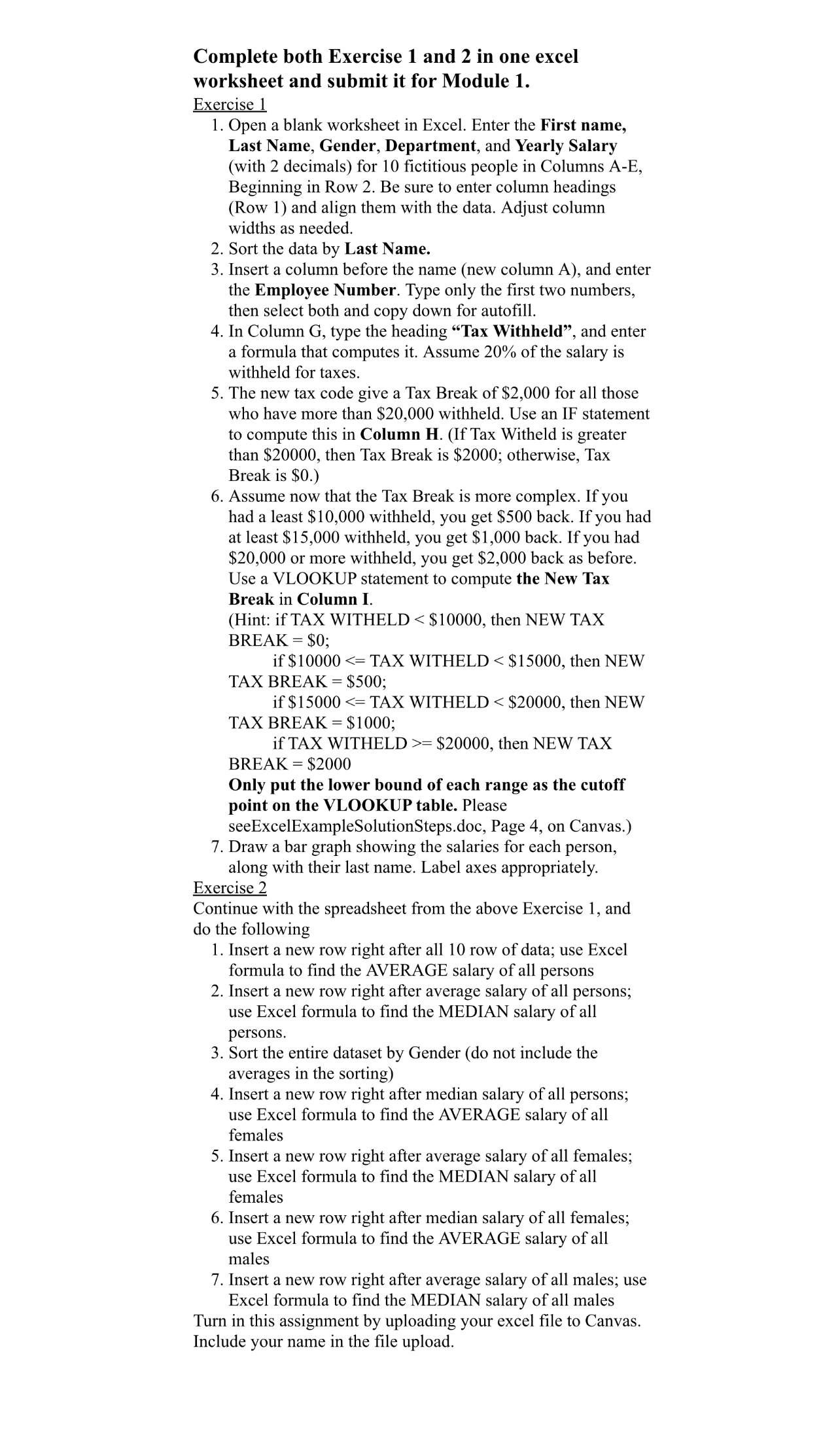
Question: Complete both Exercise 1 and 2 in one excel worksheet and submit it for Module 1 . Exercise 1 Open a blank worksheet in Excel.
Complete both Exercise and in one excel worksheet and submit it for Module
Exercise
Open a blank worksheet in Excel. Enter the First name, Last Name, Gender, Department, and Yearly Salary with decimals for fictitious people in Columns AE Beginning in Row Be sure to enter column headings Row and align them with the data. Adjust column widths as needed.
Sort the data by Last Name.
Insert a column before the name new column A and enter the Employee Number. Type only the first two numbers, then select both and copy down for autofill.
In Column G type the heading "Tax Withheld", and enter a formula that computes it Assume of the salary is withheld for taxes.
The new tax code give a Tax Break of $ for all those who have more than $ withheld. Use an IF statement to compute this in Column HIf Tax Witheld is greater than $ then Tax Break is $; otherwise, Tax Break is $
Assume now that the Tax Break is more complex. If you had a least $ withheld, you get $ back. If you had at least $ withheld, you get $ back. If you had $ or more withheld, you get $ back as before. Use a VLOOKUP statement to compute the New Tax Break in Column I.
Hint: if TAX WITHELD $ then NEW TAX
BREAK $;
if $ TAX WITHELD $ then NEW
TAX BREAK $;
if $ TAX WITHELD $ then NEW
TAX BREAK $;
if TAX WITHELD $ then NEW TAX
BREAK $
Only put the lower bound of each range as the cutoff point on the VLOOKUP table. Please
seeExcelExampleSolutionSteps.doc, Page on Canvas.
Draw a bar graph showing the salaries for each person, along with their last name. Label axes appropriately.
Exercise
Continue with the spreadsheet from the above Exercise and do the following
Insert a new row right after all row of data; use Excel formula to find the AVERAGE salary of all persons
Insert a new row right after average salary of all persons; use Excel formula to find the MEDIAN salary of all persons.
Sort the entire dataset by Gender do not include the averages in the sorting
Insert a new row right after median salary of all persons; use Excel formula to find the AVERAGE salary of all females
Insert a new row right after average salary of all females; use Excel formula to find the MEDIAN salary of all females
Insert a new row right after median salary of all females; use Excel formula to find the AVERAGE salary of all males
Insert a new row right after average salary of all males; use Excel formula to find the MEDIAN salary of all males
Turn in this assignment by uploading your excel file to Canvas. Include your name in the file upload.
Step by Step Solution
There are 3 Steps involved in it
1 Expert Approved Answer
Step: 1 Unlock

Question Has Been Solved by an Expert!
Get step-by-step solutions from verified subject matter experts
Step: 2 Unlock
Step: 3 Unlock
 Study Help