







Question: Complete Button Tester that shows a frame with two buttons Red and Green and a label containing an icon showing a circle that is initially
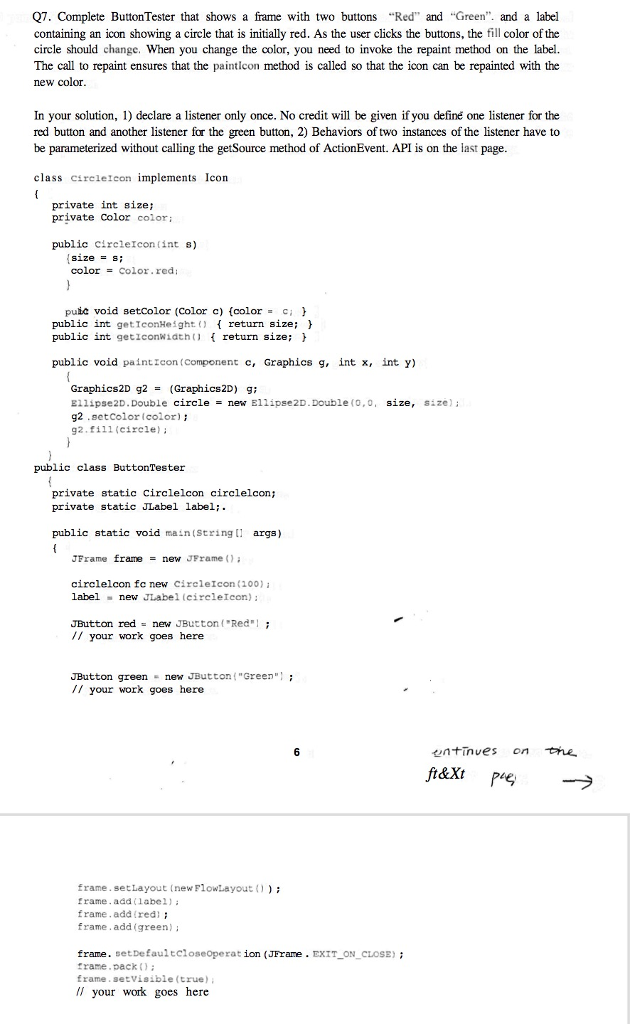
Complete Button Tester that shows a frame with two buttons Red" and Green and a label containing an icon showing a circle that is initially red. As the user clicks the buttons, the fill color of the circle should change. When you change the color, you need to invoke the repaint method on the label. The call to repaint ensures that the paintIcon method is called so that the icon can be repainted with the new color. In your solution, 1) declare a listener only once. No credit will be given if you define one listener for the red button and another listener for the green button, 2) Behaviors of two instances of the listener have to be parameterized without calling the getSource method of ActionEvent. API is on the last page. class circleIcon implements Icon { private int size; private color color; public circleIcon (int s) {size = s; color = color.red; } public void setColor (Color c) {color = c; } public int getIconHeight() {return size; } public int getIconWidth() {return size; } public void paintIcon (component c, Graphics g, int x, int y) { Graphics2D g2 = (Graphics2D) g; Ellipse2D.Double circle = new Ellipse2D.Double (0,0, size, size); g2.setColor (color|); g2.fill (circle); } } public class ButtonTester { private static CircleIcon circleIcon; private static JLabel label; public static void main (String [] args) { JFrame frame = new JFrame(); circleIcon fc new CircleIcon (100); label = new JLabel (circleIcon); JButton red = new JButton (Red |; // your work goes here JButton green = new JButton (Green |; // your work goes here frame.setLayout (newFlowLayout() ); frame.add (label); frame.add (red); frame.add (green); frame.setDefaultCloseoperat ion (JFrame.EXIT_ON_CLOSE); frame.pack(); frame.setVisible (true); // your work goes here
Step by Step Solution
There are 3 Steps involved in it

Get step-by-step solutions from verified subject matter experts
 Study Help