







Question: complete it!!!!!!!!!!!!!!!!!!!!!!!!! Assignment #2 - Data Modeling Assignment 40 Points Possible Part 1: (20 points) Use Microsoft Visio to create and ERD. Julia, a recent
complete it!!!!!!!!!!!!!!!!!!!!!!!!!
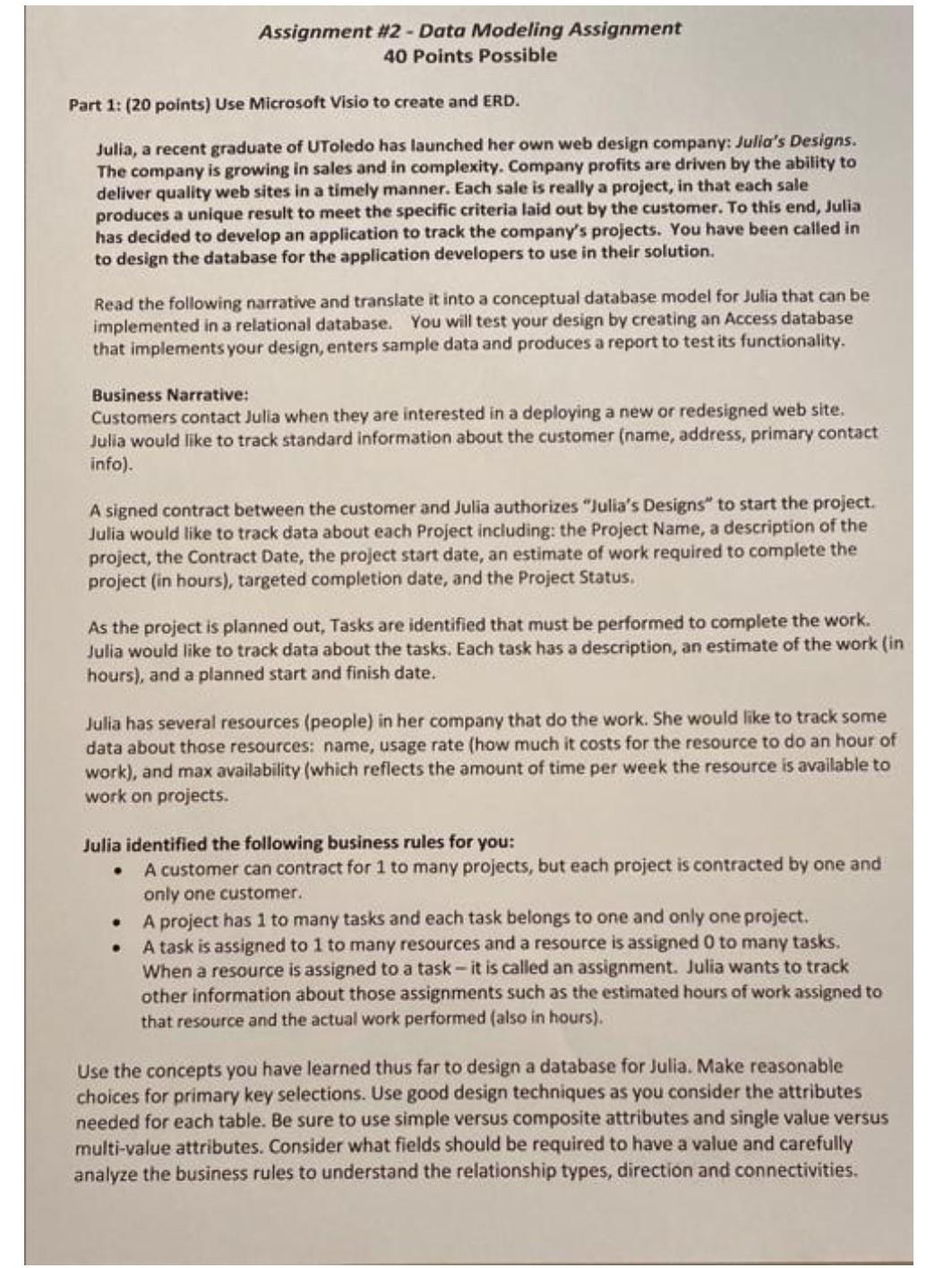
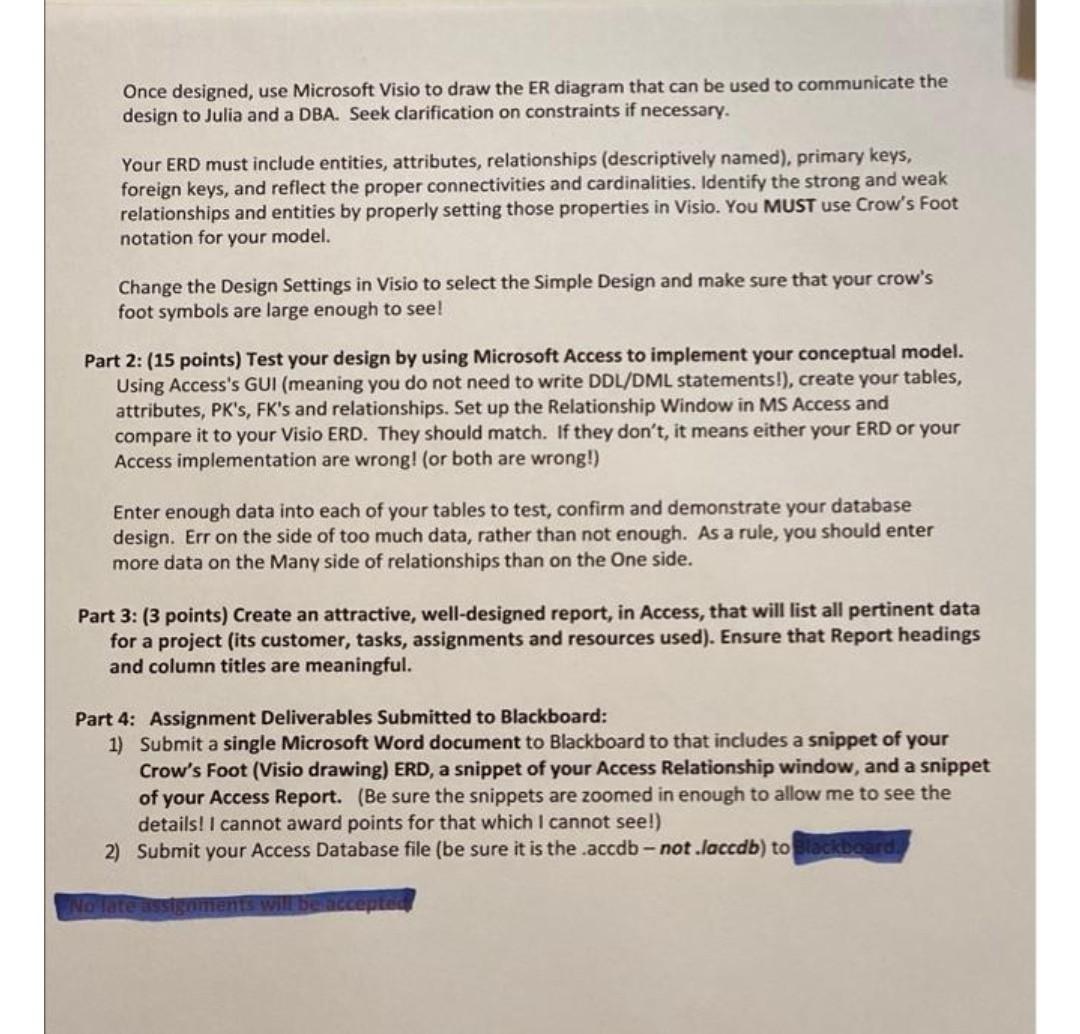
Assignment #2 - Data Modeling Assignment 40 Points Possible Part 1: (20 points) Use Microsoft Visio to create and ERD. Julia, a recent graduate of UToledo has launched her own web design company: Julia's Designs. The company is growing in sales and in complexity. Company profits are driven by the ability to deliver quality web sites in a timely manner. Each sale is really a project, in that each sale produces a unique result to meet the specific criteria laid out by the customer. To this end, Julia has decided to develop an application to track the company's projects. You have been called in to design the database for the application developers to use in their solution. Read the following narrative and translate it into a conceptual database model for Julia that can be implemented in a relational database. You will test your design by creating an Access database that implements your design, enters sample data and produces a report to test its functionality. Business Narrative: Customers contact Julia when they are interested in a deploying a new or redesigned web site. Julia would like to track standard information about the customer (name, address, primary contact info). A signed contract between the customer and Julia authorizes "Julia's Designs to start the project. Julia would like to track data about each Project including: the Project Name, a description of the project, the Contract Date, the project start date, an estimate of work required to complete the project (in hours), targeted completion date, and the Project Status As the project is planned out, Tasks are identified that must be performed to complete the work. Julia would like to track data about the tasks. Each task has a description, an estimate of the work (in hours), and a planned start and finish date. Julia has several resources (people) in her company that do the work. She would like to track some data about those resources: name, usage rate (how much it costs for the resource to do an hour of work), and max availability (which reflects the amount of time per week the resource is available to work on projects. Julia identified the following business rules for you: A customer can contract for 1 to many projects, but each project is contracted by one and only one customer. A project has 1 to many tasks and each task belongs to one and only one project. A task is assigned to 1 to many resources and a resource is assigned 0 to many tasks. When a resource is assigned to a task - it is called an assignment. Julia wants to track other information about those assignments such as the estimated hours of work assigned to that resource and the actual work performed (also in hours). Use the concepts you have learned thus far to design a database for Julia. Make reasonable choices for primary key selections. Use good design techniques as you consider the attributes needed for each table. Be sure to use simple versus composite attributes and single value versus multi-value attributes. Consider what fields should be required to have a value and carefully analyze the business rules to understand the relationship types, direction and connectivities. Once designed, use Microsoft Visio to draw the ER diagram that can be used to communicate the design to Julia and a DBA. Seek clarification on constraints if necessary. Your ERD must include entities, attributes, relationships (descriptively named), primary keys, foreign keys, and reflect the proper connectivities and cardinalities. Identify the strong and weak relationships and entities by properly setting those properties in Visio. You MUST use Crow's Foot notation for your model. Change the Design Settings in Visio to select the Simple Design and make sure that your crow's foot symbols are large enough to see! Part 2: (15 points) Test your design by using Microsoft Access to implement your conceptual model. Using Access's GUI (meaning you do not need to write DDL/DML statements!), create your tables, attributes, PK's, FK's and relationships. Set up the Relationship Window in MS Access and compare it to your Visio ERD. They should match. If they don't, it means either your ERD or your Access implementation are wrong! (or both are wrong!) Enter enough data into each of your tables to test, confirm and demonstrate your database design. Err on the side of too much data, rather than not enough. As a rule, you should enter more data on the Many side of relationships than on the One side. Part 3: (3 points) Create an attractive, well-designed report, in Access, that will list all pertinent data for a project (its customer, tasks, assignments and resources used). Ensure that Report headings and column titles are meaningful. Part 4: Assignment Deliverables Submitted to Blackboard: 1) Submit a single Microsoft Word document to Blackboard to that includes a snippet of your Crow's Foot (Visio drawing) ERD, a snippet of your Access Relationship window, and a snippet of your Access Report. (Be sure the snippets are zoomed in enough to allow me to see the details! I cannot award points for that which I cannot see!) 2) Submit your Access Database file (be sure it is the .accdb - not .laccdb) to Blackboard No late assign
Step by Step Solution
There are 3 Steps involved in it
1 Expert Approved Answer
Step: 1 Unlock

Question Has Been Solved by an Expert!
Get step-by-step solutions from verified subject matter experts
Step: 2 Unlock
Step: 3 Unlock
 Study Help