







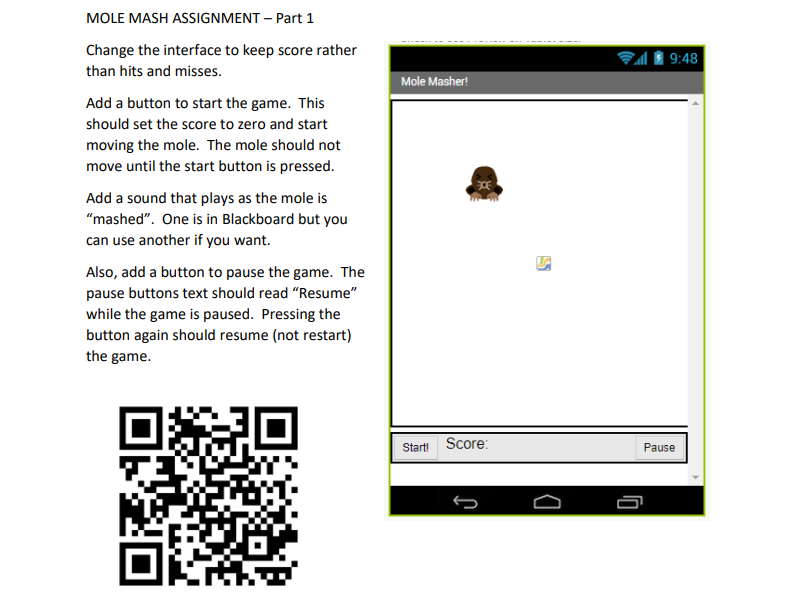
Question: COMPLETE PART 1 USING APP INVENTOR COMPLETE PART 2 USING APP INVENTOR MOLE MASH ASSIGNMENT - Part 1 Change the interface to keep score rather
COMPLETE PART 1 USING APP INVENTOR
COMPLETE PART 2 USING APP INVENTOR
MOLE MASH ASSIGNMENT - Part 1 Change the interface to keep score rather than hits and misses. Add a button to start the game. This should set the score to zero and start moving the mole. The mole should not move until the start button is pressed. Add a sound that plays as the mole is "mashed". One is in Blackboard but you can use another if you want. Also, add a button to pause the game. The pause buttons text should read "Resume" while the game is paused. Pressing the button again should resume (not restart) the game. MOLE MASH ASSIGNMENT - Part 2 Let's make the game a little harder. Right now, all the player has to do is react to an image that appears on the screen. Let's make them think before they react.... For this assignment, find an image that "fits" in with your game except this image is something that should not be mashed. In my example, I used a skunk. In the "MoveMole" method, do conditional to check if a random number is below 20 . If so, make the skunk appear instead of the mole. You then will need to edit the code to see if the mole or the skunk was touched. If the player touches the skunk, they lose some points
Step by Step Solution
There are 3 Steps involved in it

Get step-by-step solutions from verified subject matter experts
 Study Help