







Question: Complete the following comme d, a new test dat se oh DATABASE schema. The database s the default 1. Using the instance the four individual
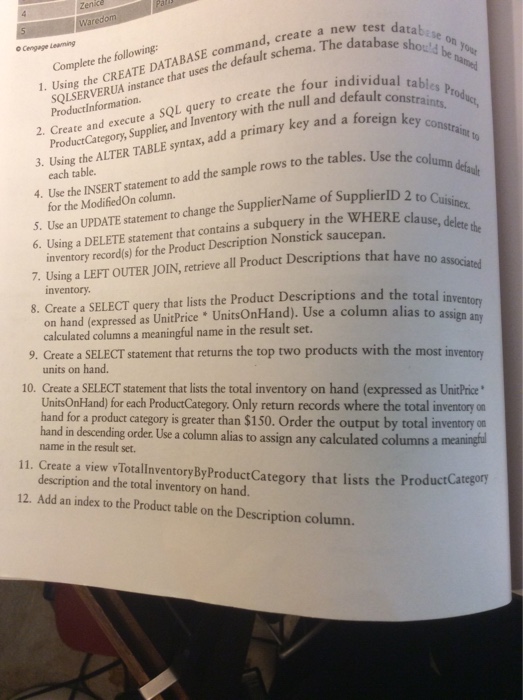
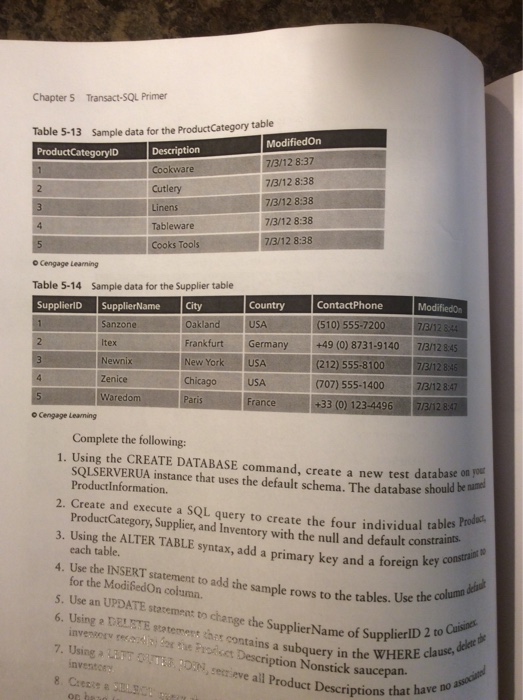
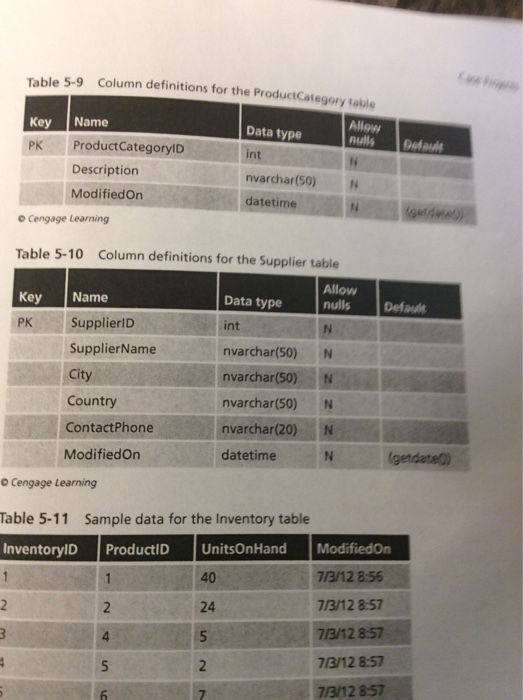
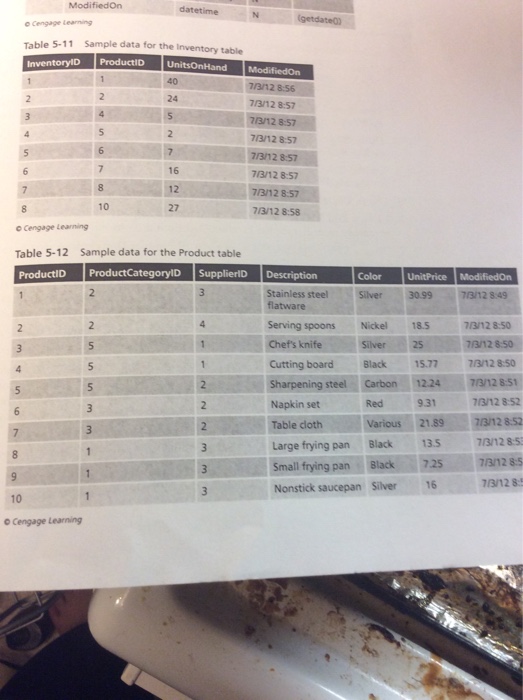
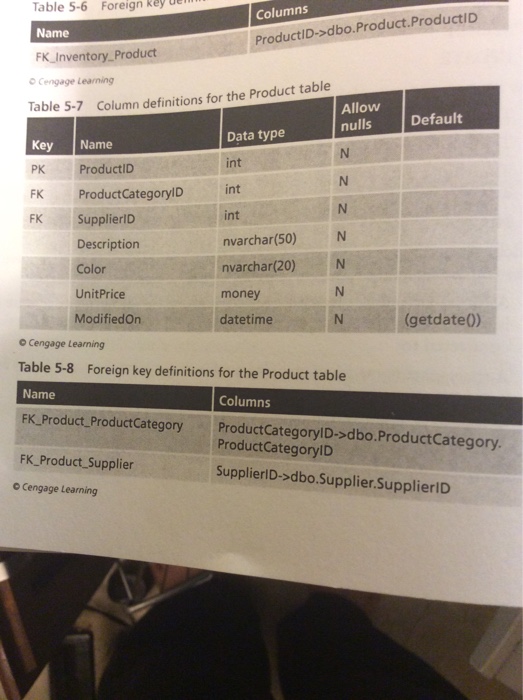
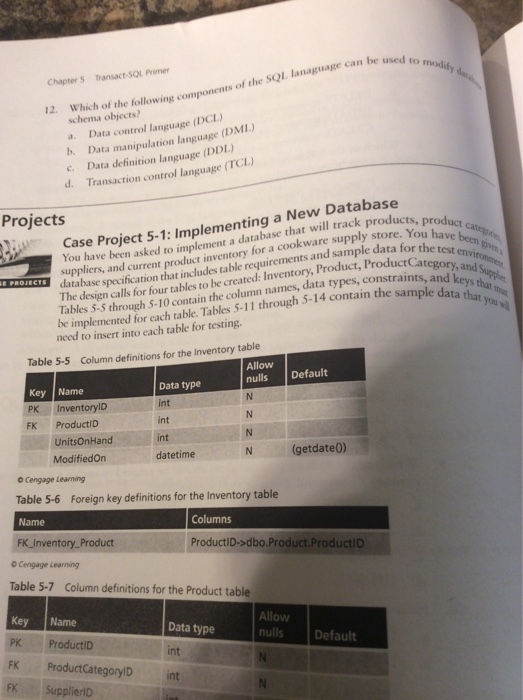
Complete the following comme d, a new test dat se oh DATABASE schema. The database s the default 1. Using the instance the four individual tab Information SQL to create null constra Product 2. Create and execute a Inventory with the and a foreign key co and key and 3. Product ALTER TABLE syntax, a Use the Using the each table. the sample rows to the tables 4. Use the INSERT statement to ad for the Suppl of SupplierlD 2 to c 5. Use an UPDATE statement to change the WHERE clause, 6. Using a DELETE statement that contains a subquery in the inventory record(s) for the Product Description Nonstick saucepan. have no 7. Using a LEFT OUTER JOIN, retrieve all Product Descriptions that 8. inventory. the Product Descriptions and the total Create a SELECT query that lists on hand (expressed as UnitPrice OnHand). Use a column alias to assign any calculated columns a meaningful name in the result set. 9. create a SELECT statement that returns the top two products with the most in units on hand. 10. Create a SELECT statement that lists the total inventory on hand (expressed as UnitPrice UnitsOnHand) for each ProductCategor. Only return records where the total inventory on hand in is greater than $150. order the output by total inventory on name in descending order. Use a alias to assign any calculated columns a the result set. 11. view that lists the ProductCategory description and the total inventory on hand. 12. Add an index to the Prod uct table on the escription column
Step by Step Solution
There are 3 Steps involved in it

Get step-by-step solutions from verified subject matter experts
 Study Help