







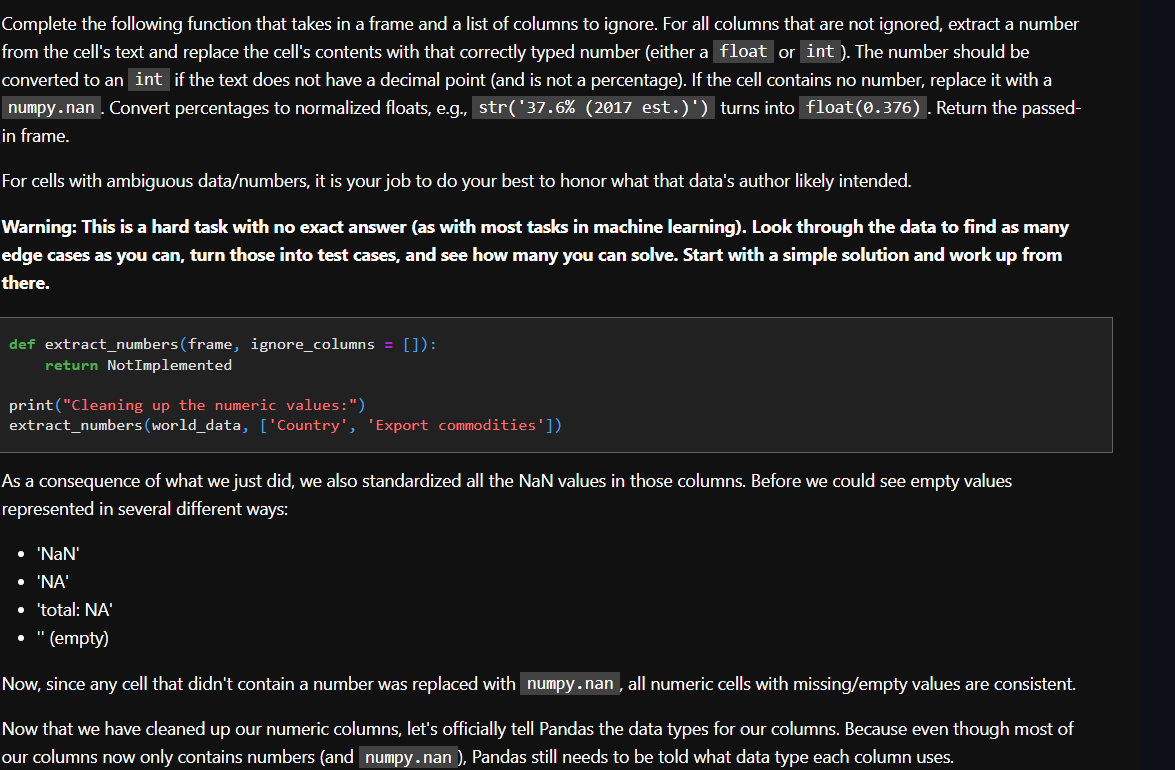
Question: Complete the following function that takes in a frame and a list of columns to ignore. For all columns that are not ignored, extract a
Complete the following function that takes in a frame and a list of columns to ignore. For all columns that are not ignored, extract a number
from the cell's text and replace the cell's contents with that correctly typed number either a float or int The number should be
converted to an int if the text does not have a decimal point and is not a percentage If the cell contains no number, replace it with a
numpy. nan Convert percentages to normalized floats, eg str est. turns into float Return the passed
in frame.
For cells with ambiguous datanumbers it is your job to do your best to honor what that data's author likely intended.
Warning: This is a hard task with no exact answer as with most tasks in machine learning Look through the data to find as many
edge cases as you can, turn those into test cases, and see how many you can solve. Start with a simple solution and work up from
there.
def extractnumbersframe ignorecolumns :
return NotImplemented
printCleaning up the numeric values:"
extractnumbersworlddata, Country 'Export commodities'
As a consequence of what we just did, we also standardized all the NaN values in those columns. Before we could see empty values
represented in several different ways:
NaN
NA
'total: NA
empty
THis is python
Now, since any cell that didn't contain a number was replaced with numpy. nan all numeric cells with missingempty values are consistent.
Now that we have cleaned up our numeric columns, let's officially tell Pandas the data types for our columns. Because even though most of
our columns now only contains numbers and numpy. nan Pandas still needs to be told what data type each column uses.
Step by Step Solution
There are 3 Steps involved in it
1 Expert Approved Answer
Step: 1 Unlock

Question Has Been Solved by an Expert!
Get step-by-step solutions from verified subject matter experts
Step: 2 Unlock
Step: 3 Unlock
 Study Help