







Question: Complete the following task using arrays in VBA. find matching flight origins/destinations listed in columns E and F in columns A and B. Origins/Destinations in
Complete the following task using arrays in VBA. find matching flight origins/destinations listed in columns E and F in columns A and B. Origins/Destinations in column A and B span from A2:A122/B2:B122.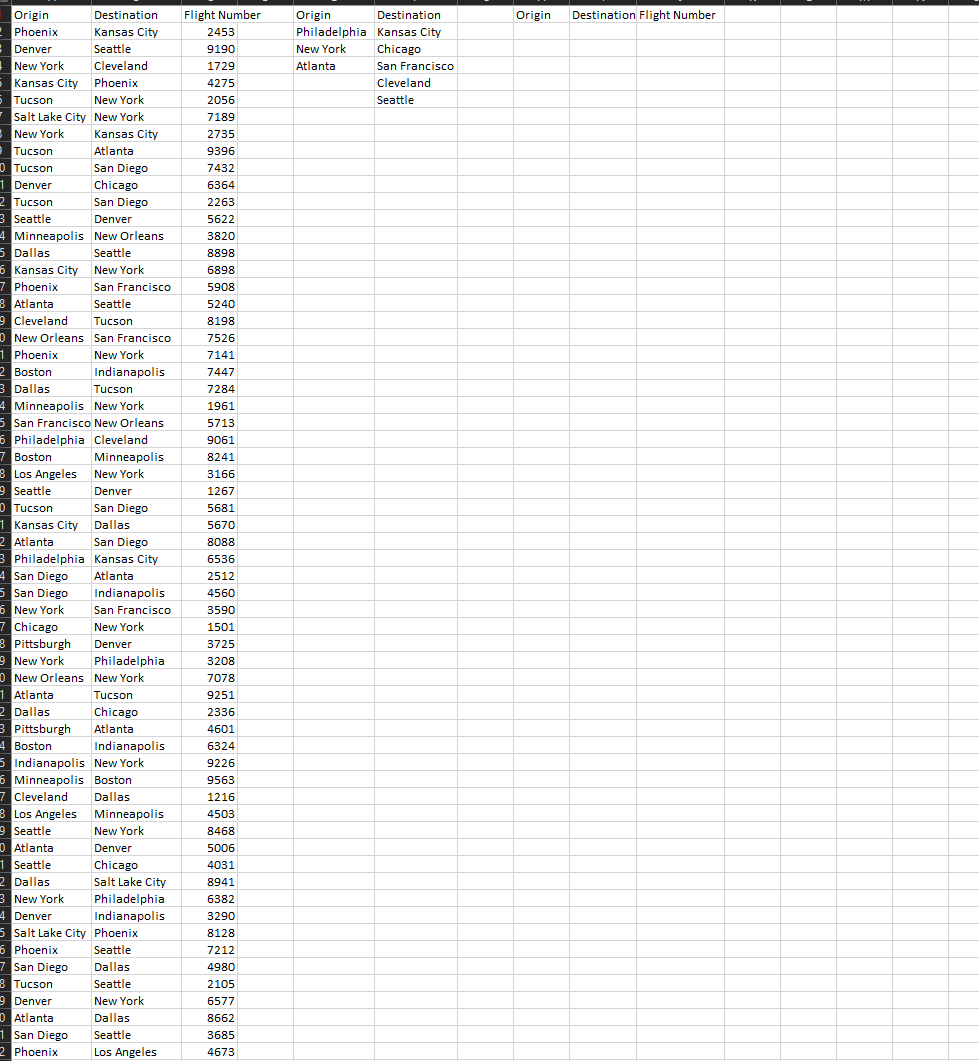
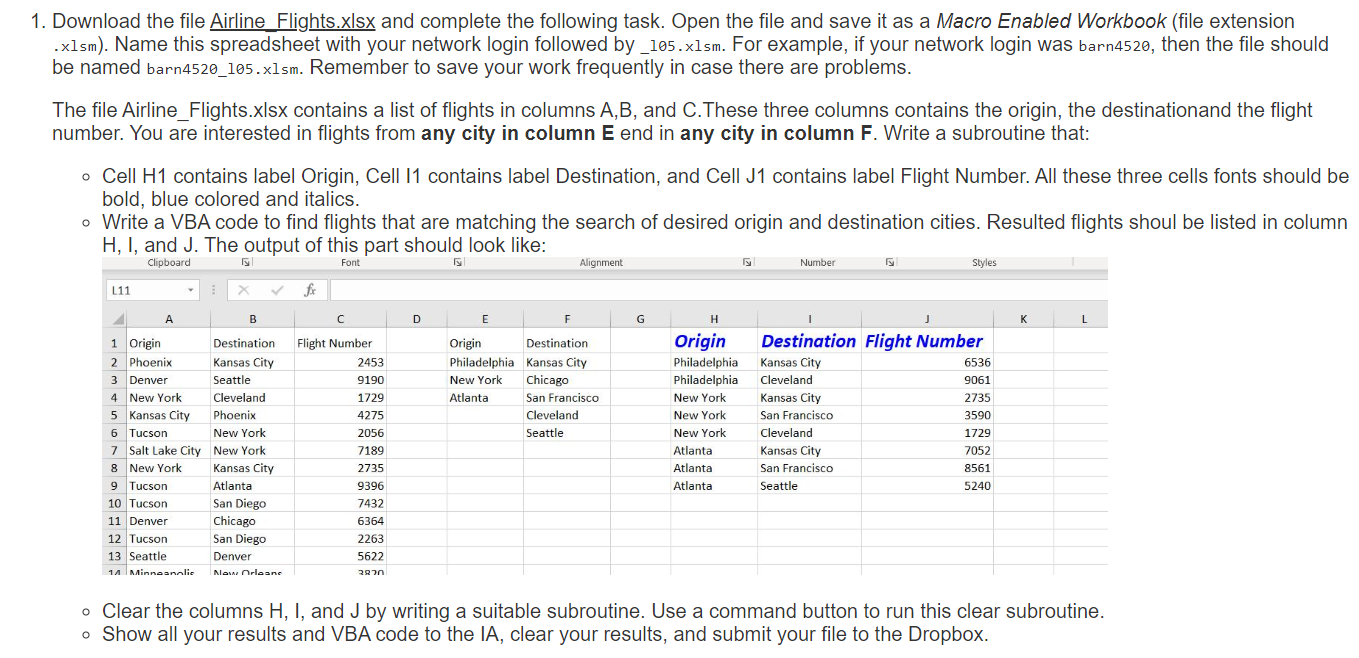
1. Download the file Airline Flights.xlsx and complete the following task. Open the file and save it as a Macro Enabled Workbook (file extension .x1sm). Name this spreadsheet with your network login followed by_105.x1sm. For example, if your network login was barn4520, then the file should be named barn4520_105.x1sm. Remember to save your work frequently in case there are problems. The file Airline_Flights.xlsx contains a list of flights in columns A,B, and C.These three columns contains the origin, the destinationand the flight number. You are interested in flights from any city in column E end in any city in column F. Write a subroutine that: - Cell H1 contains label Origin, Cell I1 contains label Destination, and Cell J1 contains label Flight Number. All these three cells fonts should be bold, blue colored and italics. - Write a VBA code to find flights that are matching the search of desired origin and destination cities. Resulted flights shoul be listed in column H,I, and J. The output of this part should look like: - Clear the columns H,I, and J by writing a suitable subroutine. Use a command button to run this clear subroutine. - Show all your results and VBA code to the IA, clear your results, and submit your file to the Dropbox
Step by Step Solution
There are 3 Steps involved in it

Get step-by-step solutions from verified subject matter experts
 Study Help