







Question: Complete the GuestBook page. Submit the source code and screenshots of sample runs. Exercise: Functions & Files - A simple GuestBook to illustrate functions and
Complete the GuestBook page. Submit the source code and screenshots of sample runs.
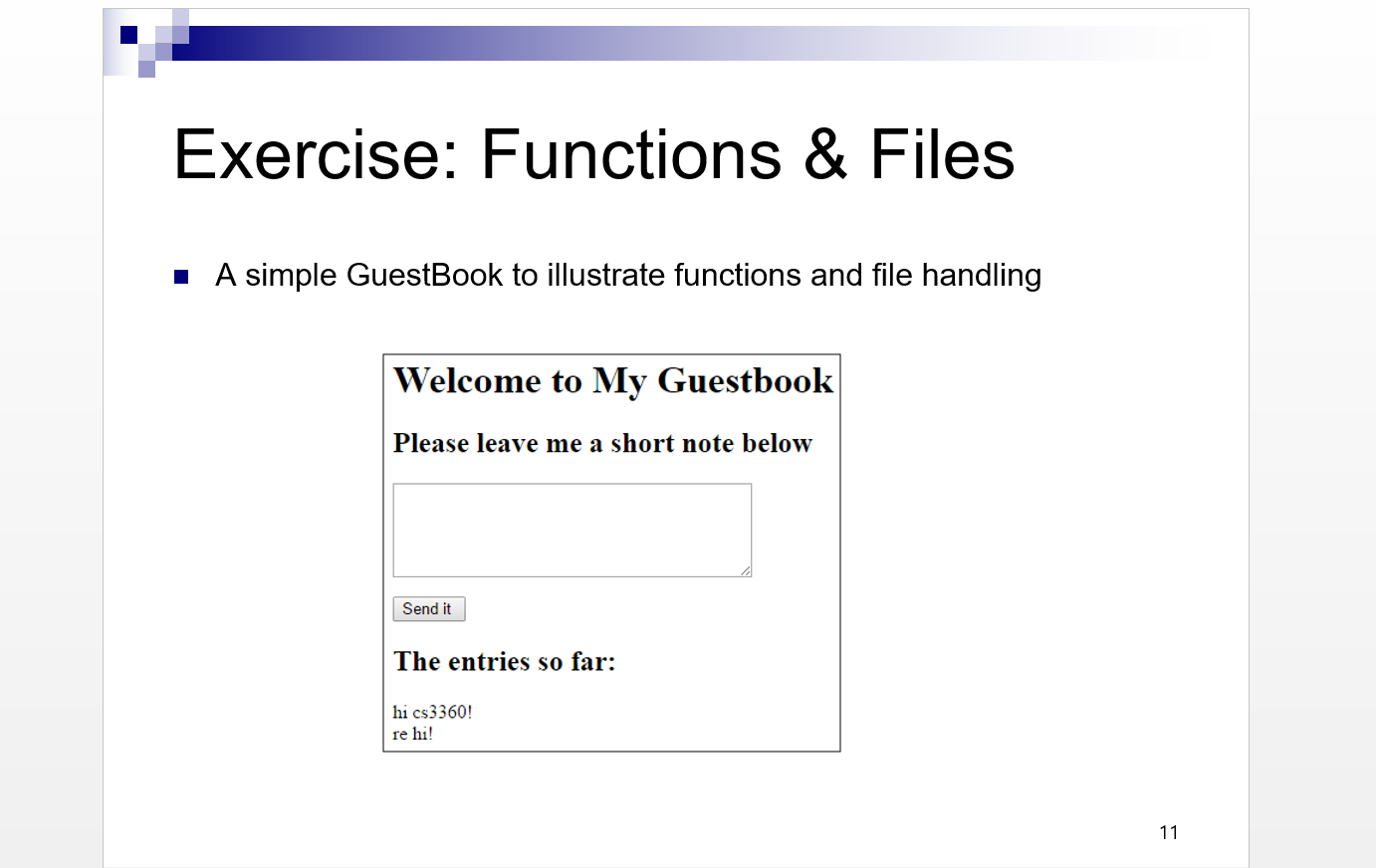
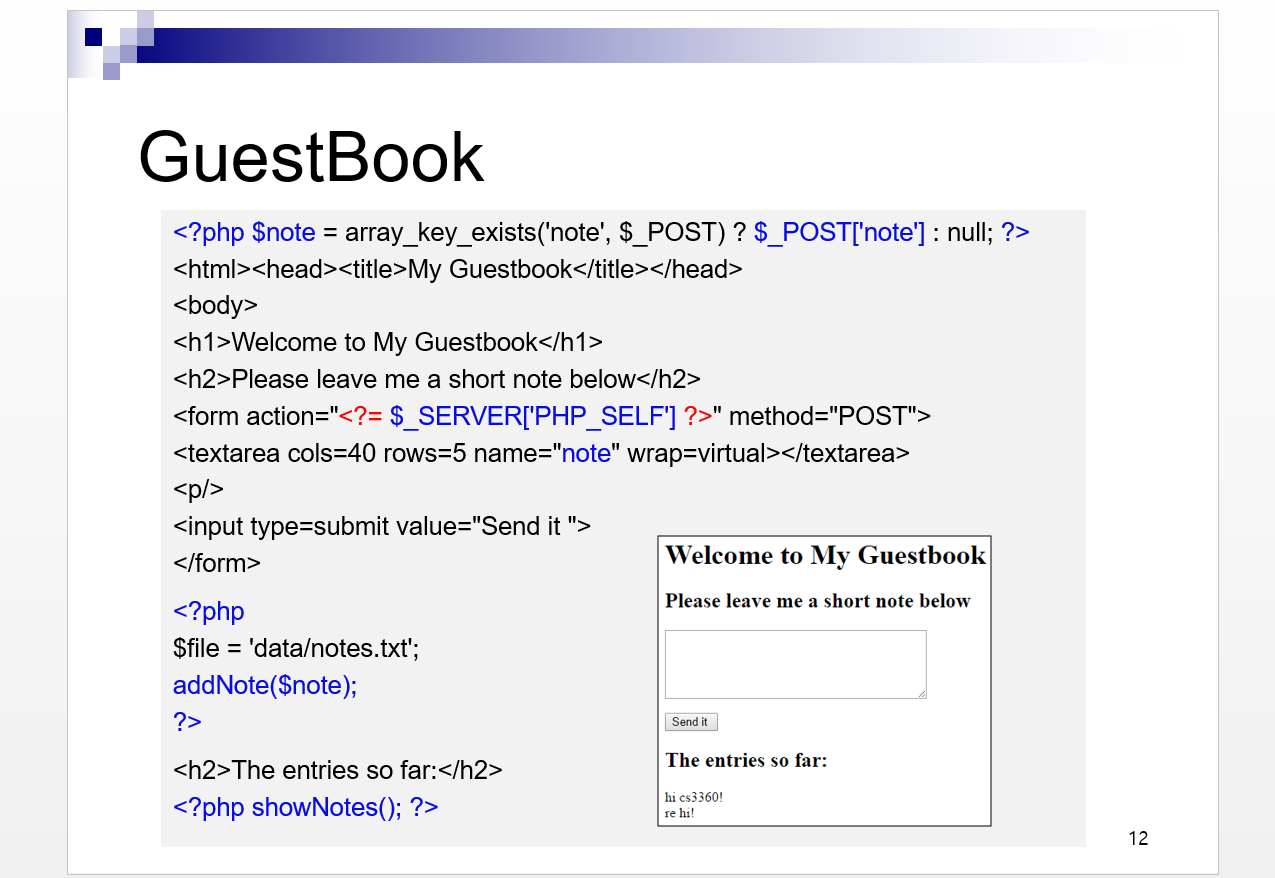
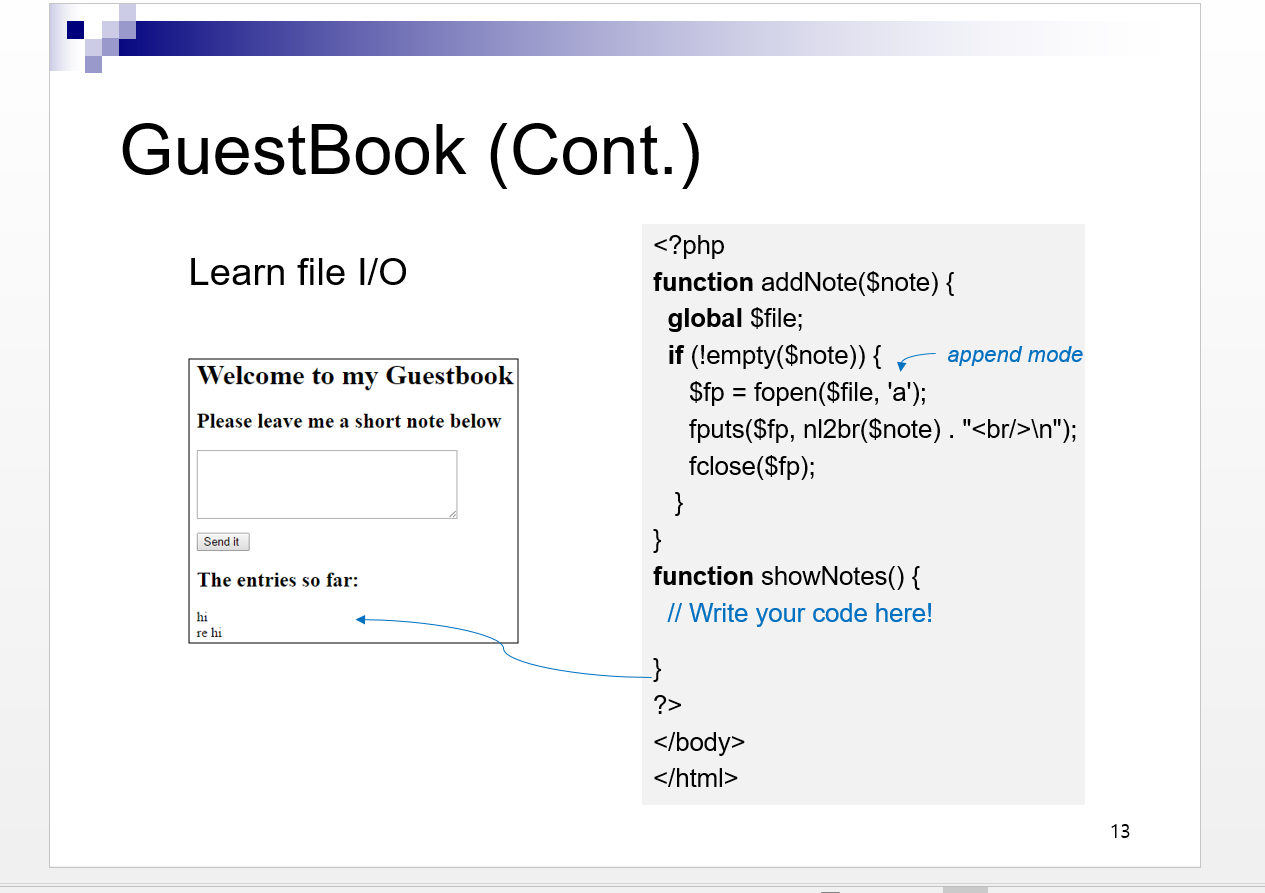
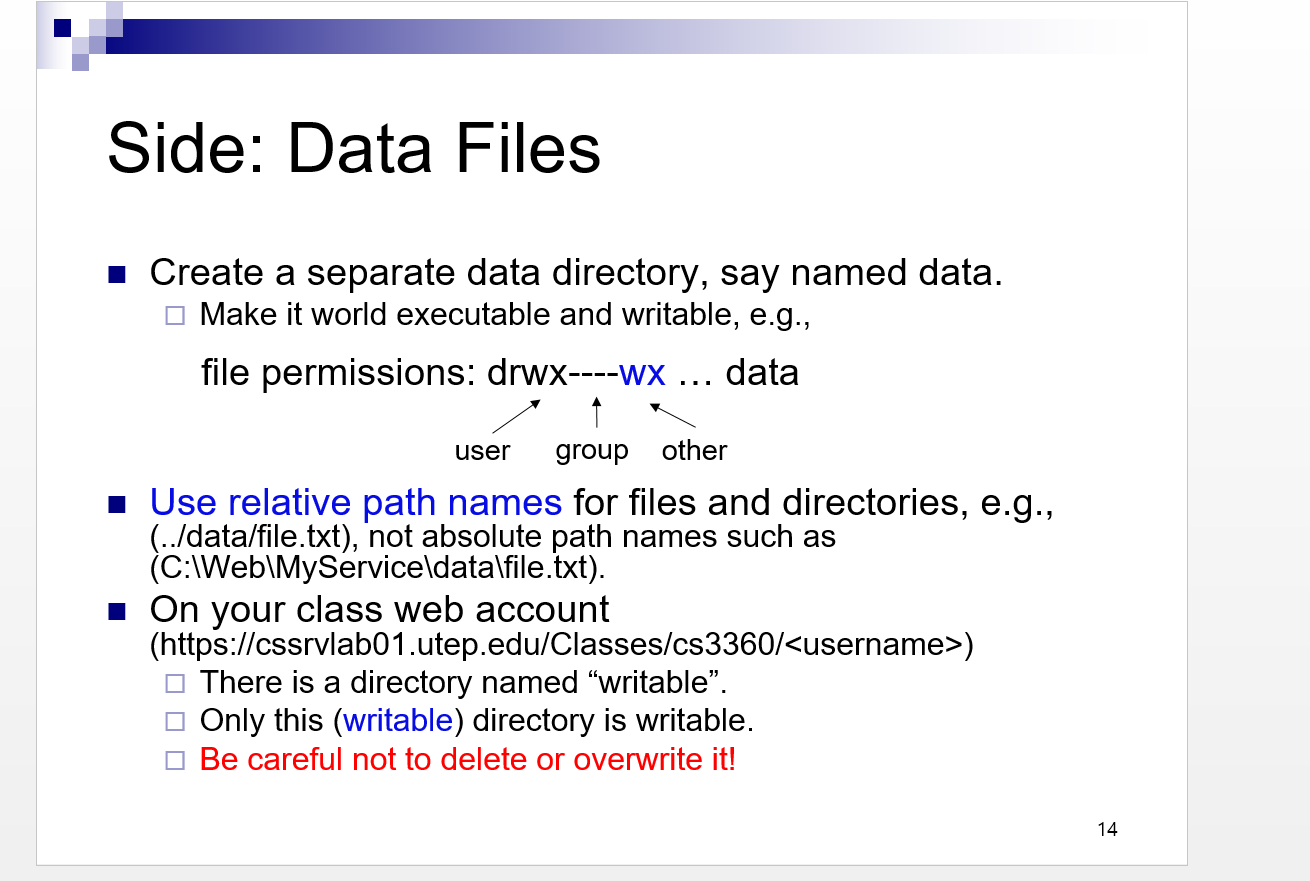
Exercise: Functions \& Files - A simple GuestBook to illustrate functions and file handling Guestbook 12 GuestBook (Cont.) Side: Data Files - Create a separate data directory, say named data. Make it world executable and writable, e.g., file permissions: drwx----wx ... data user group other Use relative path names for files and directories, e.g., (../data/file.txt), not absolute path names such as (C:IWeblMyServiceldatalfile.txt). - On your class web account (https://cssrvlab01.utep.edu/Classes/cs 3360/) There is a directory named "writable". Only this (writable) directory is writable. Be careful not to delete or overwrite it! Exercise: Functions \& Files - A simple GuestBook to illustrate functions and file handling Guestbook 12 GuestBook (Cont.) Side: Data Files - Create a separate data directory, say named data. Make it world executable and writable, e.g., file permissions: drwx----wx ... data user group other Use relative path names for files and directories, e.g., (../data/file.txt), not absolute path names such as (C:IWeblMyServiceldatalfile.txt). - On your class web account (https://cssrvlab01.utep.edu/Classes/cs 3360/) There is a directory named "writable". Only this (writable) directory is writable. Be careful not to delete or overwrite it
Step by Step Solution
There are 3 Steps involved in it

Get step-by-step solutions from verified subject matter experts
 Study Help