Question: Complete the Programming of an Object-Oriented Console Application In this assessmenL you will complete the programming oftwo Java class methods in a console application that
Complete the Programming of an Object-OrientedComplete the Programming of an Object-OrientedComplete the Programming of an Object-OrientedComplete the Programming of an Object-OrientedComplete the Programming of an Object-OrientedComplete the Programming of an Object-Oriented
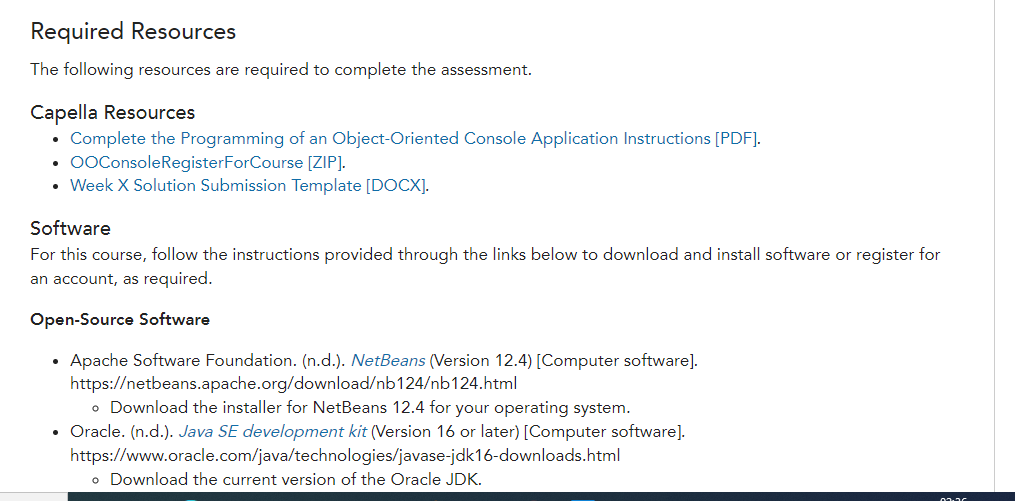
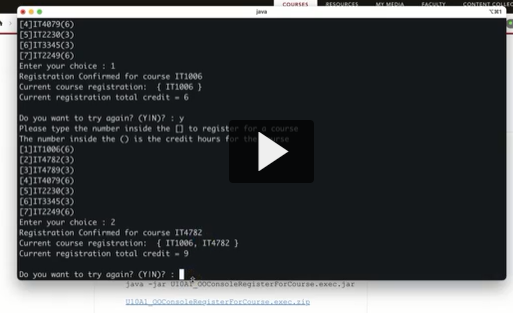
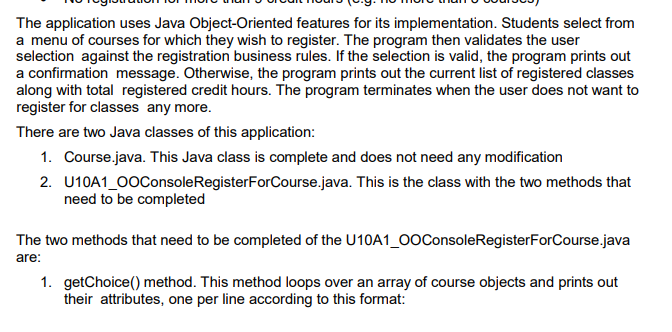
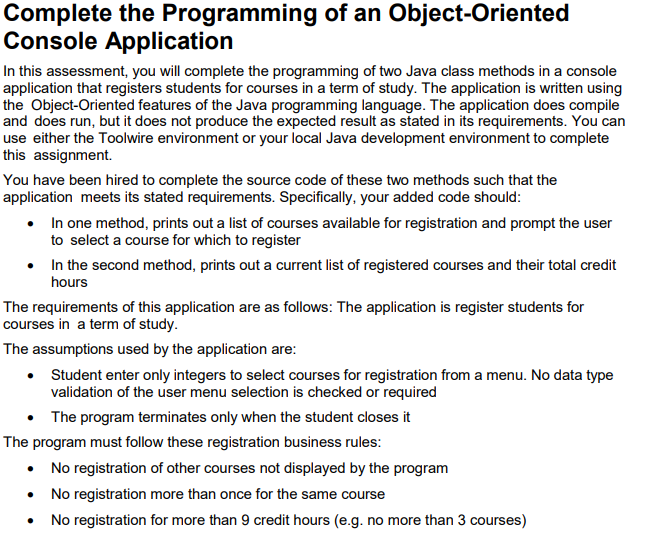
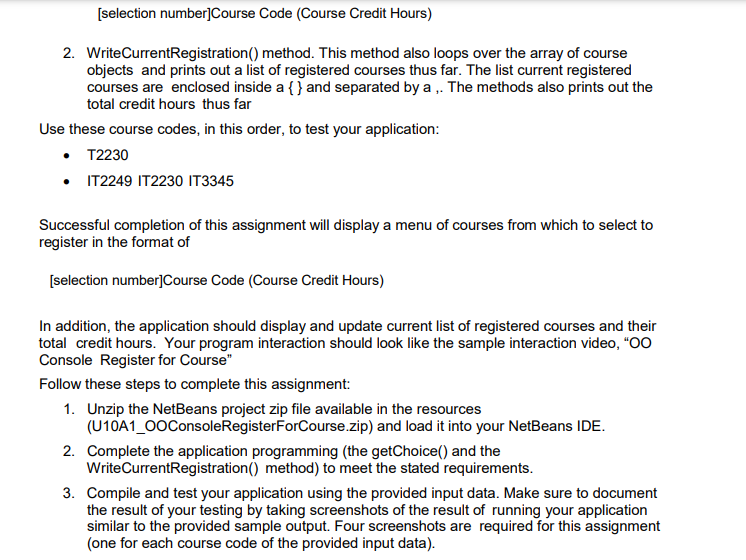
Complete the Programming of an Object-Oriented Console Application In this assessmenL you will complete the programming oftwo Java class methods in a console application that registers students for courses in a term of study. The application is written using the Dbiect-Driented features of the Java programming language. The application does compile and does run. but it does not produce the expected result as stated in its requirements. You can use either the Toolwire environment or your local Java development environmentto complete this assignment You have been hired to complete the source code of these two methods such that the application meets its stated requirements. Specically+ your added code should: i In one method. prints out a list of courses available for registration and prompt the user to select a course for which to register 1- In the second method, prints out a current list of registered courses and their total credit hours The requirements of this application are as follows: The application is register students for courses in a term of study. The assumptions used bythe application are: e Student enter only integers to select courses for registration from a menu. No data type validation of the user menu selection is checked or required o The program terminates only when the student closes it The program must follow these registration business rules: i No registration of other courses not displayed by the program I No registration more than once for the same course - No registration for more than 9 credit hours [e.g. no more than 3 courses) [selection number]Course Code (Course Credit Hours) 2. WriteCurrentRegistration() method. This method also loops over the array of course objects and prints out a list of registered courses thus far. The list current registered courses are enclosed inside a { } and separated by a ,. The methods also prints out the total credit hours thus far Use these course codes, in this order, to test your application: T2230 IT2249 IT2230 IT3345 Successful completion of this assignment will display a menu of courses from which to select to register in the format of [selection number]Course Code (Course Credit Hours) In addition, the application should display and update current list of registered courses and their total credit hours. Your program interaction should look like the sample interaction video, "OO Console Register for Course" Follow these steps to complete this assignment: 1. Unzip the NetBeans project zip file available in the resources (U10A1_OOConsoleRegisterForCourse.zip) and load it into your NetBeans IDE. 2. Complete the application programming (the getChoice() and the WriteCurrentRegistration() method) to meet the stated requirements. 3. Compile and test your application using the provided input data. Make sure to document the result of your testing by taking screenshots of the result of running your application similar to the provided sample output. Four screenshots are required for this assignment (one for each course code of the provided input data).(one for each course code of the provided input data). 4. Explain the approach you took to complete this assignment and the major decisions you made. As part of your explanation, be sure to identify the fundamental Java constructs you used that were specific and relevant to your submitted program. Deliverables Use the submission template available in the resources(WeekXSolutionSubmissionTemplate.docx) to complete and submit your deliverables. Your deliverables in the submission template should include: 1. Your work (Netbeans project zip file + copy of *.java source code) 2. Screenshots of the result of testing your application. See the examples in the interaction video. 3. Explain the approach you took to complete this assignment and the major decisions you made. As part of your explanation, be sure to identify the fundamental Java constructs you used that were specific and relevant to your submitted program.Required Resources The following resources are required to complete the assessment. Capella Resources . Complete the Programming of an Object-Oriented Console Application Instructions [PDF]. . OOConsoleRegisterForCourse [ZIP]. . Week X Solution Submission Template [DOCX]. Software For this course, follow the instructions provided through the links below to download and install software or register for an account, as required. Open-Source Software . Apache Software Foundation. (n.d.). NetBeans (Version 12.4) [Computer software]. https:/etbeans.apache.org/downloadb124b124.html o Download the installer for NetBeans 12.4 for your operating system. . Oracle. (n.d.). Java SE development kit (Version 16 or later) [Computer software]. https://www.oracle.com/java/technologies/javase-jdk16-downloads.html o Download the current version of the Oracle JDK.LCALLI [4]IT4079(6) [5]IT2230(3) [6]173345(3) [7]IT2249(6) Enter your choice : 1 Registration Confirmed for course IT1806 Current course registration: { IT1006 } Current registration total credit = 6 Do you want to try again? (YIN)? : y Please type the number inside the to register for a course The number inside the () is the credit hours for the [1]ITIONG(6) [2]IT4782(3) (3]IT4789(3) IT4079(6) [5]IT2230(3) (6]IT3345(3) [7]IT2249(6) Enter your choice : 2 Registration Confirmed for course IT4782 Current course registration: { IT1006, IT4782 } Current registration total credit = 9 Do you want to try again? (YIN)? : Java -jor UIDAY COConsoleRegister ForCourse.exec. jarThe application uses Java Object-Oriented features for its implementation. Students select from a menu of courses for which they wish to register. The program then validates the user selection against the registration business rules. If the selection is valid, the program prints out a confirmation message. Otherwise, the program prints out the current list of registered classes along with total registered credit hours. The program terminates when the user does not want to register for classes any more. There are two Java classes of this application: 1. Course.java. This Java class is complete and does not need any modification 2. U10A1_OOConsoleRegisterForCourse.java. This is the class with the two methods that need to be completed The two methods that need to be completed of the U10A1_OOConsoleRegisterForCourse.java are: 1. getChoice() method. This method loops over an array of course objects and prints out their attributes, one per line according to this format
Step by Step Solution

There are 3 Steps involved in it

1 Expert Approved Answer
Step: 1 Unlock blur-text-image

Question Has Been Solved by an Expert!

Get step-by-step solutions from verified subject matter experts

Step: 2 Unlock
Step: 3 Unlock

Students Have Also Explored These Related Programming Questions!