







Question: Computer Science: PLATFORM COMPUTING Please used an HTML coding programming I need help figuring out how to add user name, password, cancel and log in
Computer Science: PLATFORM COMPUTING
Please used an HTML coding programming
I need help figuring out how to add user name, password, cancel and log in since last week I joined the classroom I am a little bit behind in the study and trying to figure out the so I need help to add what coding do I need to add and explain how to get the coding looking like the assignment 2 sheets? If I need missing anything please tell me or explain what I need to add by showcasing the coding.
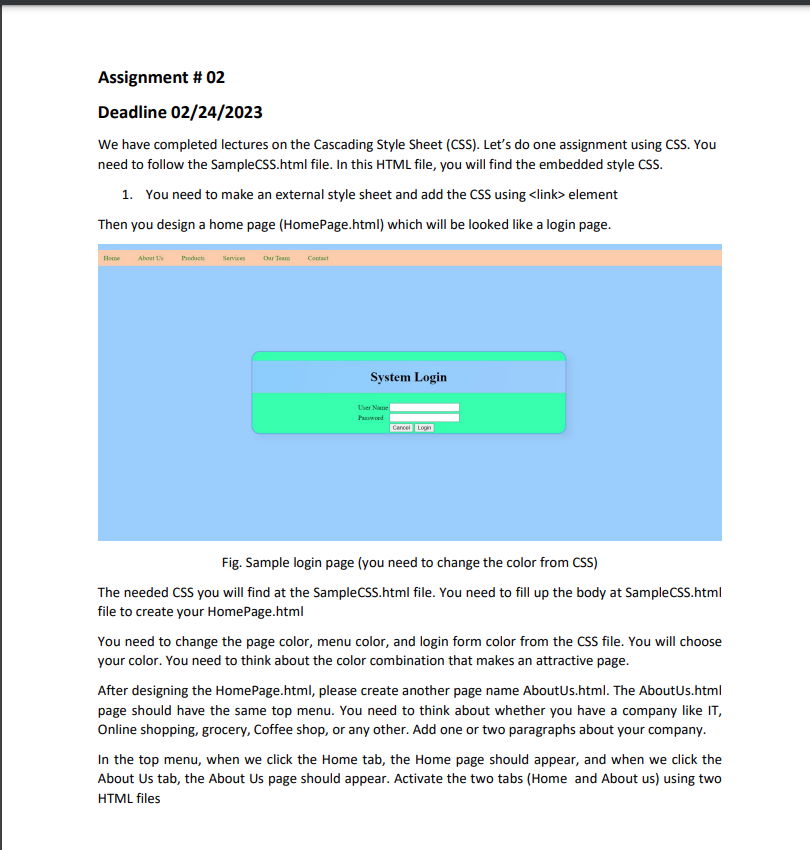
The assignment that I need to fill up
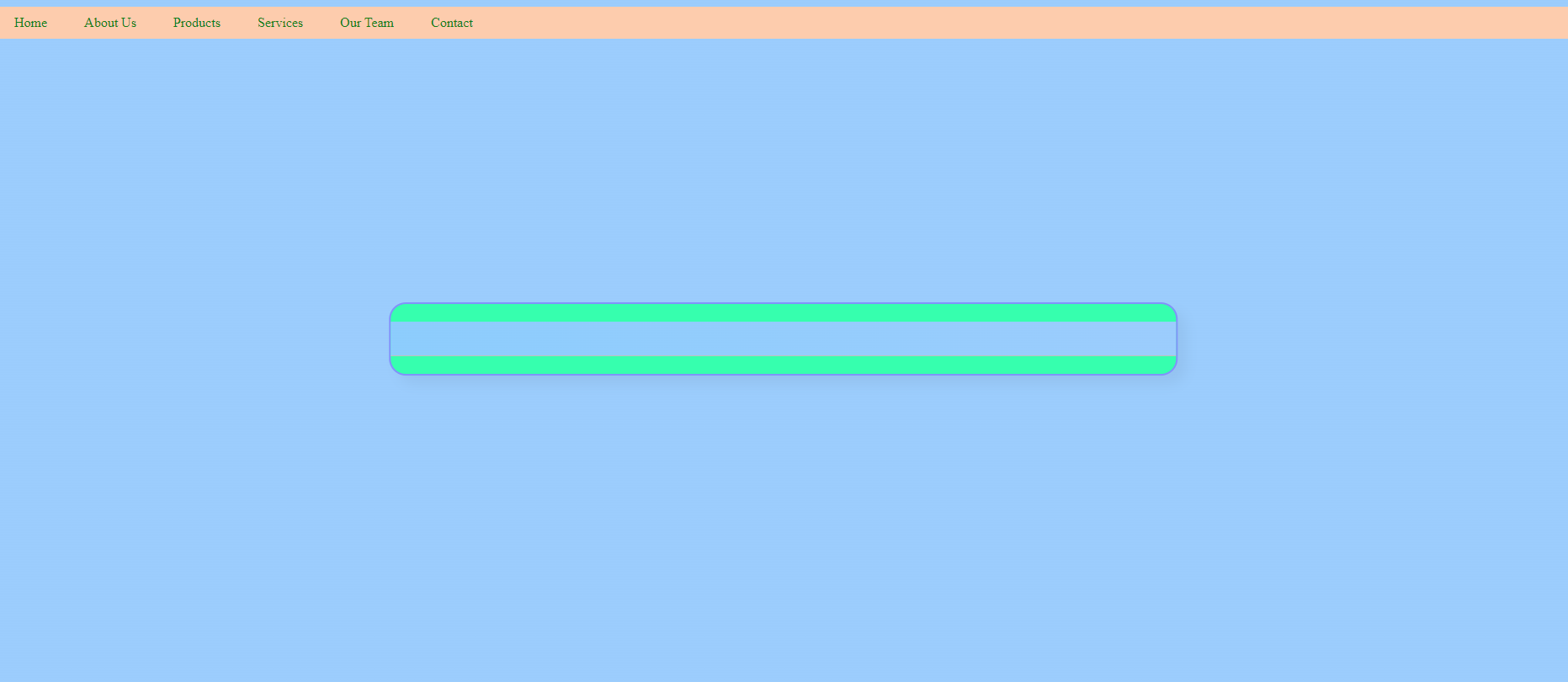
My coding currently
Visual Studio Coding
body {
margin: 0;
padding: 0;
background: linear-gradient(120deg,#99CCFF, #99CCFF);
height: 100vh;
}
.box {
position: absolute;
top: 50%;
left: 50%;
transform: translate(-50%, -50%);
width: 50%;
background: #12ffaa;
border: 2px solid #8090ff;
border-radius: 20px;
box-shadow: 10px 10px 15px rgba(0,0,0,0.05);
}
.box h1 {
text-align: center;
padding: 20px 0;
background: linear-gradient(100deg,#89CCFF, #99CCFF);
border-bottom: 1px solid silver;
}
.box table {
margin-left: auto;
margin-right: auto;
}
ul {
padding: 0;
list-style: none;
background: #ffccaa;
}
ul li {
display: inline-block;
}
ul li a {
display: block;
padding: 10px 20px;
color: green;
text-decoration: none;
}
ul li a:hover {
color: blue;
background: magenta;
}
- Home
- About Us
- Products
- Services
- Our Team
- Contact
System Login
Deadline 02/24/2023 We have completed lectures on the Cascading Style Sheet (CSS). Let's do one assignment using CSS. You need to follow the SampleCSS.html file. In this HTML file, you will find the embedded style CSS. 1. You need to make an external style sheet and add the CSS using element Then you design a home page (HomePage.html) which will be looked like a login page. Fig. Sample login page (you need to change the color from CSS) The needed CSS you will find at the SampleCSS.html file. You need to fill up the body at SampleCSS.html file to create your HomePage.html You need to change the page color, menu color, and login form color from the CSS file. You will choose your color. You need to think about the color combination that makes an attractive page. After designing the HomePage.html, please create another page name AboutUs.html. The AboutUs.html page should have the same top menu. You need to think about whether you have a company like IT, Online shopping, grocery, Coffee shop, or any other. Add one or two paragraphs about your company. In the top menu, when we click the Home tab, the Home page should appear, and when we click the About Us tab, the About Us page should appear. Activate the two tabs (Home and About us) using two HTML files
Step by Step Solution
There are 3 Steps involved in it

Get step-by-step solutions from verified subject matter experts
 Study Help