







Question: Computer Security Think Critically: DoS Attack Read real-world scenario to help understand and apply the theory. DoS Attack? QUESTION: Help! My wireless router has been
Computer Security
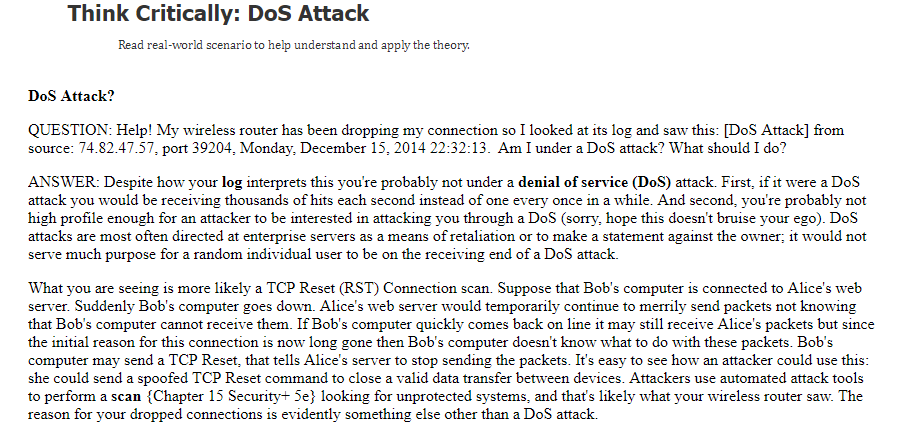
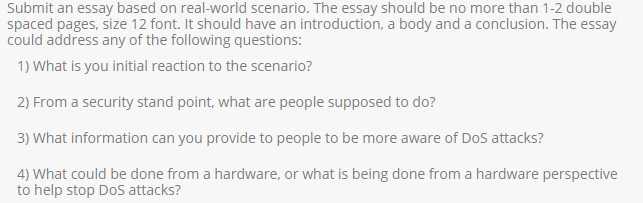
Think Critically: DoS Attack Read real-world scenario to help understand and apply the theory. DoS Attack? QUESTION: Help! My wireless router has been dropping my connection so I looked at its log and saw this: [DoS Attack] from source: 74.82.47.57, port 39204, Monday, December 15, 2014 22:32:13. Am I under a DoS attack? What should I do? ANSWER: Despite how your log interprets this you're probably not under a denial of service (DoS) attack. First, if it were a DoS attack you would be receiving thousands of hits each second instead of one every once in a while. And second, you're probably not high profile enough for an attacker to be interested in attacking you through a DoS (sorry, hope this doesn't bruise your ego). DoS attacks are most often directed at enterprise servers as a means of retaliation or to make a statement against the owner; it would not serve much purpose for a random individual user to be on the receiving end of a DoS attack. What you are seeing is more likely a TCP Reset (RST) Connection scan. Suppose that Bob's computer is connected to Alice's web server. Suddenly Bob's computer goes down. Alice's web server would temporarily continue to merrily send packets not knowing that Bob's computer cannot receive them. If Bob's computer quickly comes back on line it may still receive Alice's packets but since the initial reason for this connection is now long gone then Bob's computer doesn't know what to do with these packets. Bob's computer may send a TCP Reset, that tells Alice's server to stop sending the packets. It's easy to see how an attacker could use this she could send a spoofed TCP Reset command to close a valid data transfer between devices. Attackers use automated attack tools to perform a scan {Chapter 15 Security+ 5e} looking for unprotected systems, and that's likely what your wireless router saw. The reason for your dropped connections is evidently something else other than a DoS attack
Step by Step Solution
There are 3 Steps involved in it

Get step-by-step solutions from verified subject matter experts
 Study Help