





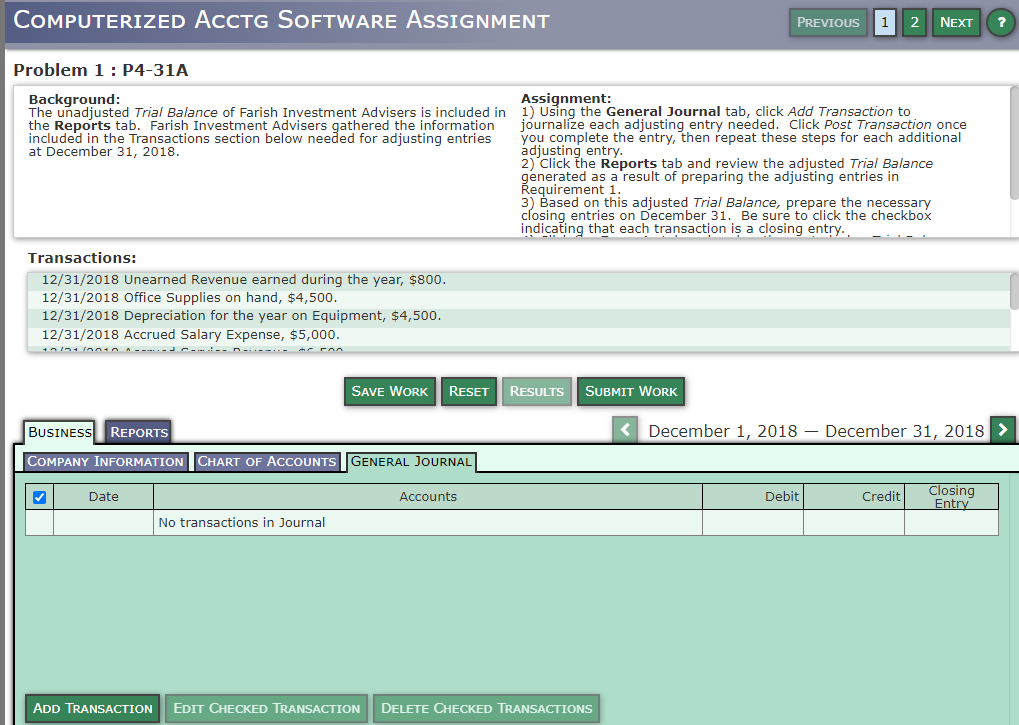
Question: COMPUTERIZED ACCTG SOFTWARE ASSIGNMENT PREVIOUS 1 2 NEXT Problem 1 : P4-31A Background: Assignment: The unadjusted Trial Balance of Farish Investment Advisers is included in
COMPUTERIZED ACCTG SOFTWARE ASSIGNMENT PREVIOUS 1COMPUTERIZED ACCTG SOFTWARE ASSIGNMENT PREVIOUS 1
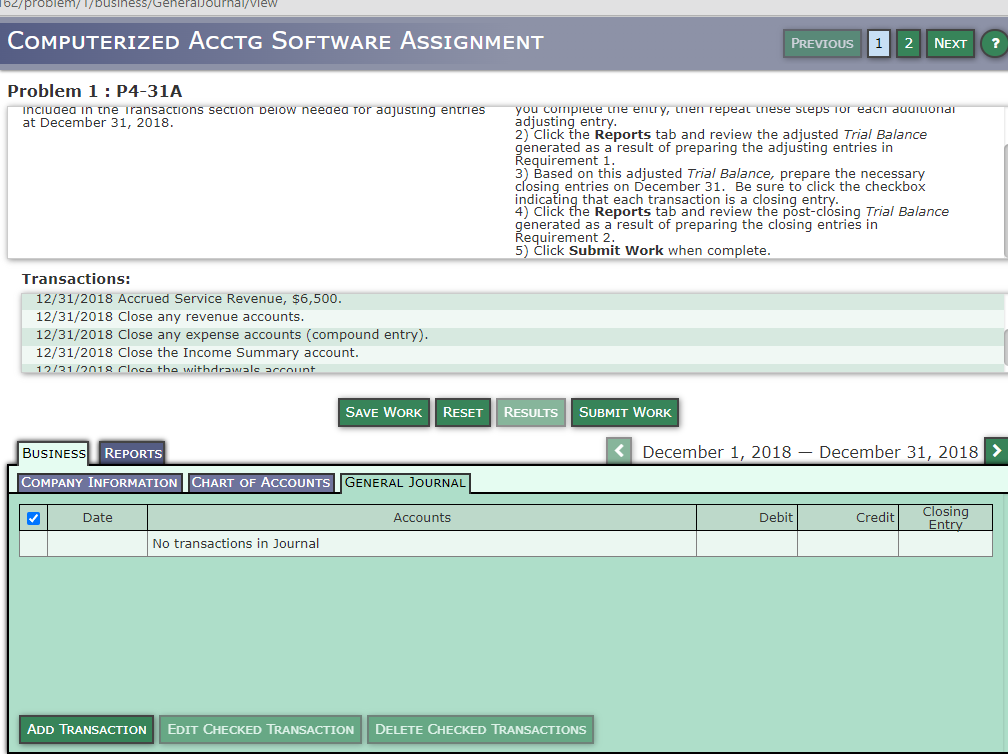
COMPUTERIZED ACCTG SOFTWARE ASSIGNMENT PREVIOUS 1 2 NEXT Problem 1 : P4-31A Background: Assignment: The unadjusted Trial Balance of Farish Investment Advisers is included in 1) Using the General Journal tab, click Add Transaction to the Reports tab. Farish Investment Advisers gathered the information journalize each adjusting entry needed. Click Post Transaction once included in the Transactions section below needed for adjusting entries you complete the entry, then repeat these steps for each additional at December 31, 2018. adjusting entry. 2) Click the Reports tab and review the adjusted Trial Balance generated as a result of preparing the adjusting entries in Requirement 1. 3) Based on this adjusted Trial Balance, prepare the necessary closing entries on December 31. Be sure to click the checkbox indicating that each transaction is a closing entry. Transactions: 12/31/2018 Unearned Revenue earned during the year, $800. 12/31/2018 Office Supplies on hand, $4,500. 12/31/2018 Depreciation for the year on Equipment, $4,500. 12/31/2018 Accrued Salary Expense, $5,000. - ! - - n-. Ar ran SAVE WORK RESET RESULTS SUBMIT WORK BUSINESS REPORTS COMPANY INFORMATION CHART OF ACCOUNTS GENERAL JOURNAL Date Accounts Debit Credit Closing Entry No transactions in Journal ADD TRANSACTION EDIT CHECKED TRANSACTION DELETE CHECKED TRANSACTIONSCOMPUTERIZED ACCTG SOFTWARE ASSIGNMENT PREVIOUS 1 2 NEXT Problem 1 : P4-31A included in the Transactions section below needed for adjusting entries IPUOnIDDP UpPa JO1 Sdans asaIn 1PadaluaIn Anua aIn maidwon noA at December 31, 2018. adjusting entry. 2) Click the Reports tab and review the adjusted Trial Balance generated as a result of preparing the adjusting entries in Requirement 1. 3) Based on this adjusted Trial Balance, prepare the necessary closing entries on December 31. Be sure to click the checkbox indicating that each transaction is a closing entry. 4) Click the Reports tab and review the post-closing Trial Balance generated as a result of preparing the closing entries in Requirement 2. 5) Click Submit Work when complete. Transactions: 12/31/2018 Accrued Service Revenue, $6,500. 12/31/2018 Close any revenue accounts. 12/31/2018 Close any expense accounts (compound entry). 12/31/2018 Close the Income Summary account. 19/31/2018 floco the withdrawals account SAVE WORK RESET RESULTS SUBMIT WORK BUSINESS REPORTS

Step by Step Solution

There are 3 Steps involved in it

1 Expert Approved Answer
Step: 1 Unlock blur-text-image

Question Has Been Solved by an Expert!

Get step-by-step solutions from verified subject matter experts

Step: 2 Unlock
Step: 3 Unlock

Students Have Also Explored These Related Accounting Questions!