







Question: Configure Network Devices using Cisco IOS Commands. 1. Apply what you have learned from the previous lab (Cisco IOS Command References) into the following network
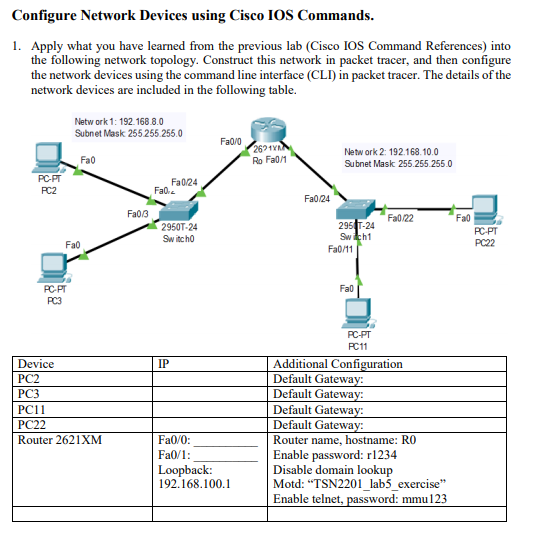
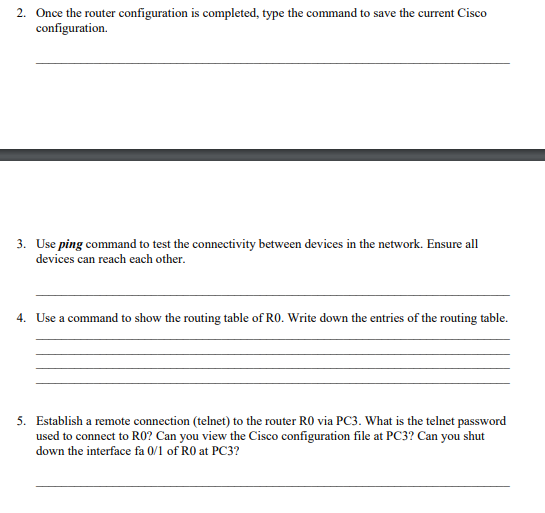
Configure Network Devices using Cisco IOS Commands. 1. Apply what you have learned from the previous lab (Cisco IOS Command References) into the following network topology. Construct this network in packet tracer, and then configure the network devices using the command line interface (CLI) in packet tracer. The details of the network devices are included in the following table. Network 1: 192.168.8.0 Subnet Mask 255 255.255.0 Fa0/0 Fao 26297 Ro Fa0/1 Network 2: 192.168.10.0 Subnet Mask 255.255.255.0 PC-PT PC2 Fa0/24 Fall 2 Fa0/24 Fa0/3 Fa0/22 Fao 2950T-24 Switch 295-24 Switch1 Fa0/11 PC-PT PC22 Fao Fab PC PT PC3 IP Device PC2 PC3 PC11 PC22 Router 2621XM PC-PT PC11 Additional Configuration Default Gateway: Default Gateway: Default Gateway: Default Gateway: Router name, hostname: RO Enable password: r1234 Disable domain lookup Motd: "TSN2201_lab_exercise Enable telnet, password: mmu123 Fa0/0: Fa0/1: Loopback: 192.168.100.1 2. Once the router configuration is completed, type the command to save the current Cisco configuration 3. Use ping command to test the connectivity between devices in the network. Ensure all devices can reach each other. 4. Use a command to show the routing table of Ro. Write down the entries of the routing table. 5. Establish a remote connection (telnet) to the router RO via PC3. What is the telnet password used to connect to RO? Can you view the Cisco configuration file at PC3? Can you shut down the interface fa 0/1 of RO at PC3
Step by Step Solution
There are 3 Steps involved in it

Get step-by-step solutions from verified subject matter experts
 Study Help