



Question: Converting the text output to an image file Once you have the correctly formatted output, you will want to save it to a file. It
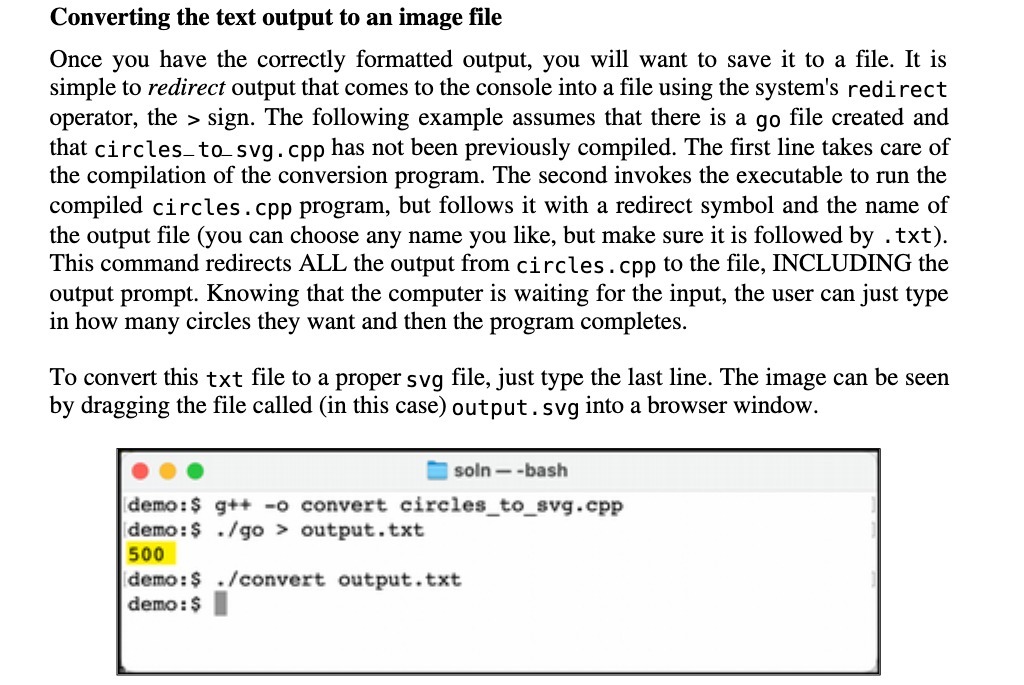
Converting the text output to an image file Once you have the correctly formatted output, you will want to save it to a file. It is simple to redirect output that comes to the console into a file using the system's redirect operator, the > sign. The following example assumes that there is a go file created and that circles_to svg. cpp has not been previously compiled. The first line takes care of the compilation of the conversion program. The second invokes the executable to run the compiled circles . cpp program, but follows it with a redirect symbol and the name of the output file (you can choose any name you like, but make sure it is followed by . txt). This command redirects ALL the output from circles . cpp to the file, INCLUDING the output prompt. Knowing that the computer is waiting for the input, the user can just type in how many circles they want and then the program completes. To convert this txt file to a proper svg file, just type the last line. The image can be seen by dragging the file called (in this case) output . svg into a browser window. soln - -bash demo: $ g++ -o convert circles_to_svg.cpp demo: $ . /go > output. txt 500 demo: $ . /convert output. txt demo : $
Step by Step Solution
There are 3 Steps involved in it

Get step-by-step solutions from verified subject matter experts