







Question: Copy and paste the following code into the CPUlator window: 1 global _ start - start: equ ADDR _ VGA, OXC 8 0 0 0
Copy and paste the following code into the CPUlator window:
globalstart
start:
equ ADDRVGA, OXC base address for pixel buffer array
equ ADDRCHAR, OxC base address for character buffer array
equ BLACK,
equ POFFSET pixel buffer offset is so
equ COFFSET, char buffer offset is so
Idr roADDRVGA
Idr ADDRCHAR
Idr BLACK Black pixel
ldr OFFSE
mov #x ASCII for
ldr COFFSET
strh Write to pixel buffer, location
strb Write to character buffer, location
end
Additionally the code also writes the letter A to the character buffer of the VGA display.
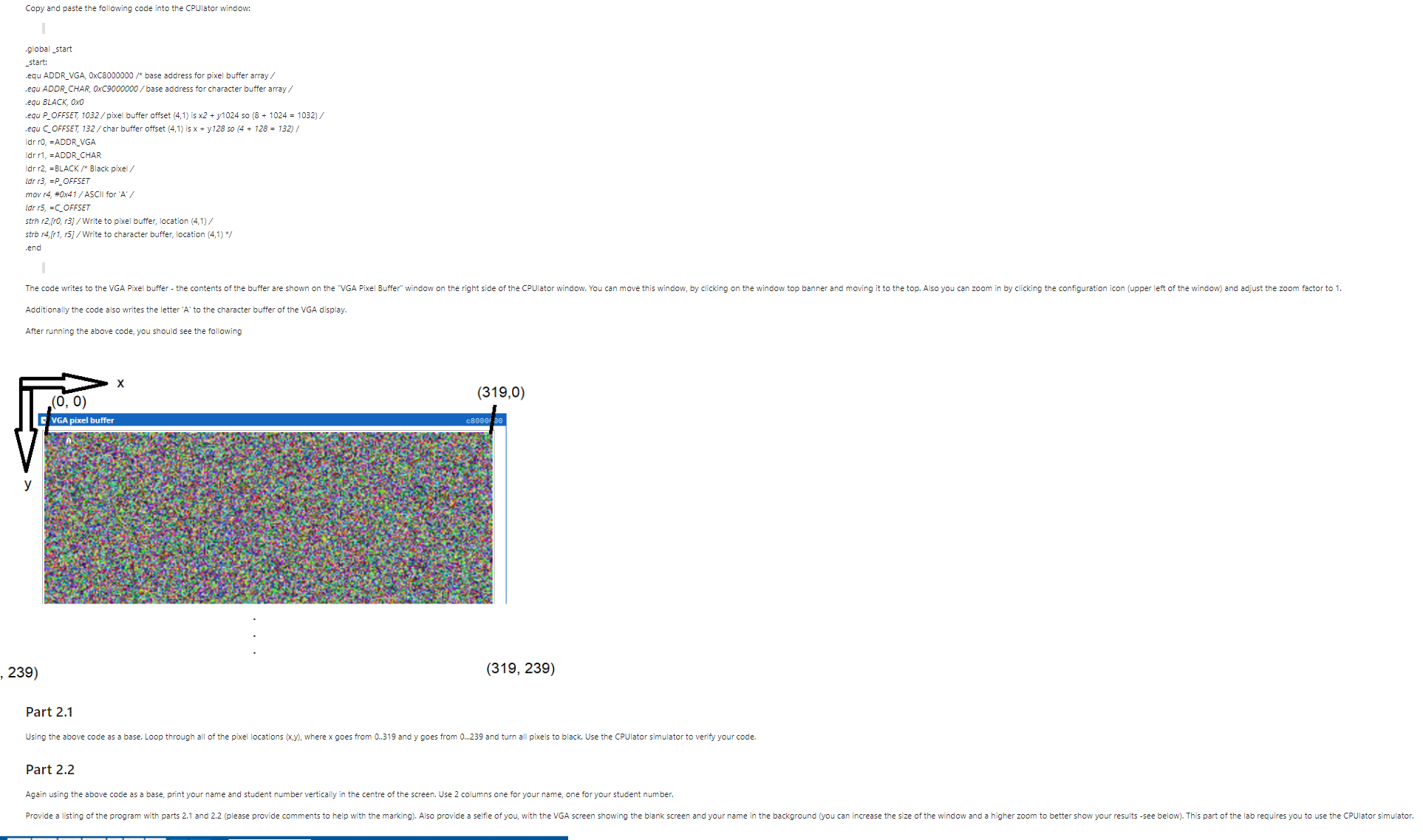
After running the above code, you should see the following
Part
Using the above code as a base, Loop through all of the pixel locations where goes from and y goes from and turn all pixels to black. Use the CPUlator simulator to verify your code.
Part
Again using the above code as a base, print your name and student number vertically in the centre of the screen. Use columns one for your name, one for your student number.
Please use cpulator Armv and DeSoC Use the code given use modife has needed and please make sure it works make code clear with explanations
Step by Step Solution
There are 3 Steps involved in it
1 Expert Approved Answer
Step: 1 Unlock

Question Has Been Solved by an Expert!
Get step-by-step solutions from verified subject matter experts
Step: 2 Unlock
Step: 3 Unlock
 Study Help