







Question: COPYING PATH IS NOT NEEDED, MUST PUT FILES INTO ECLIPSE AS A DOCUMENT AND THEN DO IT FROM THERE. ICS 111: Assignment 4 Objectives: Writing
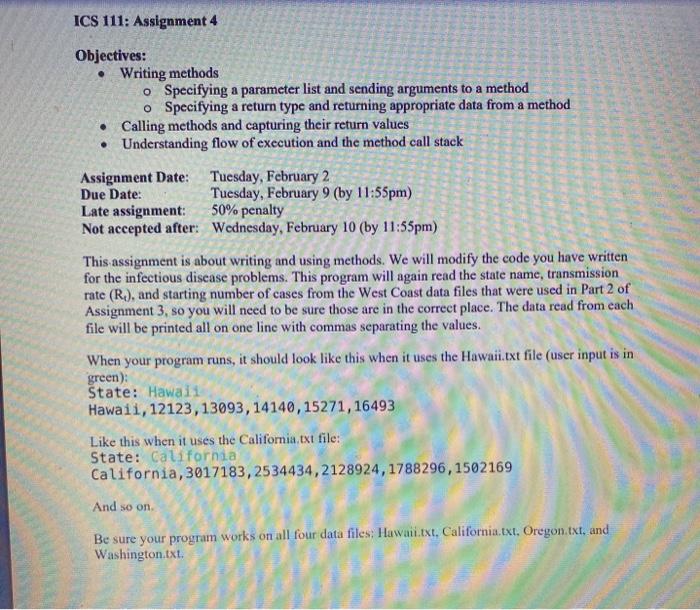
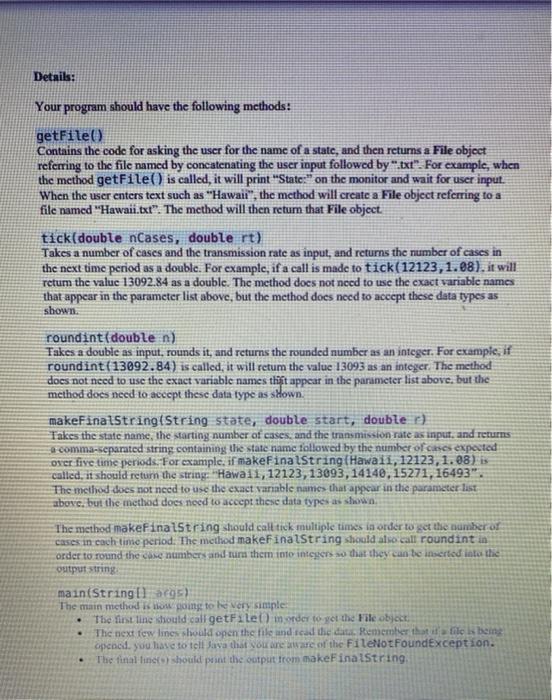
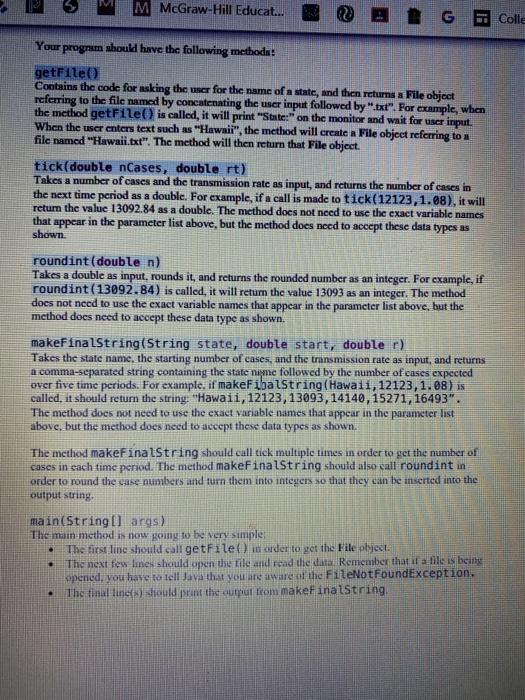
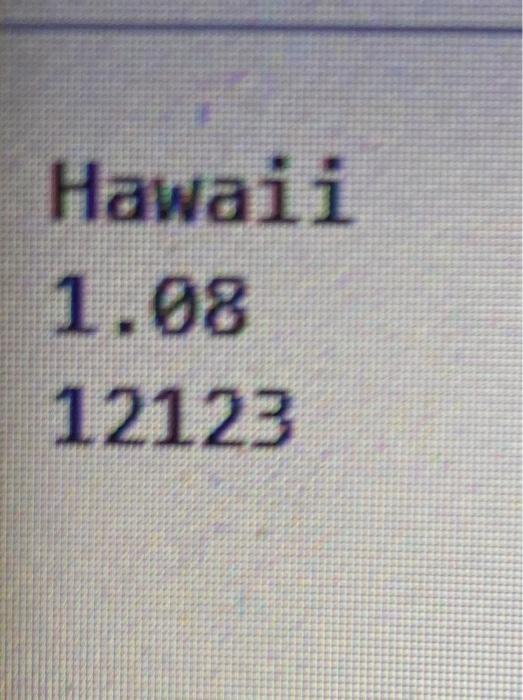
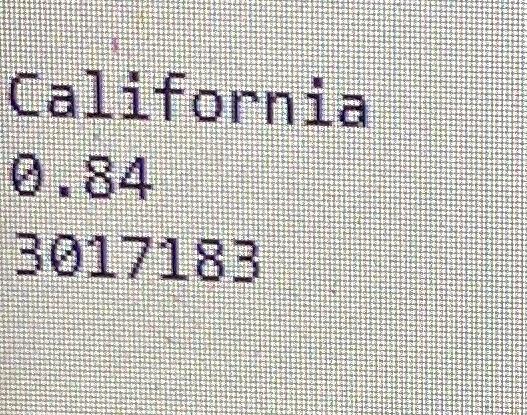
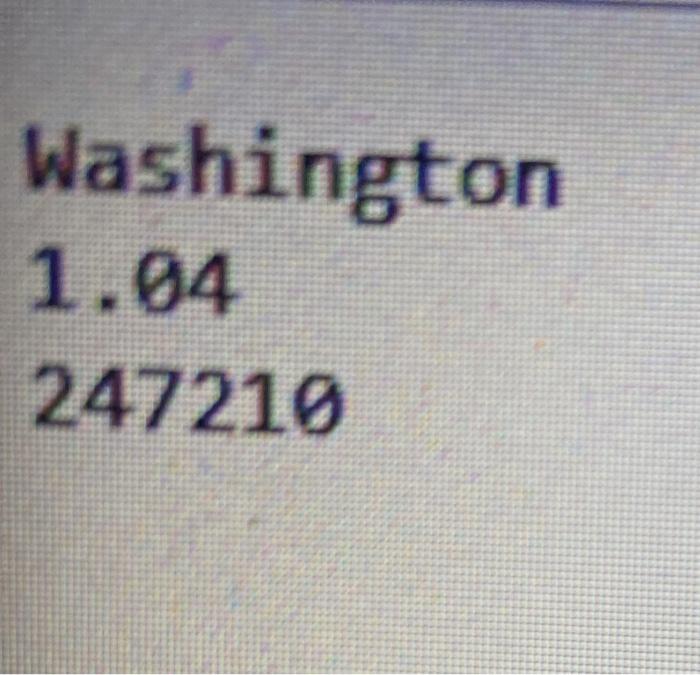
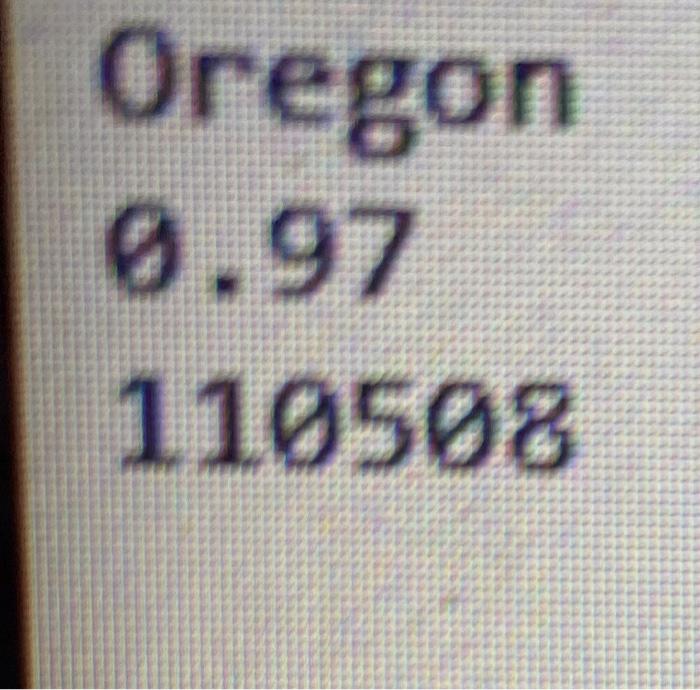
ICS 111: Assignment 4 Objectives: Writing methods o Specifying a parameter list and sending arguments to a method o Specifying a return type and returning appropriate data from a method Calling methods and capturing their return values Understanding flow of execution and the method call stack Assignment Date: Tuesday, February 2 Due Date: Tuesday, February 9 (by 11:55pm) Late assignment: 50% penalty Not accepted after: Wednesday, February 10 (by 11:55pm) This assignment is about writing and using methods. We will modify the code you have written for the infectious disease problems. This program will again read the state name, transmission rate (R.), and starting number of cases from the West Coast data files that were used in Part 2 of Assignment 3, so you will need to be sure those are in the correct place. The data read from each file will be printed all on one line with commas separating the values. When your program runs, it should look like this when it uses the Hawaii.txt file (user input is in green): State: Hawaii Hawaii,12123, 13093,14140,15271,16493 Like this when it uses the California txt file: State: California California, 3017183,2534434, 2128924,1788296,1502169 And so on Be sure your program works on all four data files: Hawaii.txt, California.txt, Oregon, txt, and Washington.txt Details: Your program should have the following methods: getFile Contains the code for asking the user for the name of a state, and then retums a File object referring to the file named by concatenating the user input followed by ".txt". For example, when the method getFile() is called, it will print "State," on the monitor and wait for user input. When the user enters text such as "Hawaii", the method will create a File object referring to a file named "Hawaii.txt". The method will then return that File object tick(double nCases, double rt) Takes a number of cases and the transmission rate as input, and returns the number of cases in the next time period as a double. For example, if a call is made to tick(12123, 1.08), it will retum the value 13092.84 as a double. The method does not need to use the exact variable names that appear in the parameter list above, but the method does need to accept these data types as shown. roundint (double n) Takes a double as input, rounds it, and returns the rounded number as an integer. For example, if roundint(13092.84) is called, it will retum the value 13093 as an integer. The method does not need to use the exact variable names tliit appear in the parameter list above, but the method does need to accept these data type as sdown. makeFinalStringtString state, double start, double ) Takes the state name, the starting number of cases, and the transmission rate as input, and returns a comma-separated string containing the state name followed by the number of ces expected over five time periods. For example, if makeFinalString(Hawaii,12123, 1.08) is called, it should return the string "Hawaii,12123,13093, 14140, 15271, 16493". The method does not need to use the exact variable names that appear in the parameter last above, but the method does need to accept these data types as shown The method makeFinalString should call tick multiple times in order to get the number or cases in each time period. The method makeFinalString should also call roundint in order to round the case numbers and turn them into interes so that they can be inserted into the output string main(String[] args) The main method w pong to be very simple: The first line should call getFile) morder to get the File object The next few lines should open the tile and read the dat. Remember that is file is being opened, you have to tell Java that you are aware of the FileNotFoundException. The final lines) should put the output from makeFinalString M McGraw-Hill Educat... Colle Your program should have the following method: getFile() Contains the code for asking the user for the name of a state, and then returns a File object referring to the file named by concatenating the user input followed by "txt". For example, when the method getFile() is called, it will print "State" on the monitor and wait for user input. When the user enters text such as "Hawaii", the method will create a File object referring to a file named "Hawaii.txt". The method will then return that File object. tick(double nCases, double rt) Takes a number of cases and the transmission rate as input, and returns the number of cases in the next time period as a double. For example, if a call is made to tick(12123,1.08), it will return the value 13092.84 as a double. The method does not need to use the exact variable names that appear in the parameter list above, but the method does need to accept these data types as shown roundint(double n) Takes a double as input, rounds it, and returns the rounded number as an integer. For example, if roundint(13092.84) is called, it will return the value 13093 as an integer. The method does not need to use the exact variable names that appear in the parameter list above, but the method does need to accept these data type as shown. makeFinalString(String state, double start, double r) Takes the state name, the starting number of cases, and the transmission rate as input, and returns 1.comma-separated string containing the state nye followed by the number of cases expected over five time periods. For example. if makeFibalString(Hawai1, 12123, 1.88) is called, it should return the string "Hawaii,12123,13093, 14140, 15271, 16493". The method does not need to use the exact variable names that appear in the parameter list above, but the method does need to accept these data types as shown. The method makeFinalString should call tick multiple times in order to get the number of cases in each time period. The method makeFinalString should also call roundint in order to round the case numbers and turn them into integers so that they can be inserted into the output string . main(String[] args) The main method is now going to be very simple, The first line should call getFile() in order to get the File object The next few lines should open the file and read the data Remember that if a lile is being opened, you have to tell Java that you are aware at the FileNotFoundException. The final line should print the output rom make inalstring Hawaii 1.08 12123 California 3017183 Washington 1.04 247219 Oregon 0.97 110508
Step by Step Solution
There are 3 Steps involved in it

Get step-by-step solutions from verified subject matter experts
 Study Help