



Question: COSC 1436 - Assignment 1 1. BRIEF INTRODUNCTION TO PYGAME ZERO: We are going to use Pygame Zero, a 2D game engine in our Python
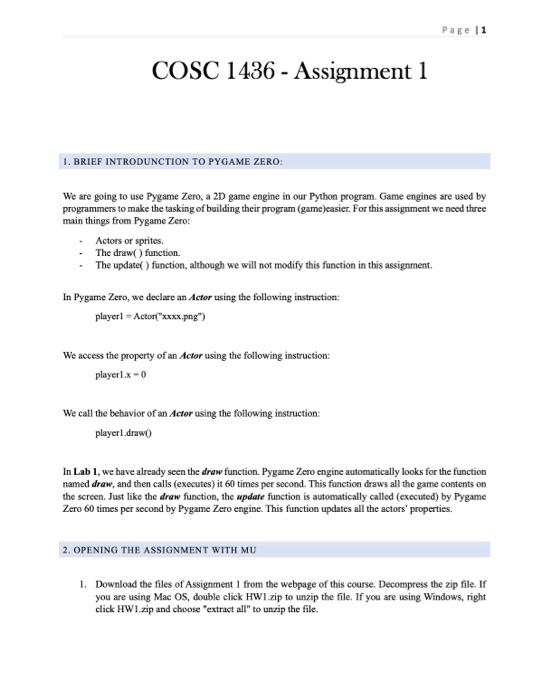
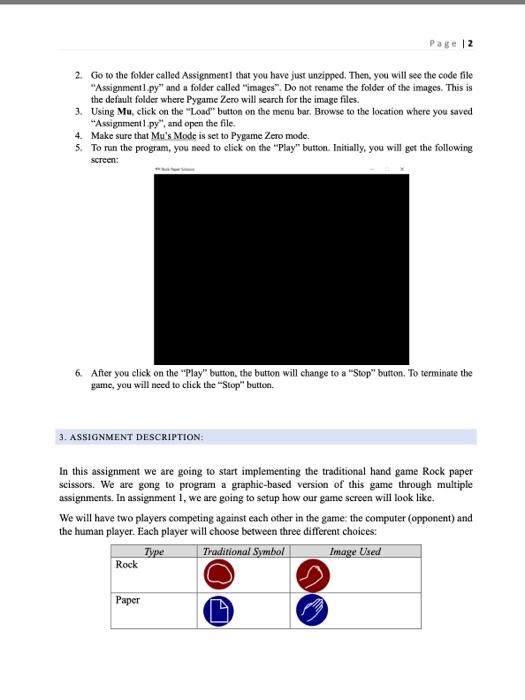
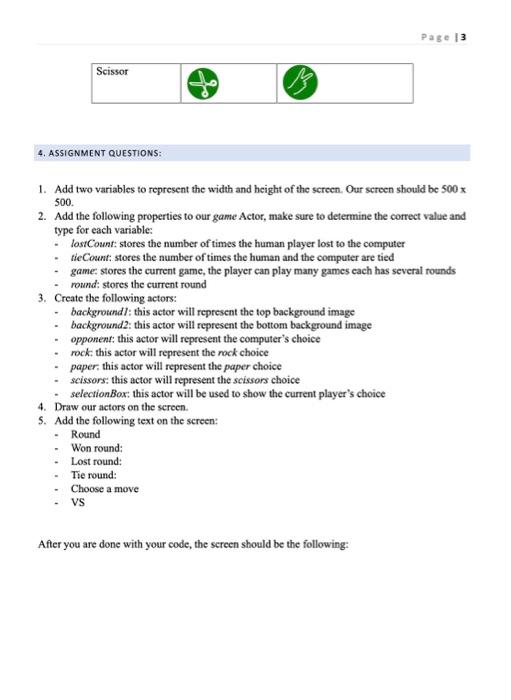
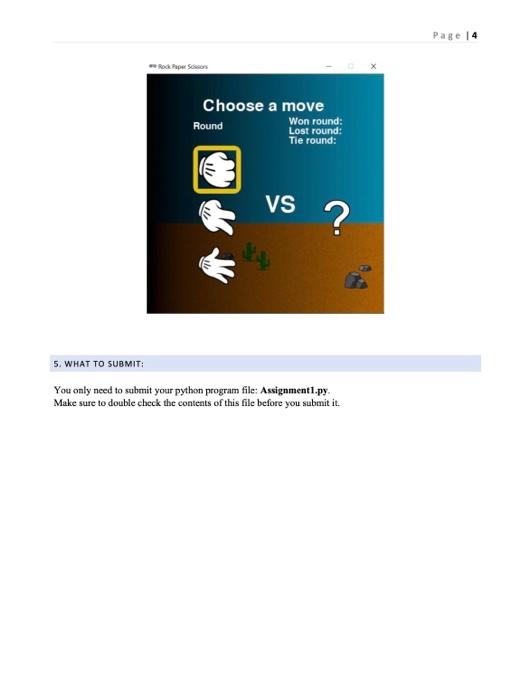
COSC 1436 - Assignment 1 1. BRIEF INTRODUNCTION TO PYGAME ZERO: We are going to use Pygame Zero, a 2D game engine in our Python program. Game engines are used by programmers to make the tasking of building their program (game)easier. For this assignment we need three main things from Pygame Zero: - Actors or sprites. - The draw() function. - The update( ) function, although we will not modify this function in this assignment. In Pygame Zero, we declare an Actor using the following instruction: player1=Actor("xxxx.png") We access the property of an Actor using the following instruction: player1.x0 We call the behavior of an Actor using the following instruction: playerl.draw0 In Lab 1, we have already seen the draw function. Pygame Zero engine automatically looks for the function named draw, and then calls (executes) it 60 times per second. This function draws all the game contents on the screen. Just like the draw function, the update function is automatically called (executed) by Pygame Zero 60 times per second by Pygame Zero engine. This function updates all the actors' properties. 2. OPENING THE ASSIGNMENT WITH MU 1. Download the files of Assignment 1 from the webpage of this course. Decompress the zip file. If you are using Mac OS, double click HWI zip to unzip the file. If you are using Windows, right click HW1 zip and choose "extract all" to unzip the file. 2. Go to the folder called Assignment1 that you have just unzipped. Then, you will see the code file "Assignmentl py" and a folder called "images". Do not rename the folder of the images. This is the default folder where Pygame Zero will search for the image files. 3. Using Mu, click on the "Load" button on the menu bar. Browse to the location where you saved "Assignment1 py", and open the file. 4. Make sure that Mu's Mode is set to Pygame Zero mode. 5. To run the program, you need to elick on the "Play" button. Initially, you will get the following screen: 6. After you click on the "Play" button, the button will change to a "Stop" button. To terminate the game, you will need to click the "Stop" button. 3. ASSIGNMENT DESCRIPTION: In this assignment we are going to start implementing the traditional hand game Rock paper scissors. We are gong to program a graphic-based version of this game through multiple assignments. In assignment 1 , we are going to setup how our game sereen will look like. We will have two players competing against each other in the game: the computer (opponent) and the human player. Each player will choose between three different choices: 1. Add two variables to represent the width and height of the sereen. Our sereen should be 500x 500. 2. Add the following properties to our game Actor, make sure to determine the correct value and type for each variable: - lostCount: stores the number of times the human player lost to the computer - tieCount: stores the number of times the human and the computer are tied - game: stores the current game, the player can play many games each has several rounds - round; stores the current round 3. Create the following actors: - backgroundl: this actor will represent the top background image - background2: this actor will represent the bottom background image - opponent: this actor will represent the computer's choice - rock: this actor will represent the rock choice - paper this actor will represent the paper choice - scissors: this actor will represent the scissors choice - selectionBox: this actor will be used to show the current player's choice 4. Draw our actors on the sereen. 5. Add the following text on the sereen: - Round - Won round: - Lost round: - Tie round: - Choose a move - VS After you are done with your code, the sereen should be the following: You only need to submit your python program file: Assignment1.py. Make sure to double check the conteats of this file before you submit it
Step by Step Solution
There are 3 Steps involved in it

Get step-by-step solutions from verified subject matter experts