







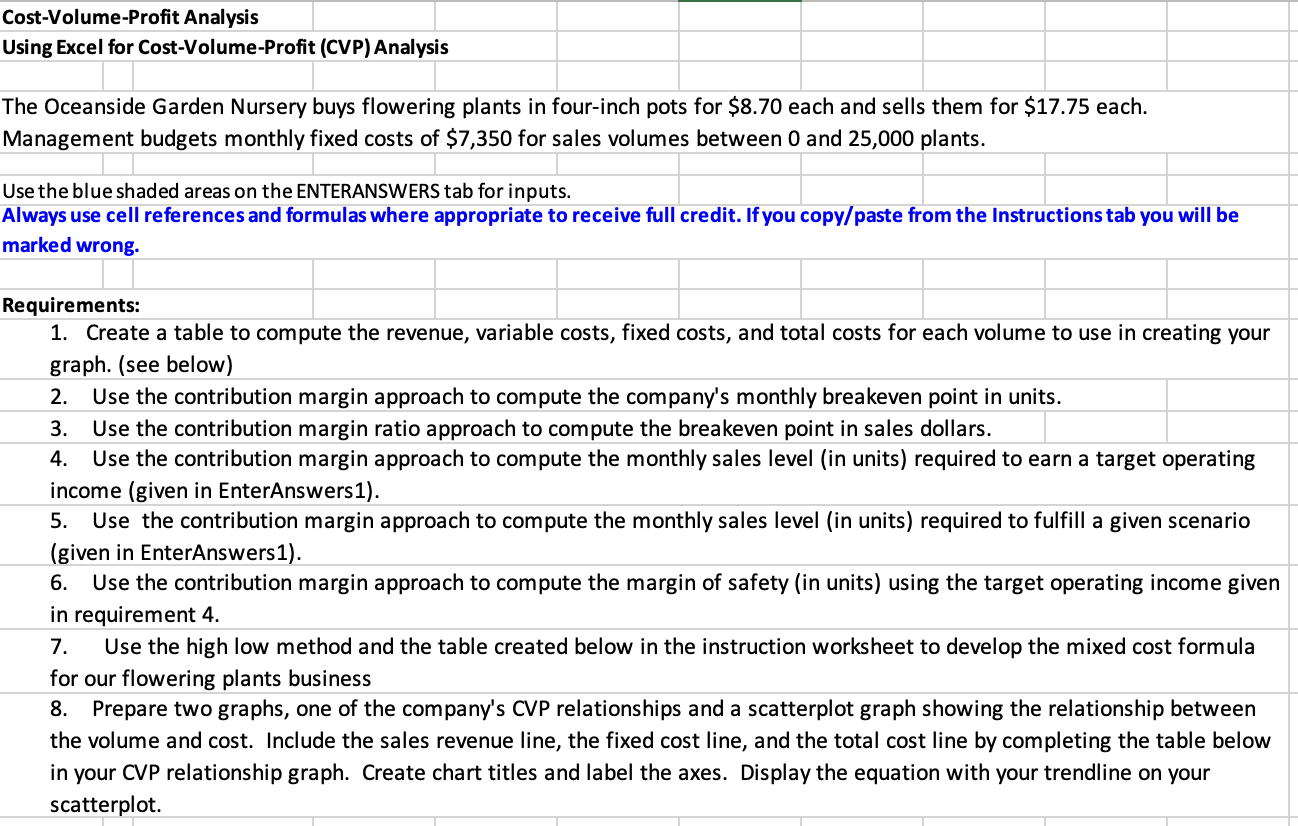
Question: Cost - Volume - Profit Analysis Using Excel for Cost - Volume - Profit ( CVP ) Analysis The Oceanside Garden Nursery buys flowering plants
CostVolumeProfit Analysis
Using Excel for CostVolumeProfit CVP Analysis
The Oceanside Garden Nursery buys flowering plants in fourinch pots for $ each and sells them for $ each.
Management budgets monthly fixed costs of $ for sales volumes between and plants.
Use the blue shaded areas on the ENTERANSWERS tab for inputs.
Always use cell references and formulas where appropriate to receive full credit. If you copypaste from the Instructions tab you will be
marked wrong.
Requirements:
Create a table to compute the revenue, variable costs, fixed costs, and total costs for each volume to use in creating your
graph. see below
Use the contribution margin approach to compute the company's monthly breakeven point in units.
Use the contribution margin ratio approach to compute the breakeven point in sales dollars.
Use the contribution margin approach to compute the monthly sales level in units required to earn a target operating
income given in EnterAnswers
Use the contribution margin approach to compute the monthly sales level in units required to fulfill a given scenario
given in EnterAnswers
Use the contribution margin approach to compute the margin of safety in units using the target operating income given
in requirement
Use the high low method and the table created below in the instruction worksheet to develop the mixed cost formula
for our flowering plants business
Prepare two graphs, one of the company's CVP relationships and a scatterplot graph showing the relationship between
the volume and cost. Include the sales revenue line, the fixed cost line, and the total cost line by completing the table below
in your CVP relationship graph. Create chart titles and label the axes. Display the equation with your trendline on your
scatterplot.
Step by Step Solution
There are 3 Steps involved in it
1 Expert Approved Answer
Step: 1 Unlock

Question Has Been Solved by an Expert!
Get step-by-step solutions from verified subject matter experts
Step: 2 Unlock
Step: 3 Unlock
 Study Help