







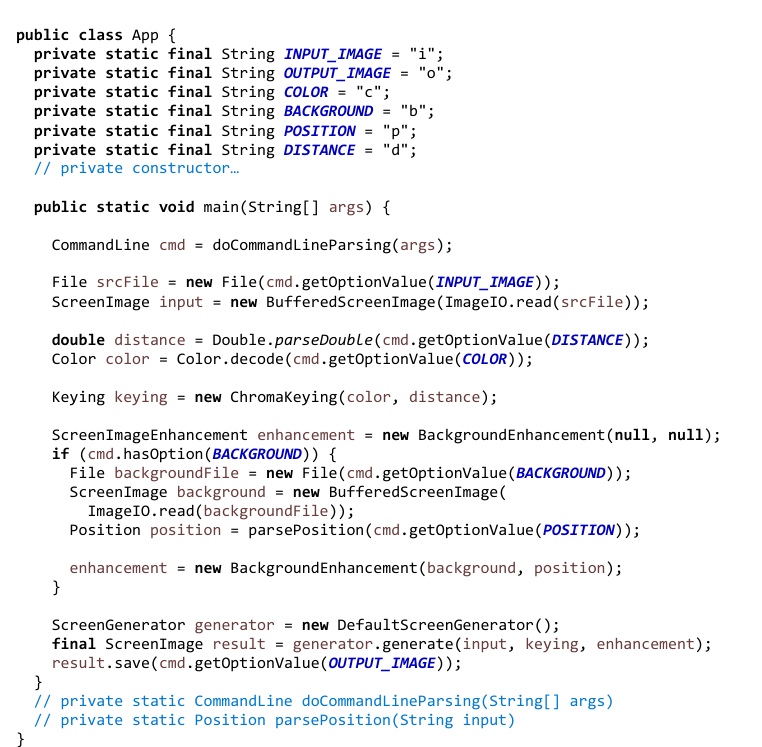
Question: could you create sequence diagram for the following code. thank you! public class App { private static final String INPUT _ IMAGE = i
could you create sequence diagram for the following code. thank you!
public class App
private static final String INPUTIMAGE i;
private static final String OUTPUTIMAGE o;
private static final String COLOR c;
private static final String BACKGROUND b;
private static final String POSITION p;
private static final String DISTANCE d;
private constructor...
public static void mainString args
CommandLine cmd doCommandLineParsingargs;
File srcFile new FilecmdgetOptionValueINPUTIMAGE;
ScreenImage input new BufferedScreenImageImageIOreadsrcFile;
double distance Double.parseDoublecmdgetOptionValueDISTANCE;
Color color Color.decodecmdgetOptionValueCOLOR;
Keying keying new ChromaKeyingcolor distance;
ScreenImageEnhancement enhancement new BackgroundEnhancementnull null;
if cmdhasOptionBACKGROUND
File backgroundFile new FilecmdgetOptionValueBACKGROUND;
ScreenImage background new BufferedScreenImage
ImageIO.readbackgroundFile;
Position position parsePositioncmdgetOptionValuePOSITION;
enhancement new BackgroundEnhancementbackground position;
ScreenGenerator generator new DefaultScreenGenerator;
final ScreenImage result generator.generateinput keying, enhancement;
result.savecmdgetOptionValueOUTPUTIMAGE;
private static CommandLine doCommandLineParsingString args
private static Position parsePositionString input
Step by Step Solution
There are 3 Steps involved in it
1 Expert Approved Answer
Step: 1 Unlock

Question Has Been Solved by an Expert!
Get step-by-step solutions from verified subject matter experts
Step: 2 Unlock
Step: 3 Unlock
 Study Help