



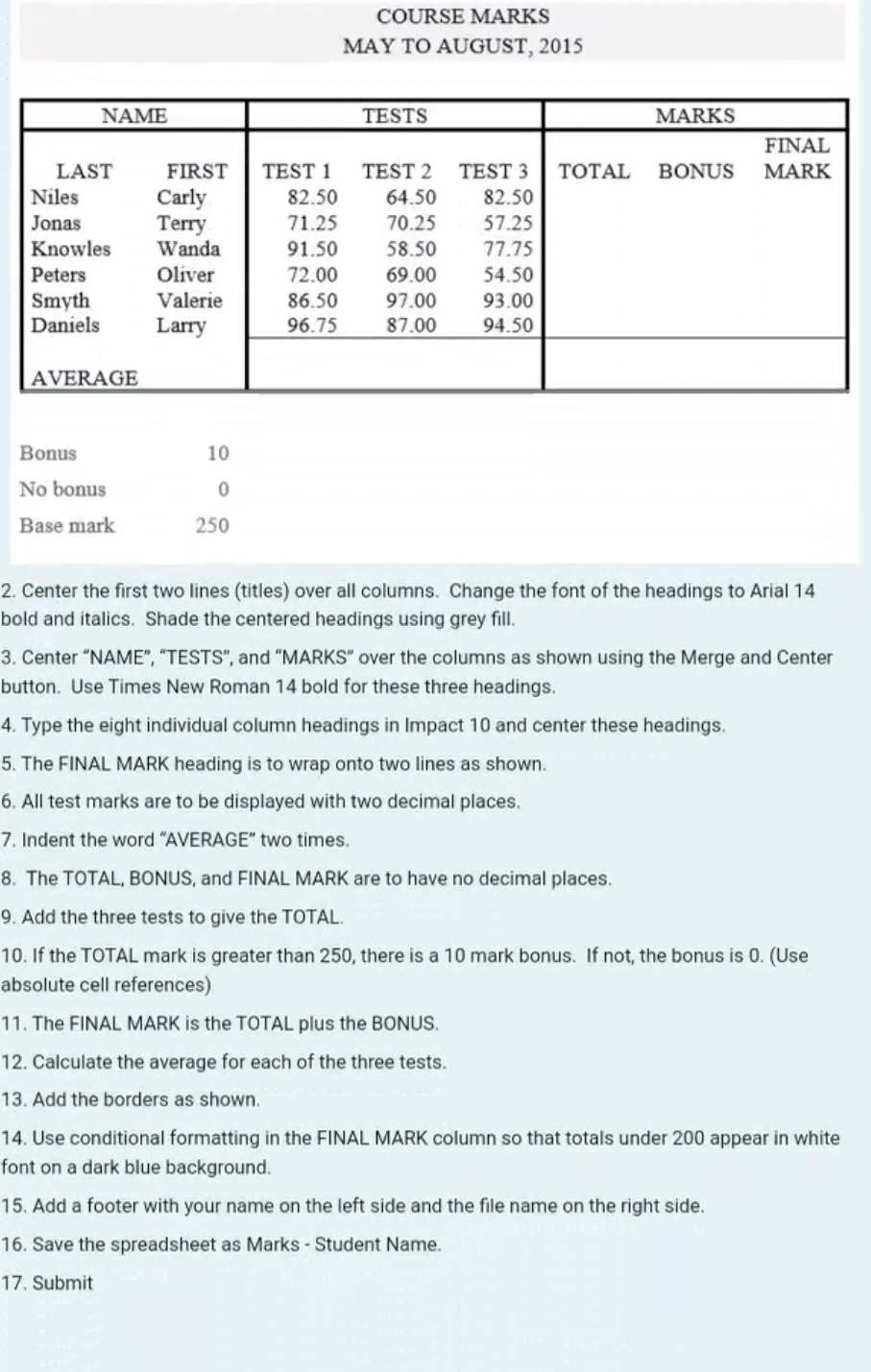
Question: COURSE MARKS MAY TO AUGUST, 2 0 1 5 Center the first two lines ( titles ) over all columns. Change the font of the
COURSE MARKS
MAY TO AUGUST,
Center the first two lines titles over all columns. Change the font of the headings to Arial
bold and italics. Shade the centered headings using grey fill.
Center "NAME", "TESTS", and "MARKS" over the columns as shown using the Merge and Center
button. Use Times New Roman bold for these three headings.
Type the eight individual column headings in Impact and center these headings.
The FINAL MARK heading is to wrap onto two lines as shown.
All test marks are to be displayed with two decimal places.
Indent the word "AVERAGE" two times.
The TOTAL, BONUS, and FINAL MARK are to have no decimal places.
Add the three tests to give the TOTAL.
If the TOTAL mark is greater than there is a mark bonus. If not, the bonus is Use
absolute cell references
The FINAL MARK is the TOTAL plus the BONUS.
Calculate the average for each of the three tests.
Add the borders as shown.
Use conditional formatting in the FINAL MARK column so that totals under appear in white
font on a dark blue background.
Add a footer with your name on the left side and the file name on the right side.
Save the spreadsheet as Marks Student Name.
Submit
Step by Step Solution
There are 3 Steps involved in it
1 Expert Approved Answer
Step: 1 Unlock

Question Has Been Solved by an Expert!
Get step-by-step solutions from verified subject matter experts
Step: 2 Unlock
Step: 3 Unlock