







Question: Create a bash file called DailyProcReporting.sh, please see below. Usage message when no argument is passed: johndoe@cis:-/unit10 johndoe @cis :-/unit10 $ /DailyProcReporting : s Usage:
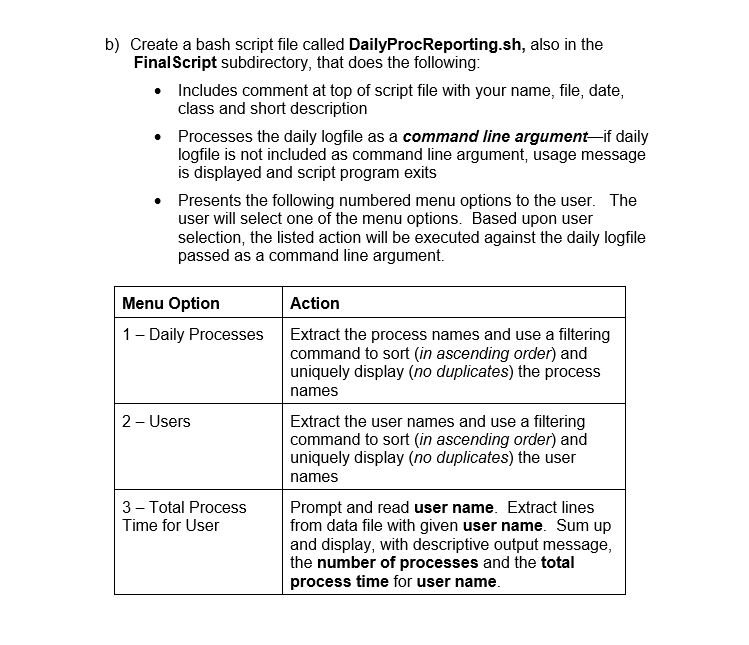
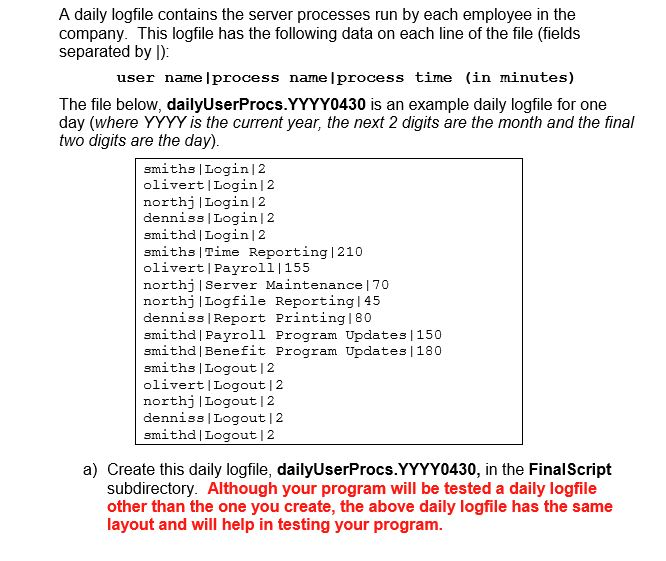
Create a bash file called DailyProcReporting.sh, please see below.
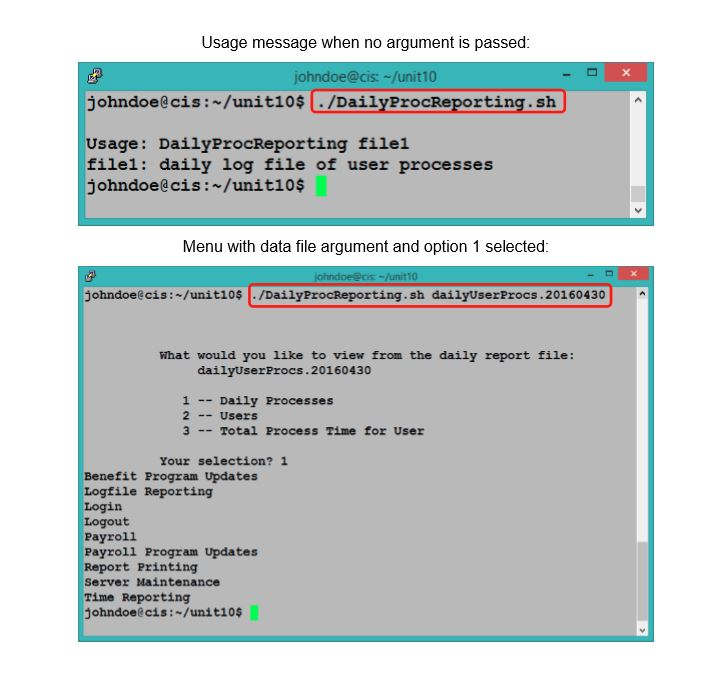
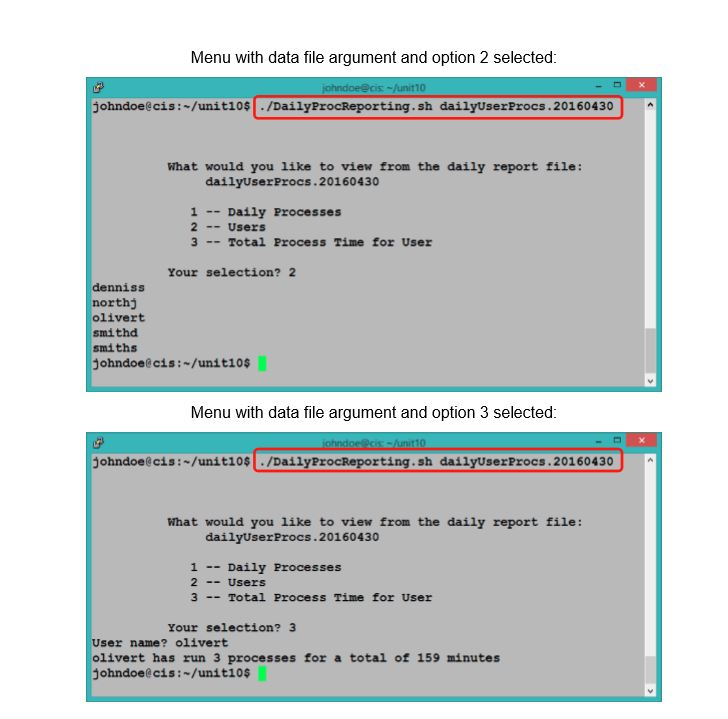
Usage message when no argument is passed: johndoe@cis:-/unit10 johndoe @cis :-/unit10 $ /DailyProcReporting : s Usage: DailyProcReporting filel filel: daily log file of user processes johndoe@cis:~/unit10$ Menu with data file argument and option 1 selected johndoeecis:-/unit10 ./DailyProcReporting, sh dailyUserProc s . 20160430 What would you like to view from the daily report file: dailyUserProcs.20160430 1 Daily Processes 2 Users 3 Total Process Time for User Your selection? 1 Benefit Program Updates Logfile Reporting Login Logout Payroll Payroll Program Updates Report Printing Server Maintenance Time Reporting Johndoe@cis: /unitios Usage message when no argument is passed: johndoe@cis:-/unit10 johndoe @cis :-/unit10 $ /DailyProcReporting : s Usage: DailyProcReporting filel filel: daily log file of user processes johndoe@cis:~/unit10$ Menu with data file argument and option 1 selected johndoeecis:-/unit10 ./DailyProcReporting, sh dailyUserProc s . 20160430 What would you like to view from the daily report file: dailyUserProcs.20160430 1 Daily Processes 2 Users 3 Total Process Time for User Your selection? 1 Benefit Program Updates Logfile Reporting Login Logout Payroll Payroll Program Updates Report Printing Server Maintenance Time Reporting Johndoe@cis: /unitios
Step by Step Solution
There are 3 Steps involved in it

Get step-by-step solutions from verified subject matter experts
 Study Help