







Question: Create a calculator that can add, subtract, multiply or divide depending upon the input from the user, using loop and conditional statements. After each
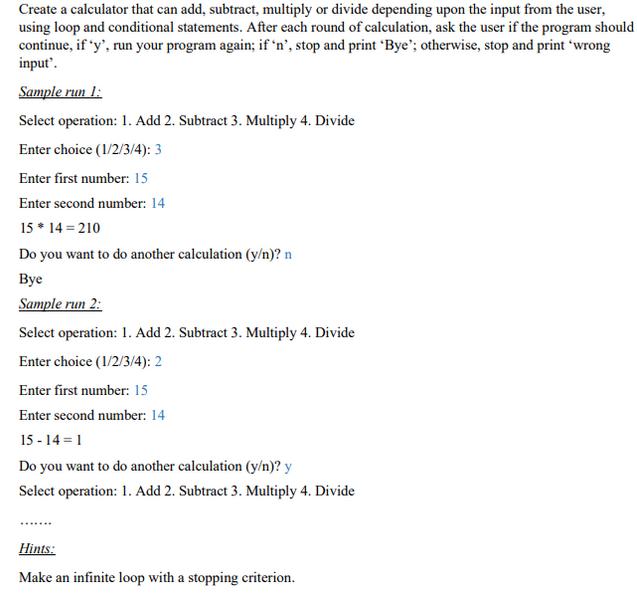
Create a calculator that can add, subtract, multiply or divide depending upon the input from the user, using loop and conditional statements. After each round of calculation, ask the user if the program should continue, if 'y', run your program again; if 'n', stop and print 'Bye'; otherwise, stop and print 'wrong input'. Sample run 1: Select operation: 1. Add 2. Subtract 3. Multiply 4. Divide Enter choice (1/2/3/4): 3 Enter first number: 15 Enter second number: 14 15 * 14 = 210 Do you want to do another calculation (y/n)? n Bye Sample run 2: Select operation: 1. Add 2. Subtract 3. Multiply 4. Divide Enter choice (1/2/3/4): 2 Enter first number: 15 Enter second number: 14 15-14=1 Do you want to do another calculation (y/n)? y Select operation: 1. Add 2. Subtract 3. Multiply 4. Divide Hints: Make an infinite loop with a stopping criterion. Create a calculator that can add, subtract, multiply or divide depending upon the input from the user, using loop and conditional statements. After each round of calculation, ask the user if the program should continue, if 'y', run your program again; if 'n', stop and print 'Bye'; otherwise, stop and print "wrong input'. Sample run 1: Select operation: 1. Add 2. Subtract 3. Multiply 4. Divide Enter choice (1/2/3/4): 3 Enter first number: 15 Enter second number: 14 15 * 14 = 210 Do you want to do another calculation (y/n)? n Bye Sample run 2: Select operation: 1. Add 2. Subtract 3. Multiply 4. Divide Enter choice (1/2/3/4): 2 Enter first number: 15 Enter second number: 14 15-14=1 Do you want to do another calculation (y/n)? y Select operation: 1. Add 2. Subtract 3. Multiply 4. Divide Hints: Make an infinite loop with a stopping criterion.
Step by Step Solution
3.34 Rating (148 Votes )
There are 3 Steps involved in it
Python ... View full answer

Get step-by-step solutions from verified subject matter experts
 Study Help