







Question: Create a customer,order,order line and product table in access based on Apple IPhone information and based on the instructions posted in the pictures Access Database
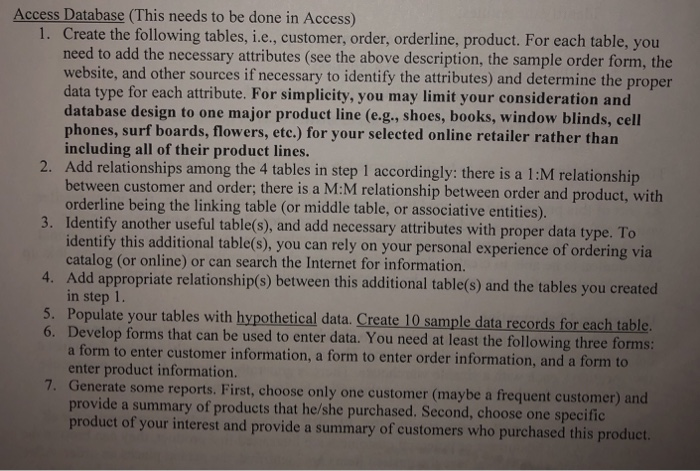
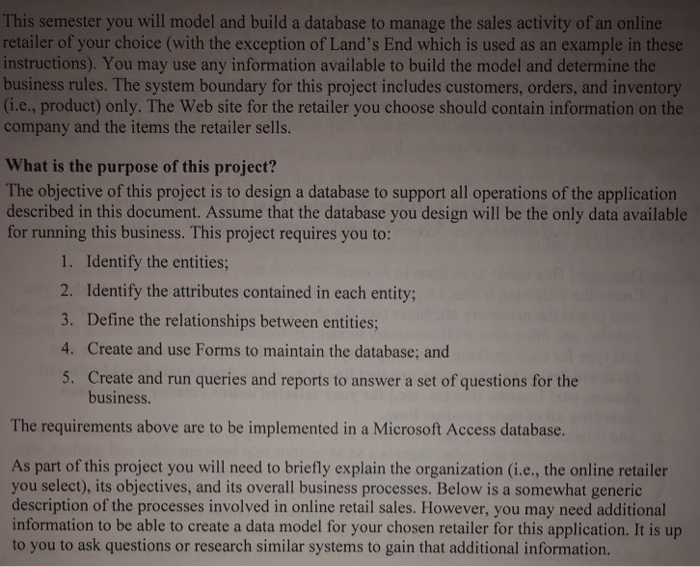
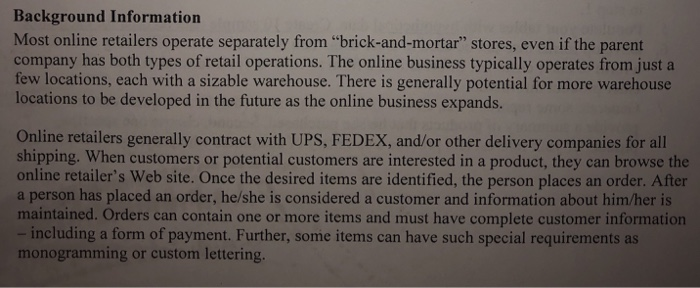
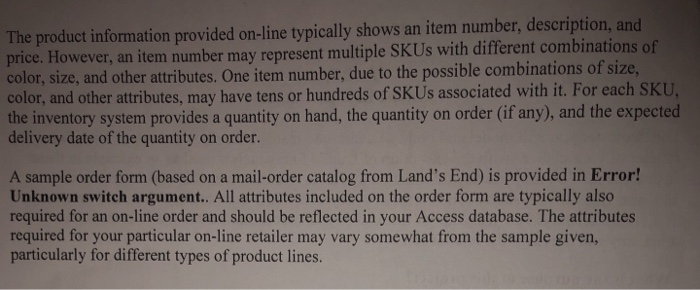
Access Database (This needs to be done in Access) Create the following tables, i.e., customer, order, orderline, product. For each table, you need to add the necessary attributes (see the above description, the sample order form, the website, and other sources if necessary to identify the attributes) and determine the proper data type for each attribute. For simplicity, you may limit your consideration and database design to one major product line (e.g., shoes, books, window blinds, cell phones, surf boards, flowers, etc.) for your selected online retailer rather than including all of their product lines. I. 2. Add relationships among the 4 tables in step 1 accordingly: there is a 1:M relationship 3. Identify another useful table(s), and add necessary attributes with proper data type. To 4. Add appropriate relationship(s) between this additional table(s) and the tables you created 6. Develop forms that can be used to enter data. You need at least the following three form between customer and order; there is a M:M relationship between order and product, with orderline being the linking table (or middle table, or associative entities) this additional table(s), you can rely on your personal experience of ordering via identify catalog (or online) or can search the Internet for information. in step 1 Populate your tables wit h hypothetical data. Create 10 sample data records for each table a form to enter customer information, a form to enter order information, and a form to enter product information Generate some reports. First, choose only one customer (maybe a frequent customer) and provide a summary of products that he/she purchased. Second, choose one specific product of your interest and provide a summary of customers who purchased this produc Access Database (This needs to be done in Access) Create the following tables, i.e., customer, order, orderline, product. For each table, you need to add the necessary attributes (see the above description, the sample order form, the website, and other sources if necessary to identify the attributes) and determine the proper data type for each attribute. For simplicity, you may limit your consideration and database design to one major product line (e.g., shoes, books, window blinds, cell phones, surf boards, flowers, etc.) for your selected online retailer rather than including all of their product lines. I. 2. Add relationships among the 4 tables in step 1 accordingly: there is a 1:M relationship 3. Identify another useful table(s), and add necessary attributes with proper data type. To 4. Add appropriate relationship(s) between this additional table(s) and the tables you created 6. Develop forms that can be used to enter data. You need at least the following three form between customer and order; there is a M:M relationship between order and product, with orderline being the linking table (or middle table, or associative entities) this additional table(s), you can rely on your personal experience of ordering via identify catalog (or online) or can search the Internet for information. in step 1 Populate your tables wit h hypothetical data. Create 10 sample data records for each table a form to enter customer information, a form to enter order information, and a form to enter product information Generate some reports. First, choose only one customer (maybe a frequent customer) and provide a summary of products that he/she purchased. Second, choose one specific product of your interest and provide a summary of customers who purchased this produc
Step by Step Solution
There are 3 Steps involved in it

Get step-by-step solutions from verified subject matter experts
 Study Help