







Question: Create a function move_zeros whose parameter is a list of integers and moves all the zeros to the end of the list. For instance,
![>>> X = [1, 0, 3, 0, 0, 5, 7] >>> y=move_zeros_v1 (x) >>> print (x, y) [1, 0, 3, 0, 0, 5, 7] [1, 3, 5, 7, 0,](https://dsd5zvtm8ll6.cloudfront.net/si.experts.images/questions/2023/09/6512a99e04359_1695721879343.jpg)
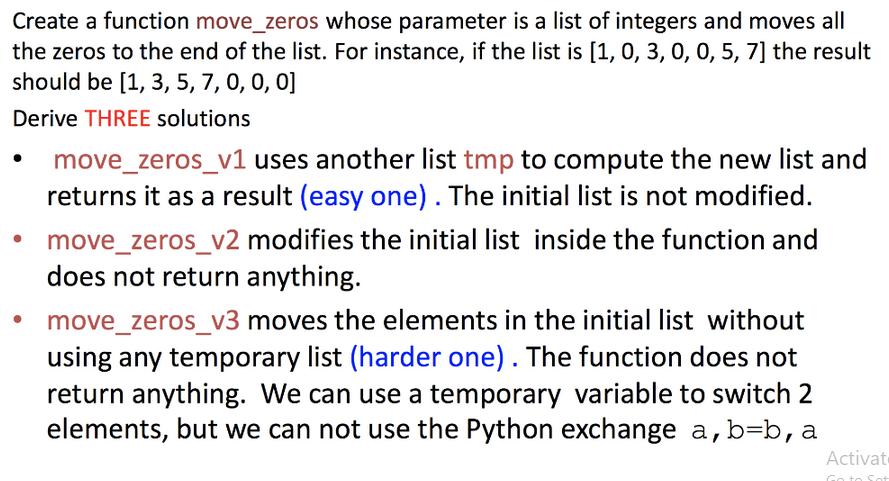
Create a function move_zeros whose parameter is a list of integers and moves all the zeros to the end of the list. For instance, if the list is [1, 0, 3, 0, 0, 5, 7] the result should be [1, 3, 5, 7, 0, 0, 0] Derive THREE solutions move_zeros_v1 uses another list tmp to compute the new list and returns it as a result (easy one). The initial list is not modified. move_zeros_v2 modifies the initial list inside the function and does not return anything. move_zeros_v3 moves the elements in the initial list without using any temporary list (harder one). The function does not return anything. We can use a temporary variable to switch 2 elements, but we can not use the Python exchange a,b=b, a Activat Go to S >>> X = [1, 0, 3, 0, 0, 5, 7] >>> y=move_zeros_v1 (x) >>> print (x, y) [1, 0, 3, 0, 0, 5, 7] [1, 3, 5, 7, 0, 0, 0] [1, 0, 3, 0, 0, 5, 7] (x) >>> X = >>> z=move_zeros_v2 >>> print (x, z) [1, 3, 5, 7, 0, 0, 0] None >>> X = [1, 0, 3, 0, 0, 5, 7] >>> t=move_zeros_v3 (x) >>> print (x, t) [1, 3, 5, 7, 0, 0, 0] None A G
Step by Step Solution
There are 3 Steps involved in it
Here are three different solutions for the movezeros function Solution 1 movezerosv1 python def mo... View full answer

Get step-by-step solutions from verified subject matter experts
 Study Help