







Question: Create a functional door lock that has the following Features/Functionality: Use verilog code to complete. Project #3: Key Pad lock See the grading RUBRIC below
Create a functional door lock that has the following Features/Functionality:
Use verilog code to complete.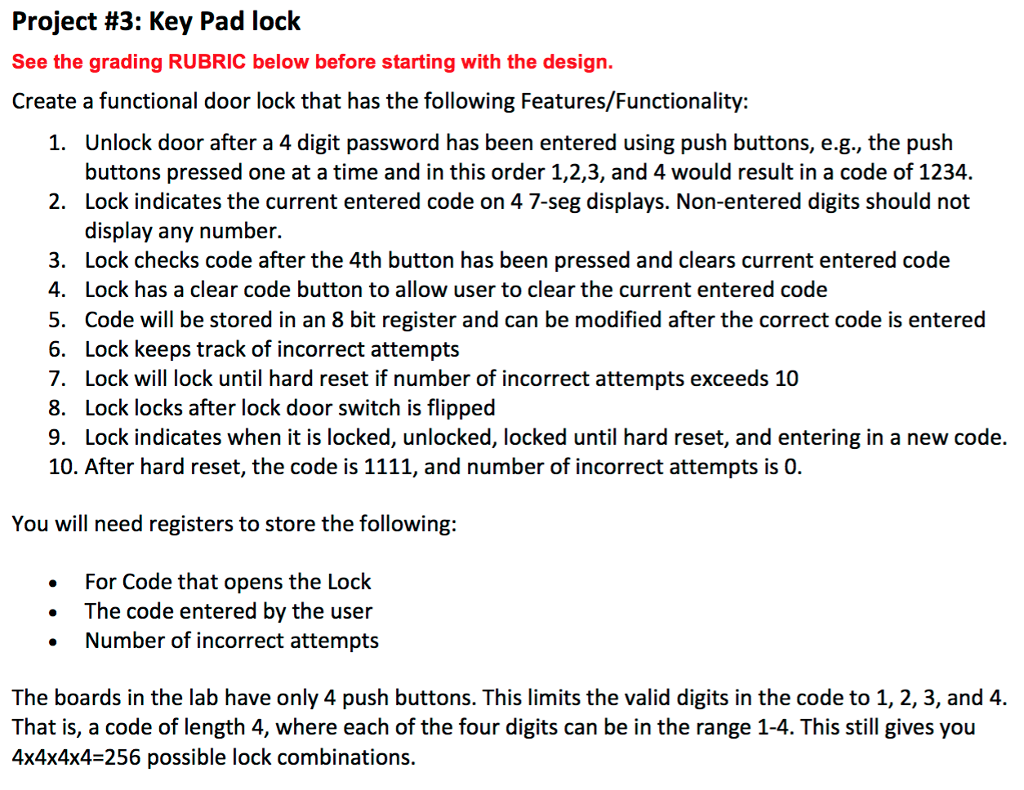
Project #3: Key Pad lock See the grading RUBRIC below before starting with the design Create a functional door lock that has the following Features/Functionality: 1. Unlock door after a 4 digit password has been entered using push buttons, e.g., the push buttons pressed one at a time and in this order 1,2,3, and 4 would result in a code of 1234. 2. Lock indicates the current entered code on 4 7-seg displays. Non-entered digits should not display any number 3. Lock checks code after the 4th button has been pressed and clears current entered code 4. Lock has a clear code button to allow user to clear the current entered code 5. Code will be stored in an 8 bit register and can be modified after the correct code is entered 6. Lock keeps track of incorrect attempts 7. Lock will lock until hard reset if number of incorrect attempts exceeds 10 8. Lock locks after lock door switch is flipped 9. Lock indicates when it is locked, unlocked, locked until hard reset, and entering in a new code. 10. After hard reset, the code is 1111, and number of incorrect attempts is 0 You will need registers to store the following: For Code that opens the Lock The code entered by the user Number of incorrect attempts The boards in the lab have only 4 push buttons. This limits the valid digits in the code to 1, 2, 3, and 4. That is, a code of length 4, where each of the four digits can be in the range 1-4. This still gives you 4x4x4x4-256 possible lock combinations. Project #3: Key Pad lock See the grading RUBRIC below before starting with the design Create a functional door lock that has the following Features/Functionality: 1. Unlock door after a 4 digit password has been entered using push buttons, e.g., the push buttons pressed one at a time and in this order 1,2,3, and 4 would result in a code of 1234. 2. Lock indicates the current entered code on 4 7-seg displays. Non-entered digits should not display any number 3. Lock checks code after the 4th button has been pressed and clears current entered code 4. Lock has a clear code button to allow user to clear the current entered code 5. Code will be stored in an 8 bit register and can be modified after the correct code is entered 6. Lock keeps track of incorrect attempts 7. Lock will lock until hard reset if number of incorrect attempts exceeds 10 8. Lock locks after lock door switch is flipped 9. Lock indicates when it is locked, unlocked, locked until hard reset, and entering in a new code. 10. After hard reset, the code is 1111, and number of incorrect attempts is 0 You will need registers to store the following: For Code that opens the Lock The code entered by the user Number of incorrect attempts The boards in the lab have only 4 push buttons. This limits the valid digits in the code to 1, 2, 3, and 4. That is, a code of length 4, where each of the four digits can be in the range 1-4. This still gives you 4x4x4x4-256 possible lock combinations
Step by Step Solution
There are 3 Steps involved in it

Get step-by-step solutions from verified subject matter experts
 Study Help