







Question: Create a new Java file, and name it A202.java. (Do not prefix it with your name.) Name the class appropriately to match. You have been
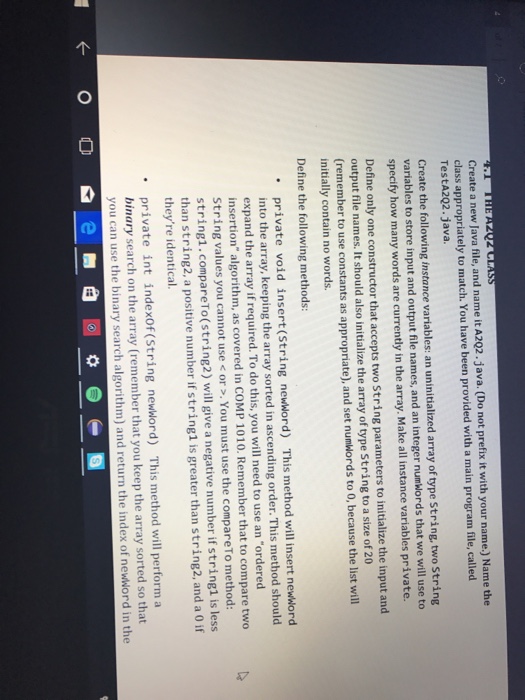
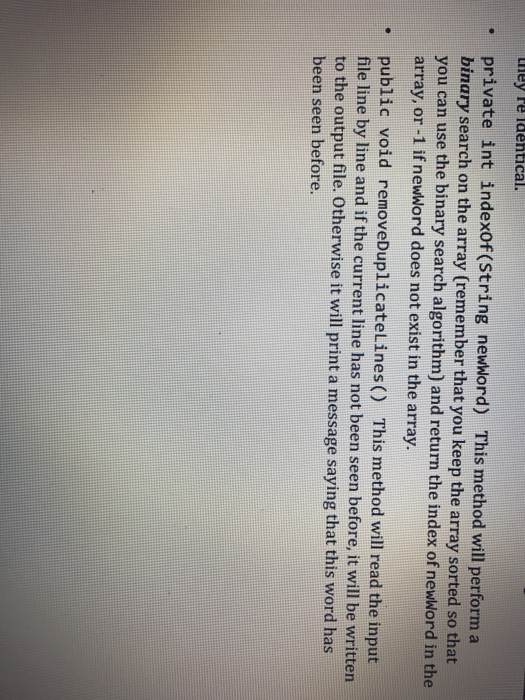

Create a new Java file, and name it A202.java. (Do not prefix it with your name.) Name the class appropriately to match. You have been provided with a main program file, called TestA202.java. Create the following instance variables: an uninitialized array of type string, two String variables to store input and output file names, and an integer numwords that we will use to specify how many words are currently in the array. Make all instance variables private. Define only one constructor that accepts two String parameters to initialize the input and output file names. It should also initialize the array of type String to a size of 20 (remember to use constants as appropriate), and set numwords to 0, because the list wil initially contain no words. Define the following methods: . private void insert (String newword) This method will insert newword into the array, keeping the array sorted in ascending order. This method should expand the array if required. To do this, you will need to use an "ordered insertion" algorithm, as covered in COMP 1010. Remember that to compare two String values you cannot use
Step by Step Solution
There are 3 Steps involved in it

Get step-by-step solutions from verified subject matter experts
 Study Help