







Question: Create a one variable Data Table from what you just copied and pasted giving the average sales for each department, and the Largest Sale from
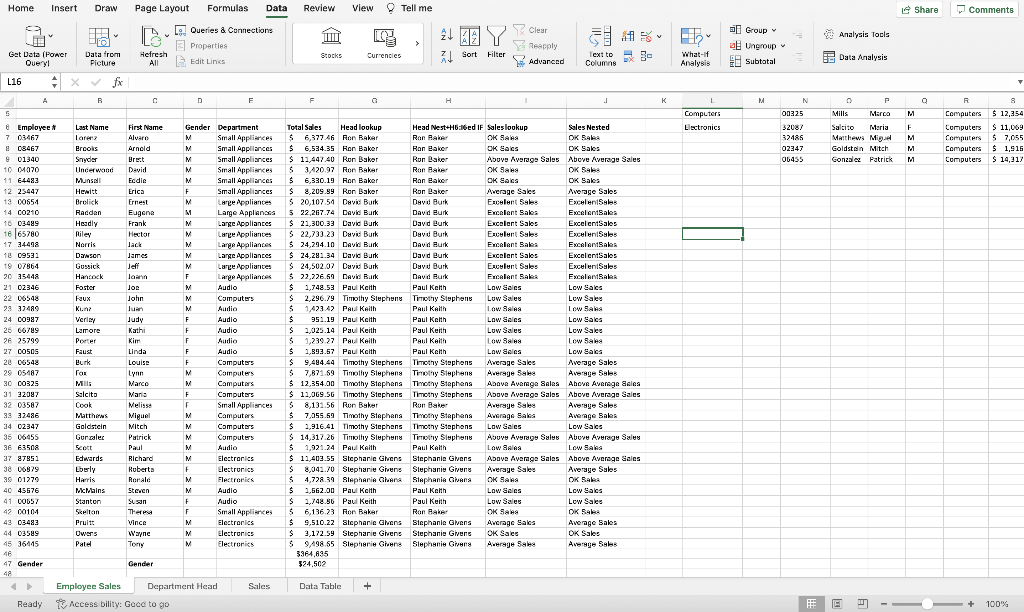
Create a one variable Data Table from what you just copied and pasted giving the average sales for each department, and the Largest Sale from each department. (Hint: Daverage and Dmax and create your criteria range starting in Cell A1)
On the Data table Sheet. Create a 2 variable data table starting in Cell A20 giving the Average Sales for each department by Gender. Start your Criteria Range in cell A15. (Hint: DAverage and the criteria range should include Department and Gender).
On the Employee Sales sheet, in Cell A52, create a formula to calculate the total sales by Males. Use the criteria range in cells A47:A48.
On the Employee Sales sheet, in cell C52, create a formula to calculate the total sales by Females. Use the criteria range in Cells C47:C48.
Step by Step Solution
There are 3 Steps involved in it

Get step-by-step solutions from verified subject matter experts
 Study Help