







Question: create a pivot table general guidance. Lab 1: Creating a PivotTable Report and PivotChart Report Note: To complete this assignment, you will be required to
create a pivot table
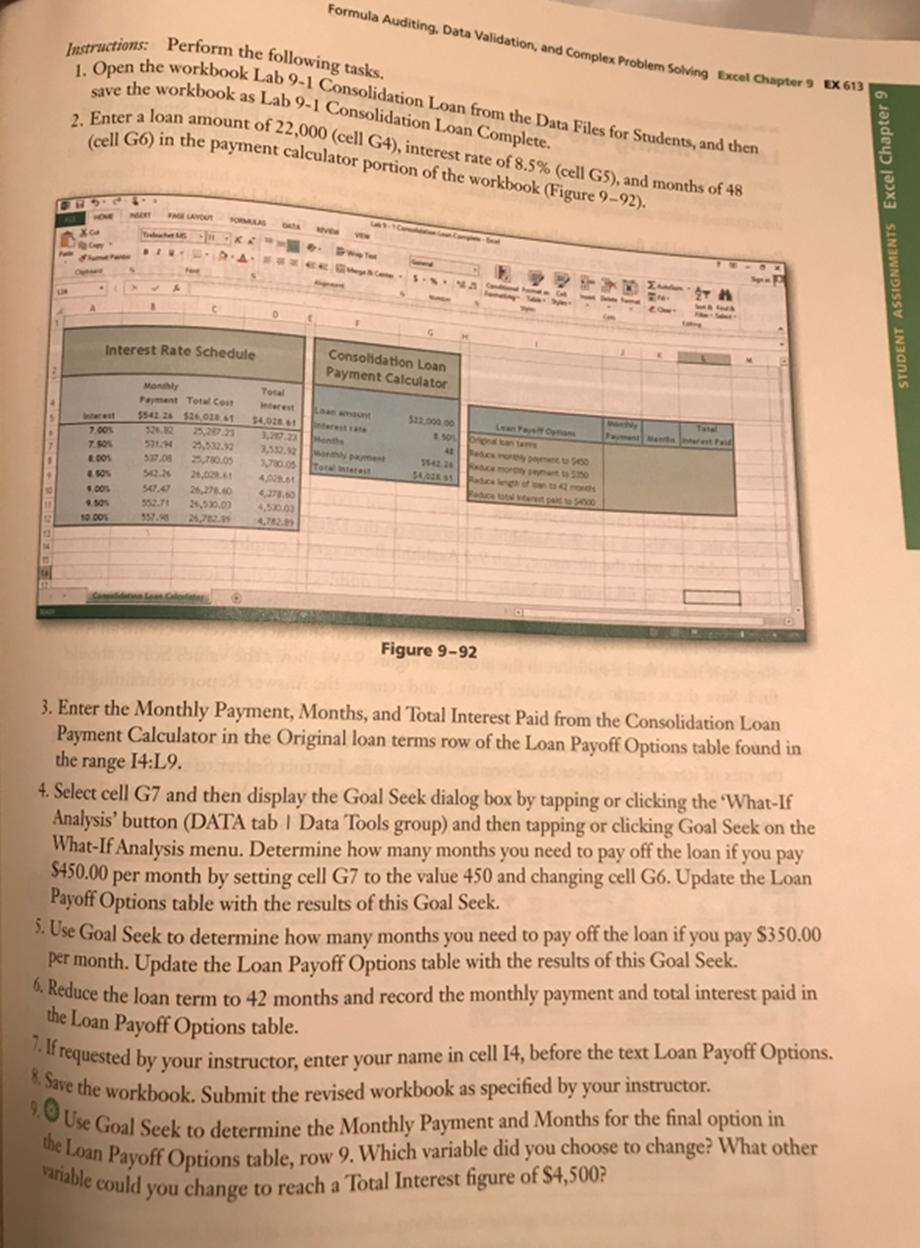
general guidance. Lab 1: Creating a PivotTable Report and PivotChart Report Note: To complete this assignment, you will be required to use the Data Files for Students. Visit www.cengage.com/ct/studentdownload for detailed instructions or contact your instructor for information about accessing the required files. Problem: You want to select the best payback options for a debt consolidation loan you will be getting. You have created a data table to examine the effects of interest rates from 7.0% to 10.00% for a loan. You want to use Goal Seek to determine how many months it will take to pay off a loan of $22,000.00 with an interest rate of 8.5% using different monthly payment goals. 14 Instructions: Perform the following tasks. 1. Open the workbook Lab 9-1 Consolidation Loan from the Data Files for Students, and then save the workbook as Lab 9-1 Consolidation Loan Complete. BHDLC LIN 2. Enter a loan amount of 22,000 (cell G4), interest rate of 8.5% (cell G5), and months of 48 (cell G6) in the payment calculator portion of the workbook (Figure 9-92). X4 . Interest 7.00% 7.50% 8.005 4.50% PART FAGE LAYOUT Trabhat MS BIN 9.00% 9.501 10.00% X Interest Rate Schedule FORMULAS K RA F*CK Formula Auditing, Data Validation, and Complex Problem Solving Excel Chapter 9 EX 613 Monthly Payment Total Cost 5542 26 $26.028.61 52.82 531.94 25,532.32 537,08 25,780.05 Total Interest Loan amount interest rate $4,028.61 3,217.23 Months 3,532.92 wonthly payment 3,780.05 Total interest 4,028.61 542.26 26,028.61 547,47 26,278.40 4,278.60 552.71 24,530.03 4,530.03 Calidation Loan Caloter O VEW DW Text Come VV dand Consolidation Loan Payment Calculator C Figure 9-92 Sy $22,000,00 8.501 40 Paduca monthly payment to 5430 15422ce morply peynt to 550 $4,028 81 aduce length Dette format 4144 H THI 14 Payment and rest Paid Sign - R P 3. Enter the Monthly Payment, Months, and Total Interest Paid from the Consolidation Loan Payment Calculator in the Original loan terms row of the Loan Payoff Options table found in the range 14:19. 4. Select cell G7 and then display the Goal Seek dialog box by tapping or clicking the What-If Analysis button (DATA tab | Data Tools group) and then tapping or clicking Goal Seek on the What-If Analysis menu. Determine how many months you need to pay off the loan if you pay $450.00 per month by setting cell G7 to the value 450 and changing cell G6. Update the Loan Payoff Options table with the results of this Goal Seek. 5. Use Goal Seek to determine how many months you need to pay off the loan if you pay $350.00 per month. Update the Loan Payoff Options table with the results of this Goal Seek. 6. Reduce the loan term to 42 months and record the monthly payment and total interest paid in the Loan Payoff Options table. 7. If requested by your instructor, enter your name in cell 14, before the text Loan Payoff Options. 8. Save the workbook. Submit the revised workbook as specified by your instructor. 9. Use Goal Seek to determine the Monthly Payment and Months for the final option in the Loan Payoff Options table, row 9. Which variable did you choose to change? What other variable could you change to reach a Total Interest figure of $4,500? STUDENT ASSIGNMENTS Excel Chapter 9
Step by Step Solution
3.35 Rating (158 Votes )
There are 3 Steps involved in it

Get step-by-step solutions from verified subject matter experts
 Study Help