







Question: Create a Post Class Create a new class called Post and fill in the comment details. This class represents a single post or message
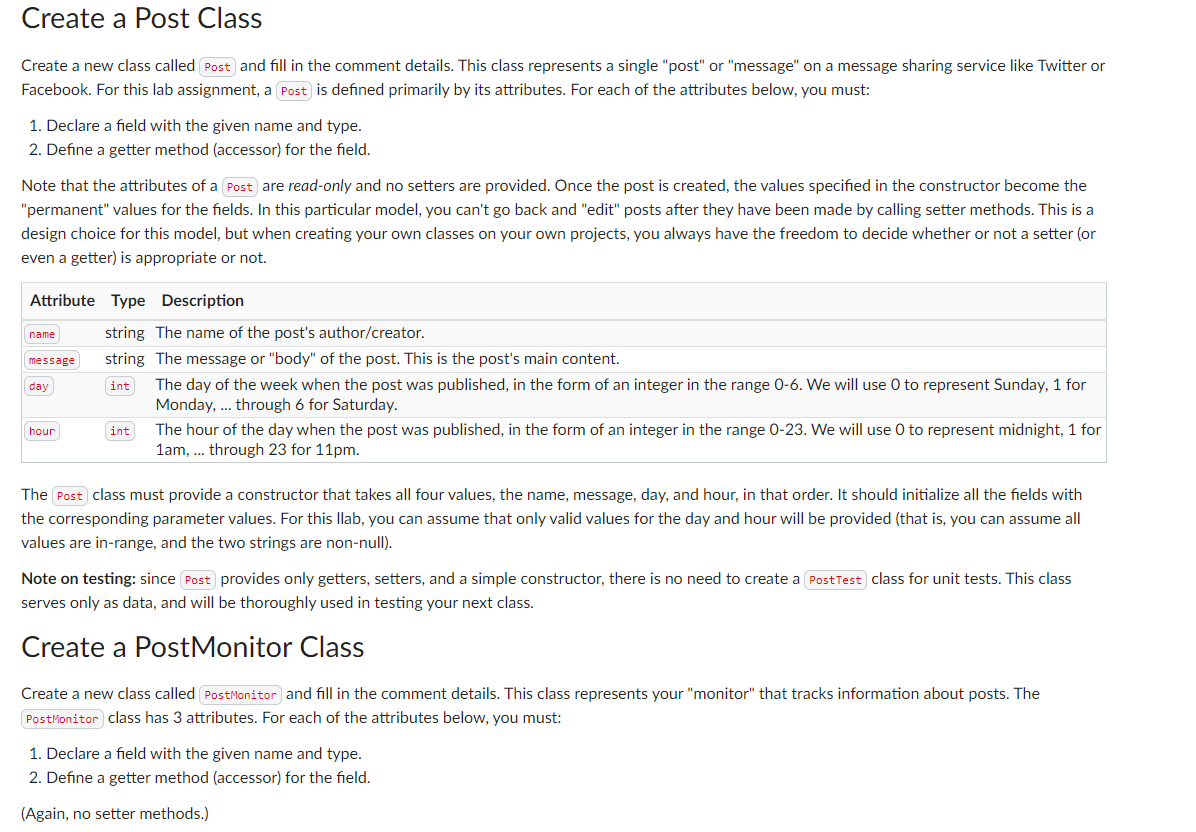
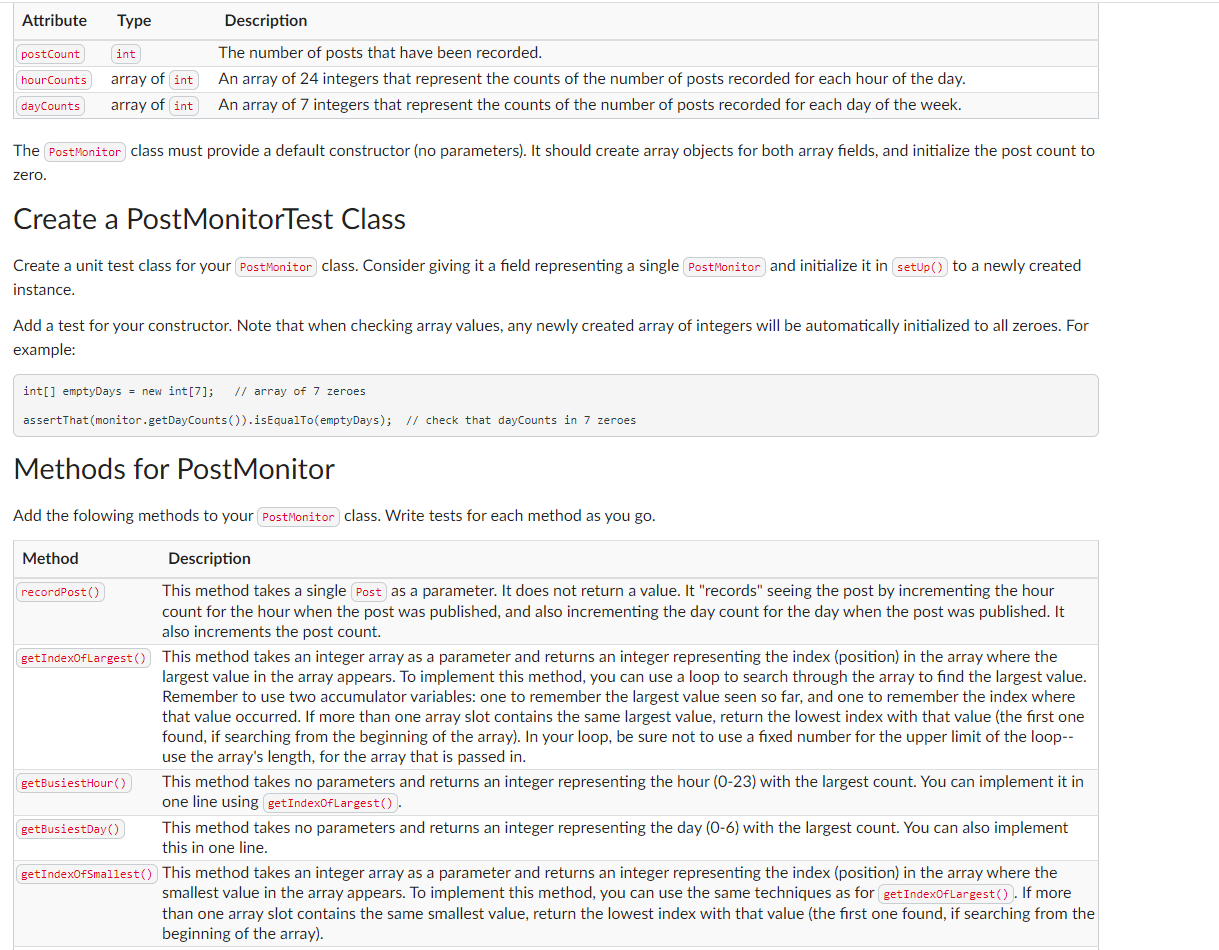
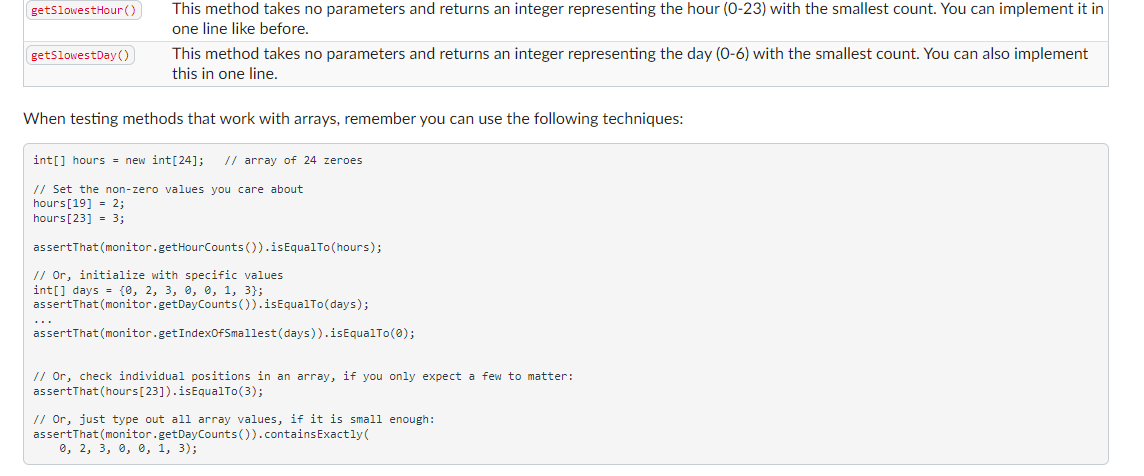
Create a Post Class Create a new class called Post and fill in the comment details. This class represents a single "post" or "message" on a message sharing service like Twitter or Facebook. For this lab assignment, a Post) is defined primarily by its attributes. For each of the attributes below, you must: 1. Declare a field with the given name and type. 2. Define a getter method (accessor) for the field. Note that the attributes of a Post are read-only and no setters are provided. Once the post is created, the values specified in the constructor become the "permanent" values for the fields. In this particular model, you can't go back and "edit" posts after they have been made by calling setter methods. This is a design choice for this model, but when creating your own classes on your own projects, you always have the freedom to decide whether or not a setter (or even a getter) is appropriate or not. Attribute Type Description name message day hour string The name of the post's author/creator. string The message or "body" of the post. This is the post's main content. int The day of the week when the post was published, in the form of an integer in the range 0-6. We will use O to represent Sunday, 1 for Monday, ... through 6 for Saturday. int The hour of the day when the post was published, in the form of an integer in the range 0-23. We will use 0 to represent midnight, 1 for 1am, ... through 23 for 11pm. The Post class must provide a constructor that takes all four values, the name, message, day, and hour, in that order. It should initialize all the fields with the corresponding parameter values. For this llab, you can assume that only valid values for the day and hour will be provided (that is, you can assume all values are in-range, and the two strings are non-null). Note on testing: since Post provides only getters, setters, and a simple constructor, there is no need to create a Post Test class for unit tests. This class serves only as data, and will be thoroughly used in testing your next class. Create a PostMonitor Class Create a new class called PostMonitor and fill in the comment details. This class represents your "monitor" that tracks information about posts. The PostMonitor class has 3 attributes. For each of the attributes below, you must: 1. Declare a field with the given name and type. 2. Define a getter method (accessor) for the field. (Again, no setter methods.) Attribute Type postCount int hourCounts array of int dayCounts array of int Description The number of posts that have been recorded. An array of 24 integers that represent the counts of the number of posts recorded for each hour of the day. An array of 7 integers that represent the counts of the number of posts recorded for each day of the week. The PostMonitor class must provide a default constructor (no parameters). It should create array objects for both array fields, and initialize the post count to zero. Create a PostMonitorTest Class Create a unit test class for your Post Monitor class. Consider giving it a field representing a single Post Monitor and initialize it in (setUp()) to a newly created instance. Add a test for your constructor. Note that when checking array values, any newly created array of integers will be automatically initialized to all zeroes. For example: int[] emptyDays = new int[7]; // array of 7 zeroes assertThat (monitor.getDayCounts()).is EqualTo(emptyDays); // check that dayCounts in 7 zeroes Methods for PostMonitor Add the folowing methods to your PostMonitor class. Write tests for each method as you go. Method recordPost() Description This method takes a single Post as a parameter. It does not return a value. It "records" seeing the post by incrementing the hour count for the hour when the post was published, and also incrementing the day count for the day when the post was published. It also increments the post count. getIndexOfLargest()) This method takes an integer array as a parameter and returns an integer representing the index (position) in the array where the largest value in the array appears. To implement this method, you can use a loop to search through the array to find the largest value. Remember to use two accumulator variables: one to remember the largest value seen so far, and one to remember the index where that value occurred. If more than one array slot contains the same largest value, return the lowest index with that value (the first one found, if searching from the beginning of the array). In your loop, be sure not to use a fixed number for the upper limit of the loop-- use the array's length, for the array that is passed in. getBusiestHour()) This method takes no parameters and returns an integer representing the hour (0-23) with the largest count. You can implement it in one line using getIndexOfLargest()). getBusiestDay()) This method takes no parameters and returns an integer representing the day (0-6) with the largest count. You can also implement this in one line. getIndexOfSmallest()) This method takes an integer array as a parameter and returns an integer representing the index (position) in the where the smallest value in the array appears. To implement this method, you can use the same techniques as for getIndexOf Largest()). If more than one array slot contains the same smallest value, return the lowest index with that value (the first one found, if searching from the beginning of the array). getSlowestHour()) getSlowestDay() This method takes no parameters and returns an integer representing the hour (0-23) with the smallest count. You can implement it in one line like before. This method takes no parameters and returns an integer representing the day (0-6) with the smallest count. You can also implement this in one line. When testing methods that work with arrays, remember you can use the following techniques: int[] hours = new int [24]; // array of 24 zeroes // Set the non-zero values you care about hours [19] = 2; hours [23] = 3; assertThat (monitor.getHourCounts()).is Equal To (hours); // Or, initialize with specific values int[] days = {0, 2, 3, 0, 0, 1, 3}; assertThat (monitor.getDayCounts()).isEqualTo(days); assertThat (monitor.getIndexOfSmallest (days)).isEqualTo(0); // Or, check individual positions in an array, if you only expect a few to matter: assertThat (hours [23]).is EqualTo(3); // Or, just type out all array values, if it is small enough: assertThat (monitor.getDayCounts()) .contains Exactly( 0, 2, 3, 0, 0, 1, 3);
Step by Step Solution
There are 3 Steps involved in it

Get step-by-step solutions from verified subject matter experts
 Study Help