







Question: Create a program for the Papilio Duo with LogicStart Shield that does the following: if the LEFT button is pressed, tun off LEDSI7:3 if the
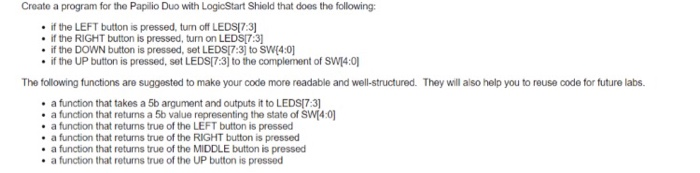
Create a program for the Papilio Duo with LogicStart Shield that does the following: if the LEFT button is pressed, tun off LEDSI7:3 if the RIGHT button is pressed, turn on LEDSI7:3 thtocomplerment ofswoi if the UP button is pressed, set LEDSI7:3] to the complement of SWI4:0 . Theywilasoheloy utorousecodefortutre1abs. The following functions are suggested to make your code more readable and well-structured. They will also help you to reuse code for future labs . a function that takes a 5b argument and outputs it to LEDSI7:3 a function that returns a 5b value representing the state of SWI4:0 a function that returns true of the LEFT button is pressed . a function that returns true of the RIGHT button is pressed . a function that returns true of the MIDDLE button is pressed a function that returns true of the UP button is pressed Create a program for the Papilio Duo with LogicStart Shield that does the following: if the LEFT button is pressed, tun off LEDSI7:3 if the RIGHT button is pressed, turn on LEDSI7:3 thtocomplerment ofswoi if the UP button is pressed, set LEDSI7:3] to the complement of SWI4:0 . Theywilasoheloy utorousecodefortutre1abs. The following functions are suggested to make your code more readable and well-structured. They will also help you to reuse code for future labs . a function that takes a 5b argument and outputs it to LEDSI7:3 a function that returns a 5b value representing the state of SWI4:0 a function that returns true of the LEFT button is pressed . a function that returns true of the RIGHT button is pressed . a function that returns true of the MIDDLE button is pressed a function that returns true of the UP button is pressed
Step by Step Solution
There are 3 Steps involved in it

Get step-by-step solutions from verified subject matter experts
 Study Help