







Question: Create a Quiz website With HTML, CSS, and JavaScript. In addition to the requirements given here, be sure you have followed all requirements given in
Create a Quiz website With HTML, CSS, and JavaScript.
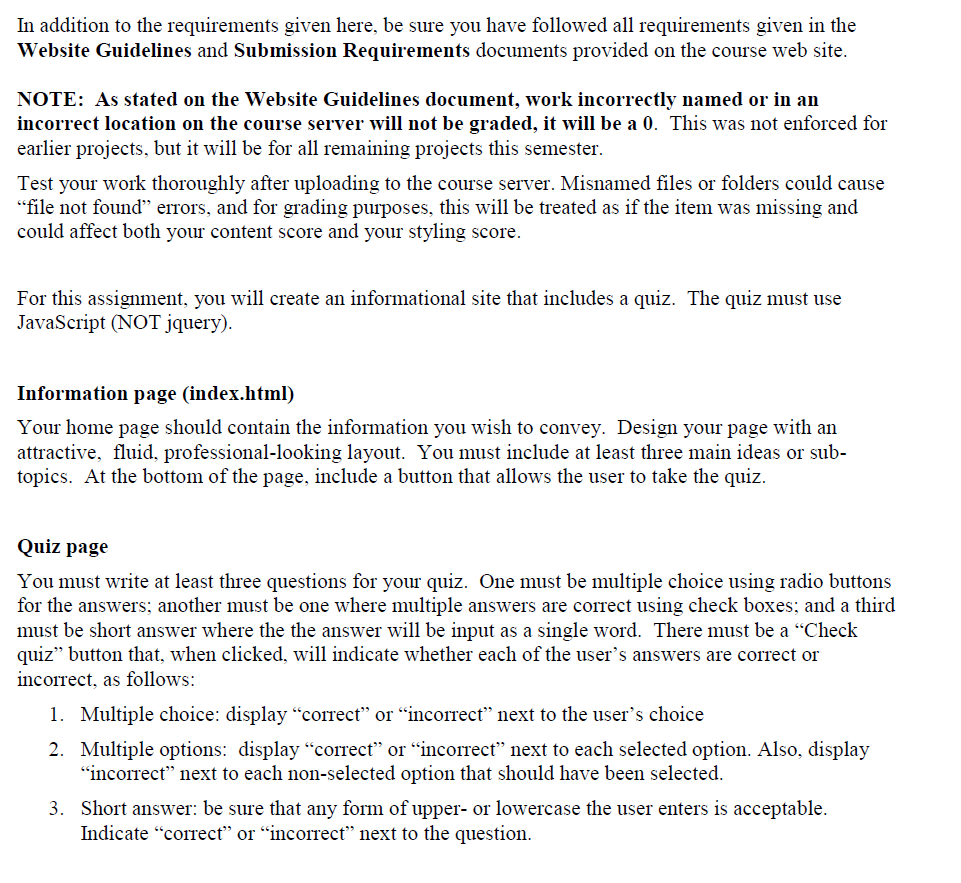
In addition to the requirements given here, be sure you have followed all requirements given in the Website Guidelines and Submission Requirements documents provided on the course web site NOTE: As stated on the Website Guidelines document, work incorrectly named or in an incorrect location on the course server will not be graded, it will be a 0. This was not enforced for earlier projects, but it will be for all remaiming projects this semester. Test your work thoroughly after uploading to the course server. Misnamed files or folders could cause file not found" errors, and for grading purposes, this will be treated as if the item was missing and could affect both your content score and your styling score. For this assignment, you will create an informational site that includes a quiz. The quiz must use JavaScript (NOTjy). Information page (index.html) Your home page should contain the information vou wish to convev. Design vour page with an attractive, fluid, professional-looking layout. You must include at least three main ideas or sub- topics. At the bottom of the page, include a button that allows the user to take the quiz Quiz page You must write at least three questions for your quiz. One must be multiple choice using radio buttons for the answers; another must be one where multiple answers are correct using check boxes; and a third must be short answer where the the answer will be input as a single word. There must be a "Checlk quiz" button that, when clicked, will indicate whether each of the user's answers are correct or incorrect, as follows: 1. Multiple choice: display "correct" or "incorrect" next to the user's choice 2. Multiple options: display "correct" or "incorrect" next to each selected option. Also, display "incorrect" next to each non-selected option that should have been selected. Short answer: be sure that any form of upper- or lowercase the user enters is acceptable Indicate "correcf" or "incorrect" next to the question 3
Step by Step Solution
There are 3 Steps involved in it

Get step-by-step solutions from verified subject matter experts
 Study Help