





Question: Create a schedule using MS Project for the following scenario: assume that you have applied with Seneca College for the position as Junior Marketing Specialist,
Create a schedule using MS Project for the
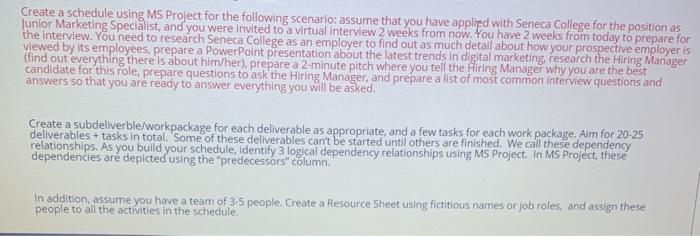
Create a schedule using MS Project for the following scenario: assume that you have applied with Seneca College for the position as Junior Marketing Specialist, and you were invited to a virtual interview 2 weeks from now. You have 2 weeks from today to prepare for the interview. You need to research Seneca College as an employer to find out as much detail about how your prospective employer is viewed by its employees, prepare a PowerPoint presentation about the latest trends in digital marketing, research the Hiring Manager (find out everything there is about him/her), prepare a 2 minute pitch where you tell the Hiring Manager why you are the best candidate for this role, prepare questions to ask the Hiring Manager, and prepare a list of most common interview questions and answers so that you are ready to answer everything you will be asked. Create a subdellverble/workpackage for each deliverable as appropriate, and a few tasks for each work package, Aim for 20-25 deliverables + tasks in total. Some of these deliverables can't be started until others are finished. We call these dependency relationships. As you build your schedule, identify 3 logical dependency relationships using MS Project. In MS Project, these dependencies are depicted using the "predecessors" column In addition, assume you have a team of 3-5 people. Create a Resource Sheet using fictitious names or job roles, and assign these people to all the activities in the schedule

Step by Step Solution

There are 3 Steps involved in it

1 Expert Approved Answer
Step: 1 Unlock blur-text-image

Question Has Been Solved by an Expert!

Get step-by-step solutions from verified subject matter experts

Step: 2 Unlock
Step: 3 Unlock

Students Have Also Explored These Related General Management Questions!