







Question: Create a script called MakeProject.sh that will be used by you to automate the process of creating well formed software development directories This bash script
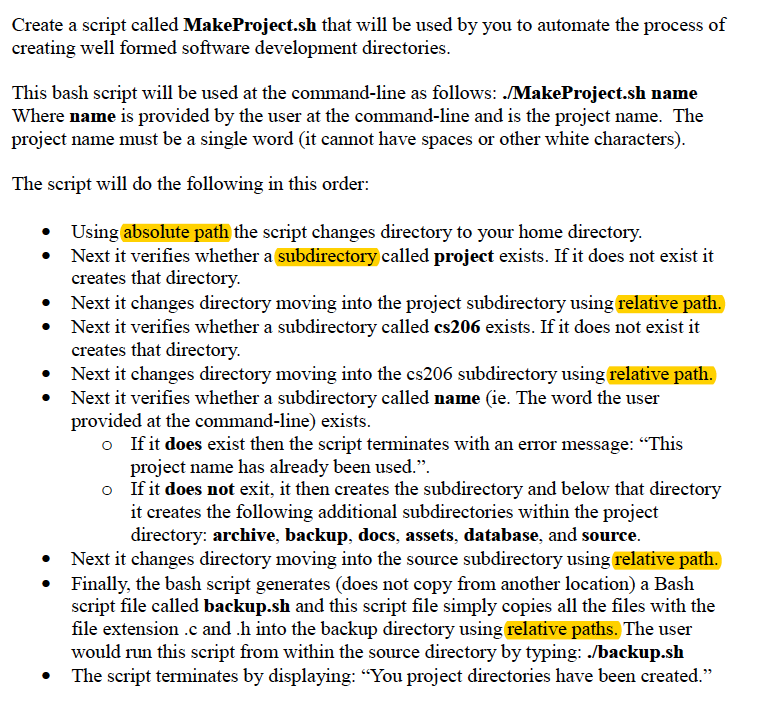
Create a script called MakeProject.sh that will be used by you to automate the process of creating well formed software development directories This bash script will be used at the command-line as follows: ./MakeProject.sh name Where name is provided by the user at the command-line and is the project name. The project name must be a single word (it cannot have spaces or other white characters) The script will do the following in this order Using absolute path the script changes directory to your home directory Next it verifies whether a subdirectory called project exists. If it does not exist it creates that directory Next it changes directory moving into the project subdirectory using relative path. Next it verifies whether a subdirectory called cs206 exists. If it does not exist it creates that directory Next it changes directory moving into the cs206 subdirectory using relative path. Next it verifies whether a subdirectory called name (ie. The word the user provided at the command-line) exists * * * * * Ifit does exist then the script terminates with an error message: "This project name has already been used." If it does not exit, it then creates the subdirectory and below that directory o o it creates the following additional subdirectories within the project Next it changes directory moving into the source subdirectory using relative path. script file called backup.sh and this script file simply copies all the files with the directory: archive, backup, docs, assets, database, and source * Finally, the bash script generates (does not copy from another location) a Bash * file extension .c and .h into the backup directory using relative paths. The user would run this script from within the source directory by typing: ./backup.sh The script terminates by displaying: "You project directories have been created." *
Step by Step Solution
There are 3 Steps involved in it

Get step-by-step solutions from verified subject matter experts
 Study Help