Question: Create a system flowchart and review the controls in the process. See attached document for details. Flowchart Assignment Business Process Diagramming and Control Evaluation The
Create a system flowchart and review the controls in the process. See attached document for details.
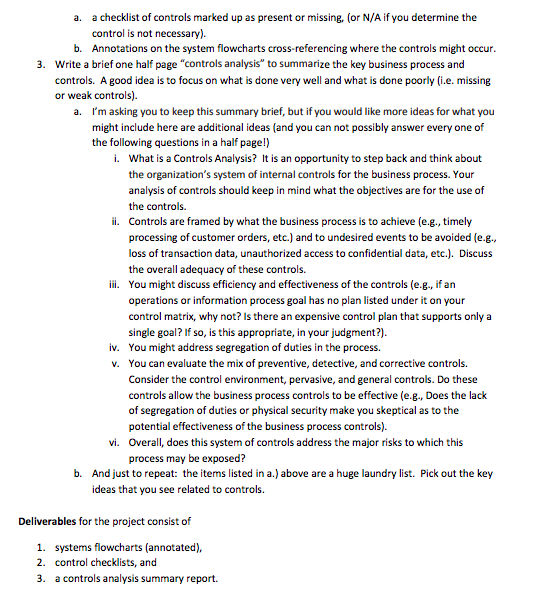
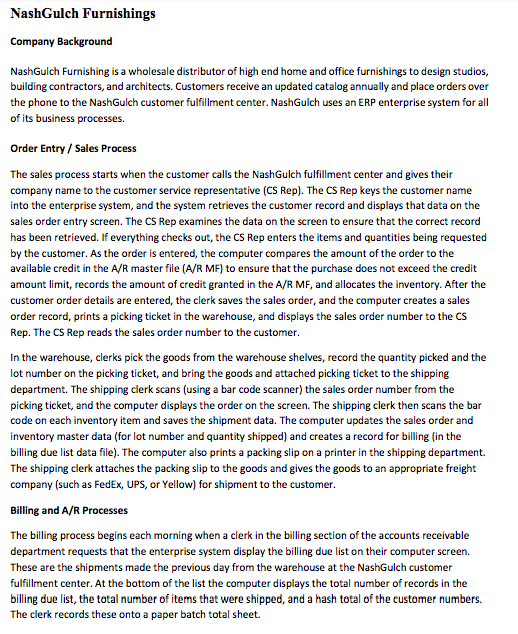
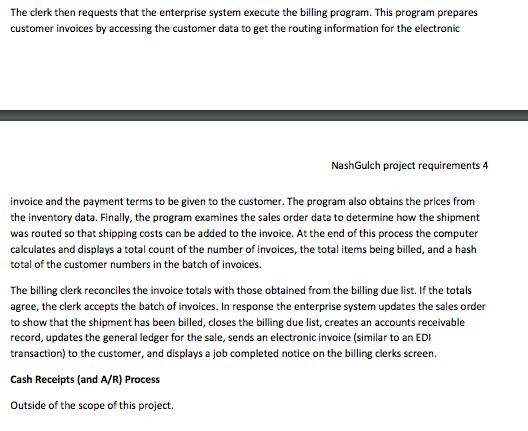
Flowchart Assignment Business Process Diagramming and Control Evaluation The project is based on the business processes and controls for Order Entry/ Shipping and Billing / Cash Receipts at NashGulch Furnishings. NashGulch Furnishing sells high end, i.e. expensive and unique, home and office furnishings to design studios, building contractors, and architects. Customers place orders over the phone to the NashGulch customer fulfillment center, Nash Gulch uses an enterprise system for all of its business processes. Nash Gulch Furnishings Required (summary): 1. Systems flowcharts for Order Entry/Shipping and Billing processes a. Annotated to show where controls occur (or where a control might be missing) 2. Control checklist (based on the control matrices for the processes) 3. A brief, i.e. page, "controls analysis to summarize the key business process and controls. A good idea is to focus on what is done very well and what is done poorly (.e. missing or weak controls). Required (Details): 1. Draw systems flowcharts for the business processes. See pages 3 through 4 for company process details. Note that the business processes may require either multiple pages or multiple individual flowcharts (for each process). Reference materials that you may find useful: a. Systems Flowcharting: Ch 4 AIS textbook and class overheads b. Application Controls checklists: Ch 9 AIS textbook and Ch 1 in the Classic Rockers textbook PDF c. Order Entry / Sales business process: Ch 10 AIS textbook d. Billing and A/R business process: Ch 11 AIS textbook e. Your system flowcharts must be completed in Excel (or Visio). Previously, Excel files were provided in Blackboard that can be used as starting points. Follow the guidelines for Input - Process - Output and the patterns used for manual paper vs system processing of data. 2. Analyze the controls in place and possibly missing in the processes. Use the control matrix examples in the textbook (control matrices and the detailed control plans) as a "checklist to review the potential controls that may be present and/or missing in the processes. Cross- reference these controls (present and missing) onto the system flowcharts with annotations (i.e., control numbers such as P-1, P-2, M-1). The end results of step 2 will be NashGulch Furnishings Company Background NashGulch Furnishing is a wholesale distributor of high end home and office furnishings to design studios, building contractors, and architects. Customers receive an updated catalog annually and place orders over the phone to the Nash Gulch customer fulfillment center. NashGulch uses an ERP enterprise system for all of its business processes. Order Entry / Sales Process The sales process starts when the customer calls the NashGulch fulfillment center and gives their company name to the customer service representative (CS Rep). The CS Rep keys the customer name into the enterprise system, and the system retrieves the customer record and displays that data on the sales order entry screen. The CS Rep examines the data on the screen to ensure that the correct record has been retrieved. If everything checks out, the CS Rep enters the items and quantities being requested by the customer. As the order is entered, the computer compares the amount of the order to the available credit in the A/R master file (A/R MF) to ensure that the purchase does not exceed the credit amount limit records the amount of credit granted in the A/R MF, and allocates the inventory. After the customer order details are entered, the clerk saves the sales order, and the computer creates a sales order record, prints a picking ticket in the warehouse, and displays the sales order number to the CS Rep. The CS Rep reads the sales order number to the customer. In the warehouse, clerks pick the goods from the warehouse shelves, record the quantity picked and the lot number on the picking ticket, and bring the goods and attached picking ticket to the shipping department. The shipping clerk scans (using a bar code scanner) the sales order number from the picking ticket, and the computer displays the order on the screen. The shipping clerk then scans the bar code on each inventory item and saves the shipment data. The computer updates the sales order and Inventory master data (for lot number and quantity shipped) and creates a record for billing in the billing due list data file). The computer also prints a packing slip on a printer in the shipping department. The shipping clerk attaches the packing slip to the goods and gives the goods to an appropriate freight company (such as FedEx, UPS, or Yellow) for shipment to the customer. Billing and A/R Processes The billing process begins each morning when a clerk in the billing section of the accounts receivable department requests that the enterprise system display the billing due list on their computer screen. These are the shipments made the previous day from the warehouse at the NashGulch customer fulfillment center. At the bottom of the list the computer displays the total number of records in the billing due list, the total number of items that were shipped, and a hash total of the customer numbers. The clerk records these onto a paper batch total sheet. The clerk then requests that the enterprise system execute the billing program. This program prepares customer invoices by accessing the customer data to get the routing information for the electronic NashGulch project requirements 4 Invoice and the payment terms to be given to the customer. The program also obtains the prices from the inventory data. Finally, the program examines the sales order data to determine how the shipment was routed so that shipping costs can be added to the invoice. At the end of this process the computer calculates and displays a total count of the number of invoices, the total items being billed, and a hash total of the customer numbers in the batch of invoices. The billing clerk reconciles the invoice totals with those obtained from the billing due list. If the totals agree, the clerk accepts the batch of invoices. In response the enterprise system updates the sales order to show that the shipment has been billed, closes the billing due list, creates an accounts receivable record, updates the general ledger for the sale, sends an electronic invoice (similar to an EDI transaction) to the customer, and displays a job completed notice on the billing clerks screen. Cash Receipts (and A/R) Process Outside of the scope of this project









 Study Help