







Question: ** Create a WBS & PERT/CM chart for the following tasks** Use only a whole, positive integer for the start and/or end day. Do NOT
** Create a WBS & PERT/CM chart for the following tasks**
Use only a whole, positive integer for the start and/or end day. Do NOT use a date as either the start and/or end day. Task #1s start day will always be 1. Use only full days as the duration, NOT hours, half-days, weeks, months, or You are NOT allowed to use the same duration for two or more tasks. For example, if Task A has a duration of 5 days, NO other task on your table or chart is allowed a duration of 5 days. Your table and chart MUST contain at least one multiple successor task pattern AND one multiple predecessor task pattern.
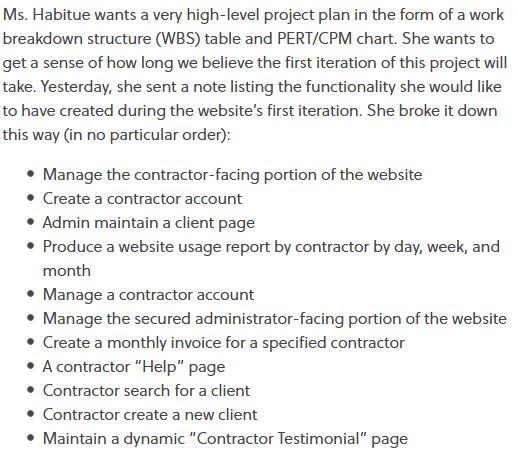
Ms. Habitue wants a very high-level project plan in the form of a work breakdown structure (WBS) table and PERT/CPM chart. She wants to get a sense of how long we believe the first iteration of this project will take. Yesterday, she sent a note listing the functionality she would like to have created during the website's first iteration. She broke it down this way (in no particular order): Manage the contractor-facing portion of the website Create a contractor account Admin maintain a client page Produce a website usage report by contractor by day, week, and month Manage a contractor account Manage the secured administrator-facing portion of the website Create a monthly invoice for a specified contractor A contractor "Help" page Contractor search for a client Contractor create a new client Maintain a dynamic "Contractor Testimonial" page Ms. Habitue wants a very high-level project plan in the form of a work breakdown structure (WBS) table and PERT/CPM chart. She wants to get a sense of how long we believe the first iteration of this project will take. Yesterday, she sent a note listing the functionality she would like to have created during the website's first iteration. She broke it down this way (in no particular order): Manage the contractor-facing portion of the website Create a contractor account Admin maintain a client page Produce a website usage report by contractor by day, week, and month Manage a contractor account Manage the secured administrator-facing portion of the website Create a monthly invoice for a specified contractor A contractor "Help" page Contractor search for a client Contractor create a new client Maintain a dynamic "Contractor Testimonial" page
Step by Step Solution
There are 3 Steps involved in it

Get step-by-step solutions from verified subject matter experts
 Study Help