







Question: - Create a web page with the heading CNIT 133 Homework 3 - Functions - The contents of this page should be, besides the heading:
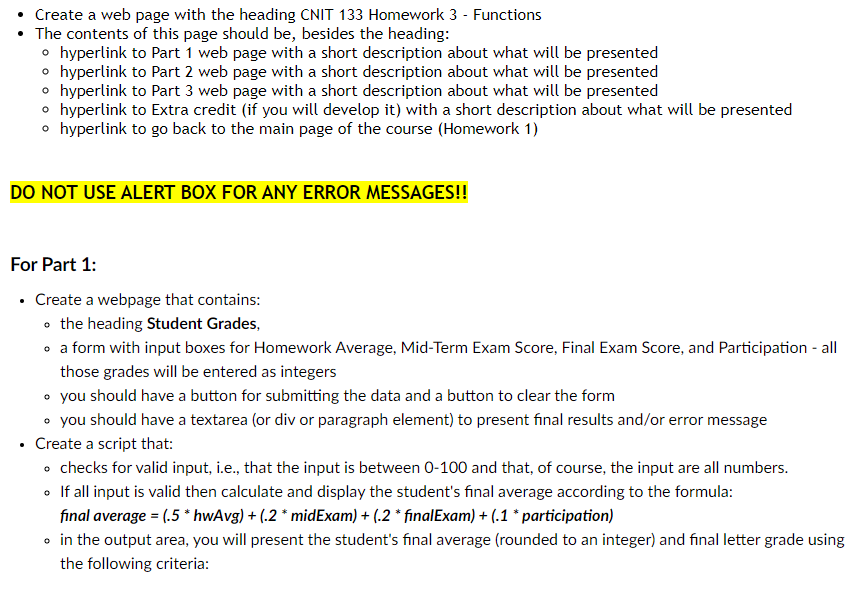
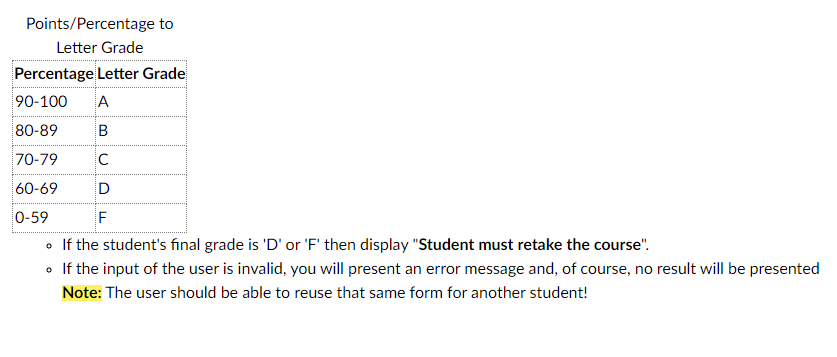
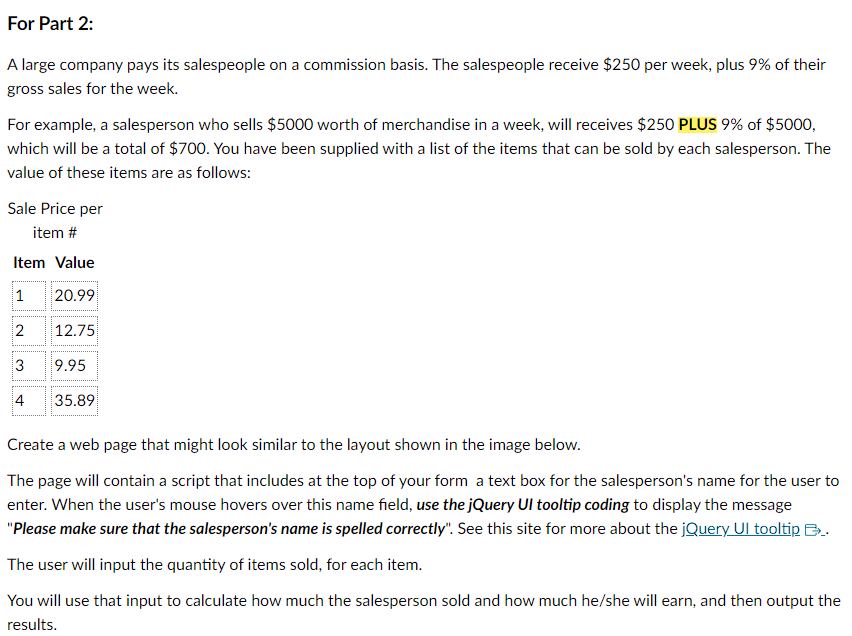
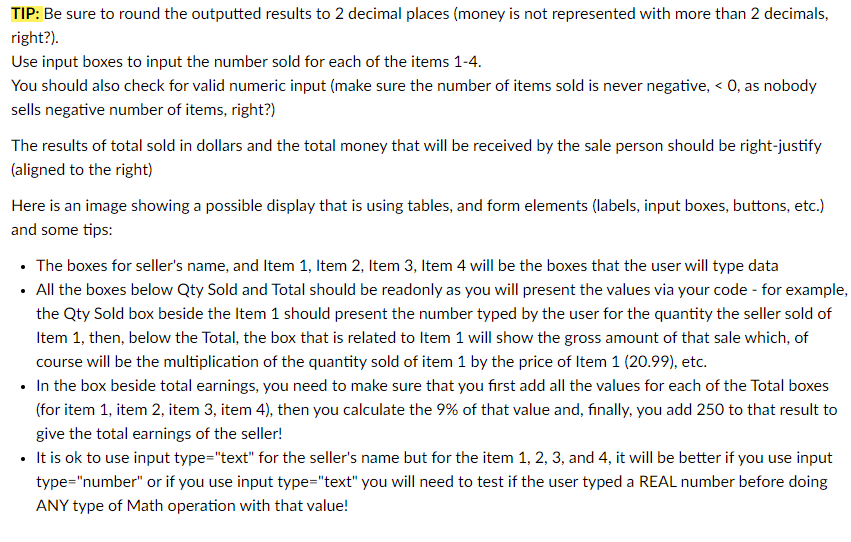
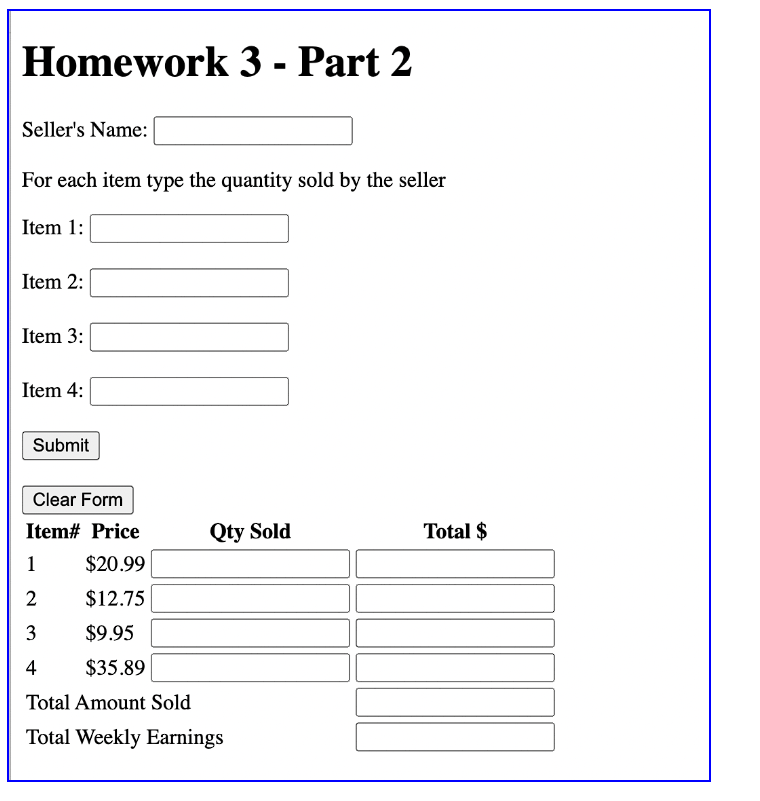
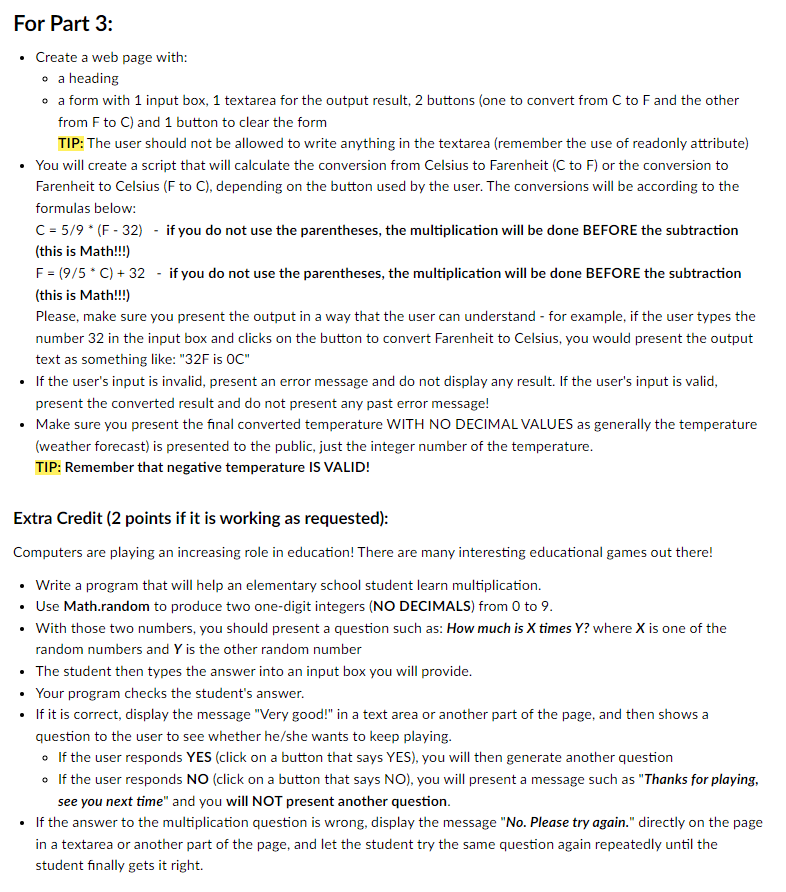
- Create a web page with the heading CNIT 133 Homework 3 - Functions - The contents of this page should be, besides the heading: - hyperlink to Part 1 web page with a short description about what will be presented - hyperlink to Part 2 web page with a short description about what will be presented - hyperlink to Part 3 web page with a short description about what will be presented - hyperlink to Extra credit (if you will develop it) with a short description about what will be presented - hyperlink to go back to the main page of the course (Homework 1) DO NOT USE ALERT BOX FOR ANY ERROR MESSAGES!! For Part 1: - Create a webpage that contains: - the heading Student Grades, - a form with input boxes for Homework Average, Mid-Term Exam Score, Final Exam Score, and Participation - all those grades will be entered as integers - you should have a button for submitting the data and a button to clear the form - you should have a textarea (or div or paragraph element) to present final results and/or error message - Create a script that: - checks for valid input, i.e., that the input is between 0-100 and that, of course, the input are all numbers. - If all input is valid then calculate and display the student's final average according to the formula: final average =(.5hwAvg)+(.2 midExam )+(.2 finalExam )+(.1 participation ) - in the output area, you will present the student's final average (rounded to an integer) and final letter grade using the following criteria: - If the student's final grade is ' D ' or 'F' then display "Student must retake the course". - If the input of the user is invalid, you will present an error message and, of course, no result will be presented Note: The user should be able to reuse that same form for another student! A large company pays its salespeople on a commission basis. The salespeople receive $250 per week, plus 9% of their gross sales for the week. For example, a salesperson who sells $5000 worth of merchandise in a week, will receives $250 PLUS 9% of $5000, which will be a total of $700. You have been supplied with a list of the items that can be sold by each salesperson. The value of these items are as follows: Create a web page that might look similar to the layout shown in the image below. The page will contain a script that includes at the top of your form a text box for the salesperson's name for the user to enter. When the user's mouse hovers over this name field, use the jQuery UI tooltip coding to display the message "Please make sure that the salesperson's name is spelled correctly". See this site for more about the jQuery UI tooltip ._. The user will input the quantity of items sold, for each item. You will use that input to calculate how much the salesperson sold and how much he/she will earn, and then output the results. TIP: Be sure to round the outputted results to 2 decimal places (money is not represented with more than 2 decimals, right?). Use input boxes to input the number sold for each of the items 1-4. You should also check for valid numeric input (make sure the number of items sold is never negative,
Step by Step Solution
There are 3 Steps involved in it

Get step-by-step solutions from verified subject matter experts
 Study Help