







Question: Create an app that use implicit intents to launch an activity to browse a webpage from a listed of qualified activities. Here are the important
Create an app that use implicit intents to launch an activity to browse a webpage from a listed of qualified activities. Here are the important characteristics: The main activity should have two components --- a text view and a button. When user clicks on the button in the main activity, the app should launch an activity to display the website URL: http://developer.android.com. Create TWO additional activities with a text view and a button, set up the intent filter for them, so that they are responsible for browsing webpage intents. When user choose one of the above activities to open the browser, the website URL and the activity name will be displayed. When user clicks on the button, the app will go back to the main activity. Create one more addition activity (freely design the layout), set up the intent filter, so that it wont respond to browsing webpage intent.
Here are the screenshots of the lab application:
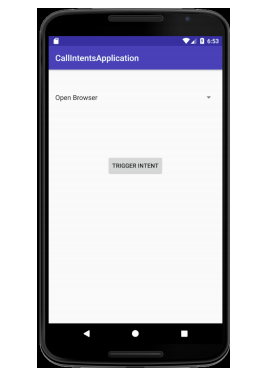
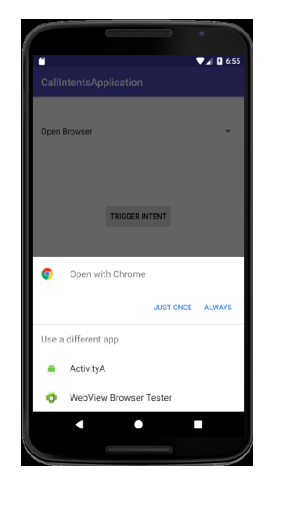
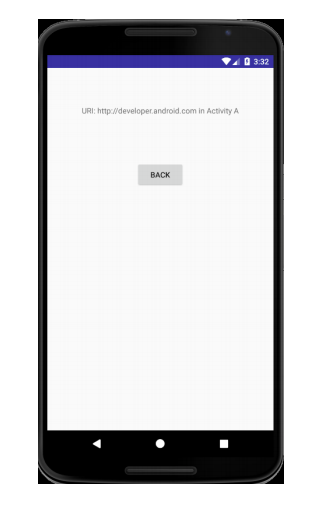
CallintentsApplicatiorn Open Browser CallintentsApplicatiorn Open Browser
Step by Step Solution
There are 3 Steps involved in it

Get step-by-step solutions from verified subject matter experts
 Study Help