







Question: create an asp.net core application that will display a list of books with a link to add new book. The URL for this page should
create an asp.net core application that will display a list of books with a link to add new book. The URL for this page should be localhost/mylibrary/book
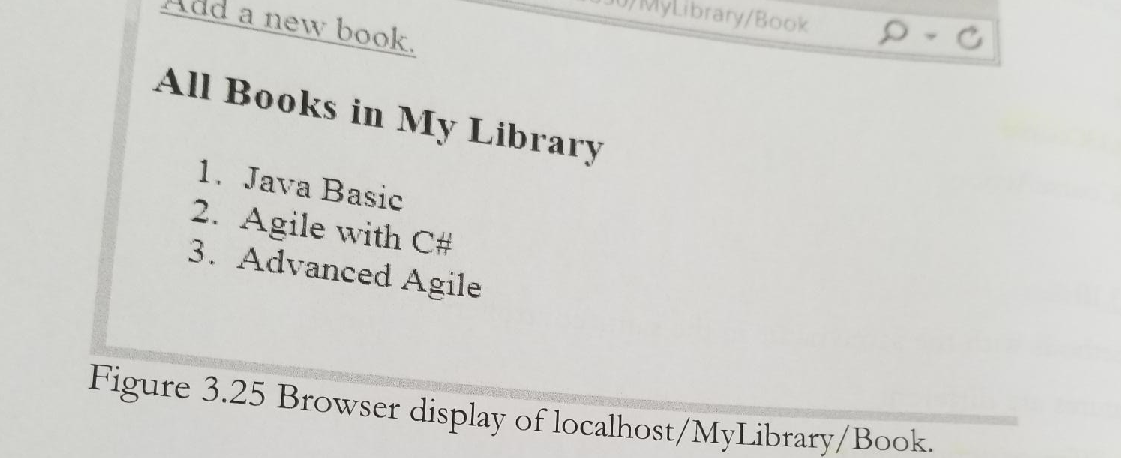
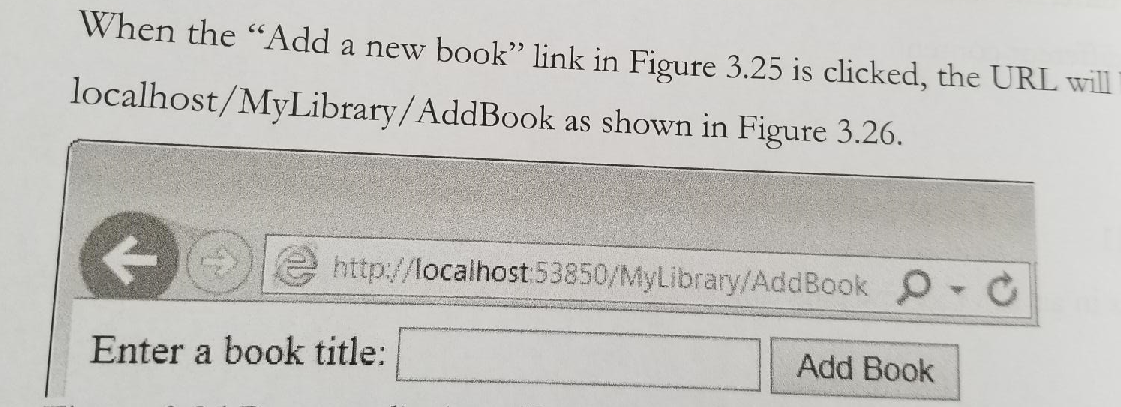
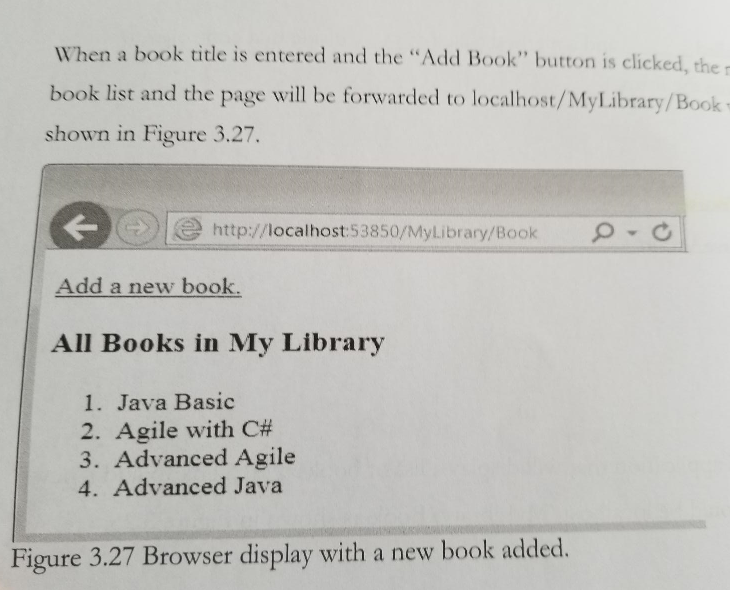
dd a new book Library/Book All Books in My Library 1. Java Basic 2. Agile with C# 3. Advanced Agile Figure 3.25 Browser display of localhost/MyLibrary/Book. When the Add a new book link in Figure 3.25 is clicked, the URL will localhost/MyLibrary/AddBook as shown in Figure 3.26. http://localhost 53850/MyLibrary/AddBook OO Enter a book title: a Add Book When a book title is entered and the "Add Book" button is clicked, the book list and the page will be forwarded to localhost/MyLibrary/Book shown in Figure 3.27. http://localhost:53850/MyLibrary/Book Add a new book. All Books in My Library 1. Java Basic 2. Agile with C# 3. Advanced Agile 4. Advanced Java Figure 3.27 Browser display with a new book added
Step by Step Solution
There are 3 Steps involved in it

Get step-by-step solutions from verified subject matter experts
 Study Help