







Question: Create an Excel Spread Sheet (give sheet 1 name- Base Case) detailing the inputs and calculations, with an atheistically pleasing, logical and easy-to-follow presentation,
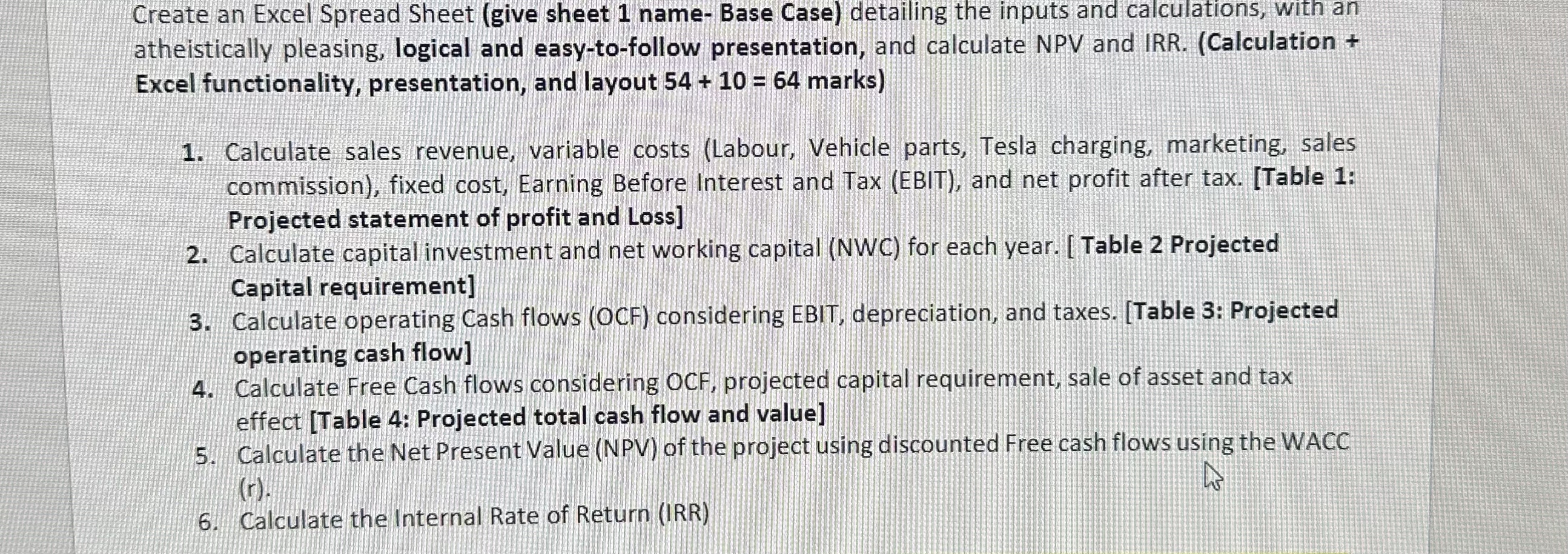
Create an Excel Spread Sheet (give sheet 1 name- Base Case) detailing the inputs and calculations, with an atheistically pleasing, logical and easy-to-follow presentation, and calculate NPV and IRR. (Calculation + Excel functionality, presentation, and layout 54 + 10 = 64 marks) 1. Calculate sales revenue, variable costs (Labour, Vehicle parts, Tesla charging, marketing, sales commission), fixed cost, Earning Before Interest and Tax (EBIT), and net profit after tax. [Table 1: Projected statement of profit and Loss] 2. Calculate capital investment and net working capital (NWC) for each year. [Table 2 Projected Capital requirement] 3. Calculate operating Cash flows (OCF) considering EBIT, depreciation, and taxes. [Table 3: Projected operating cash flow] 4. Calculate Free Cash flows considering OCF, projected capital requirement, sale of asset and tax effect [Table 4: Projected total cash flow and value] 5. Calculate the Net Present Value (NPV) of the project using discounted Free cash flows using the WACC (r). 6. Calculate the Internal Rate of Return (IRR)
Step by Step Solution
There are 3 Steps involved in it

Get step-by-step solutions from verified subject matter experts
 Study Help