







Question: Create an html page. I just need the hml code for each 9 sections, and for the menu with links to each section. I will
Create an html page. I just need the hml code for each 9 sections, and for the menu with links to each section. I will fill in the other information in the sections by myself. To indicate each page please indicate which section, and leave space for me to fill in the information For more clarity if it matters, the source code is hosted on GitHub repository, and the pages are hosted on Github-pages and be accessible through the web. The website is deployed GitHub webpage.
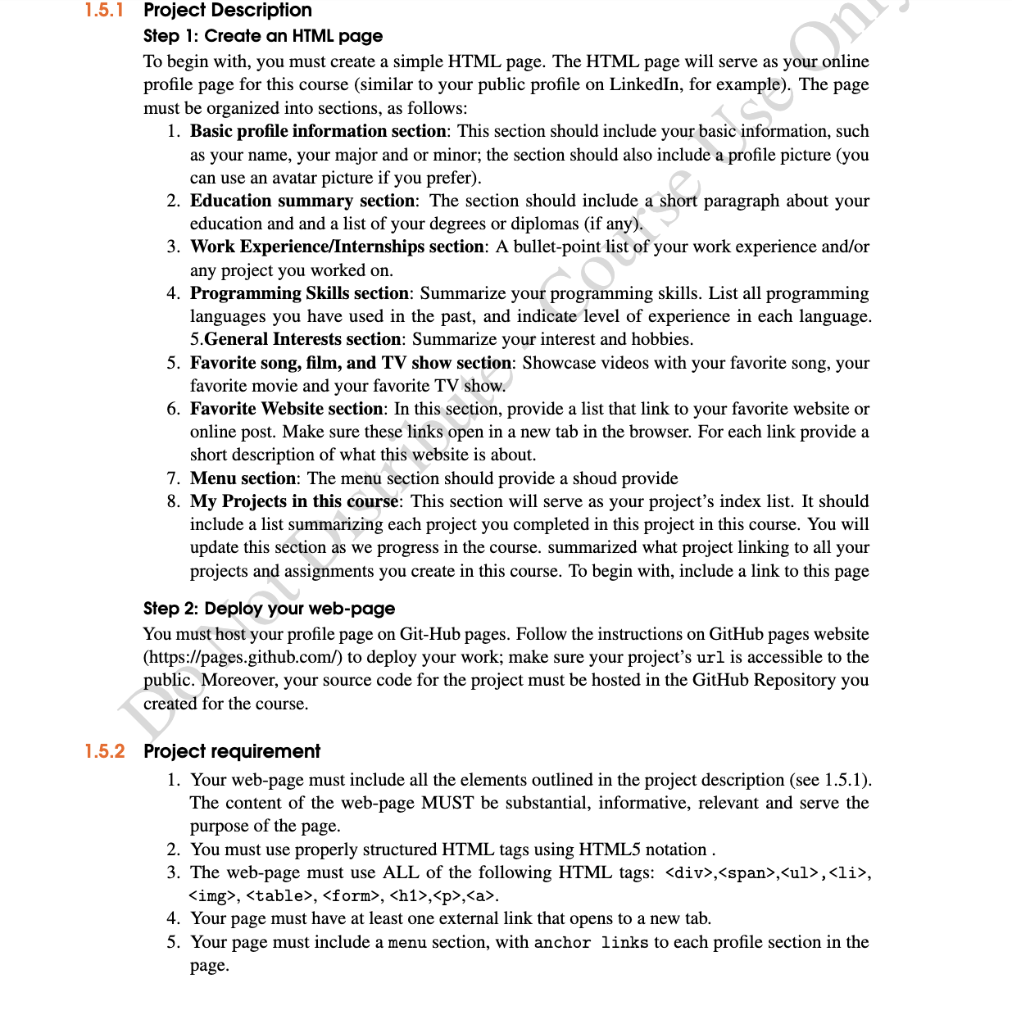
1.5.1 Project Description Step 1: Create an HTML page To begin with, you must create a simple HTML page. The HTML page will serve as your online profile page for this course (similar to your public profile on LinkedIn, for example). The page must be organized into sections, as follows: 1. Basic profile information section: This section should include your basic information, such as your name, your major and or minor; the section should also include a profile picture (you can use an avatar picture if you prefer). 2. Education summary section: The section should include a short paragraph about your education and and a list of your degrees or diplomas (if any). 3. Work Experience/Internships section: A bullet-point list of your work experience and/or any project you worked on. 4. Programming Skills section: Summarize your programming skills. List all programming languages you have used in the past, and indicate level of experience in each language. 5. General Interests section: Summarize your interest and hobbies. 5. Favorite song, film, and TV show section: Showcase videos with your favorite song, your favorite movie and your favorite TV show. 6. Favorite Website section: In this section, provide a list that link to your favorite website or online post. Make sure these links open in a new tab in the browser. For each link provide a short description of what this website is about. 7. Menu section: The menu section should provide a shoud provide 8. My Projects in this course: This section will serve as your project's index list. It should include a list summarizing each project you completed in this project in this course. You will update this section as we progress in the course. summarized what project linking to all your projects and assignments you create in this course. To begin with, include a link to this page Step 2: Deploy your web-page You must host your profile page on Git-Hub pages. Follow the instructions on GitHub pages website (https://pages.github.com/) to deploy your work; make sure your project's url is accessible to the public. Moreover, your source code for the project must be hosted in the GitHub Repository you created for the course. 1.5.2 Project requirement 1. Your web-page must include all the elements outlined in the project description (see 1.5.1). The content of the web-page MUST be substantial, informative, relevant and serve the purpose of the page. 2. You must use properly structured HTML tags using HTML5 notation. 3. The web-page must use ALL of the following HTML tags:
- ,
- , ,
,
Step by Step Solution
There are 3 Steps involved in it

Get step-by-step solutions from verified subject matter experts
 Study Help