







Question: Create an SQL query to solve the problem. Don't forget to include all of the following. 1. The database used USE 2. Comment with the
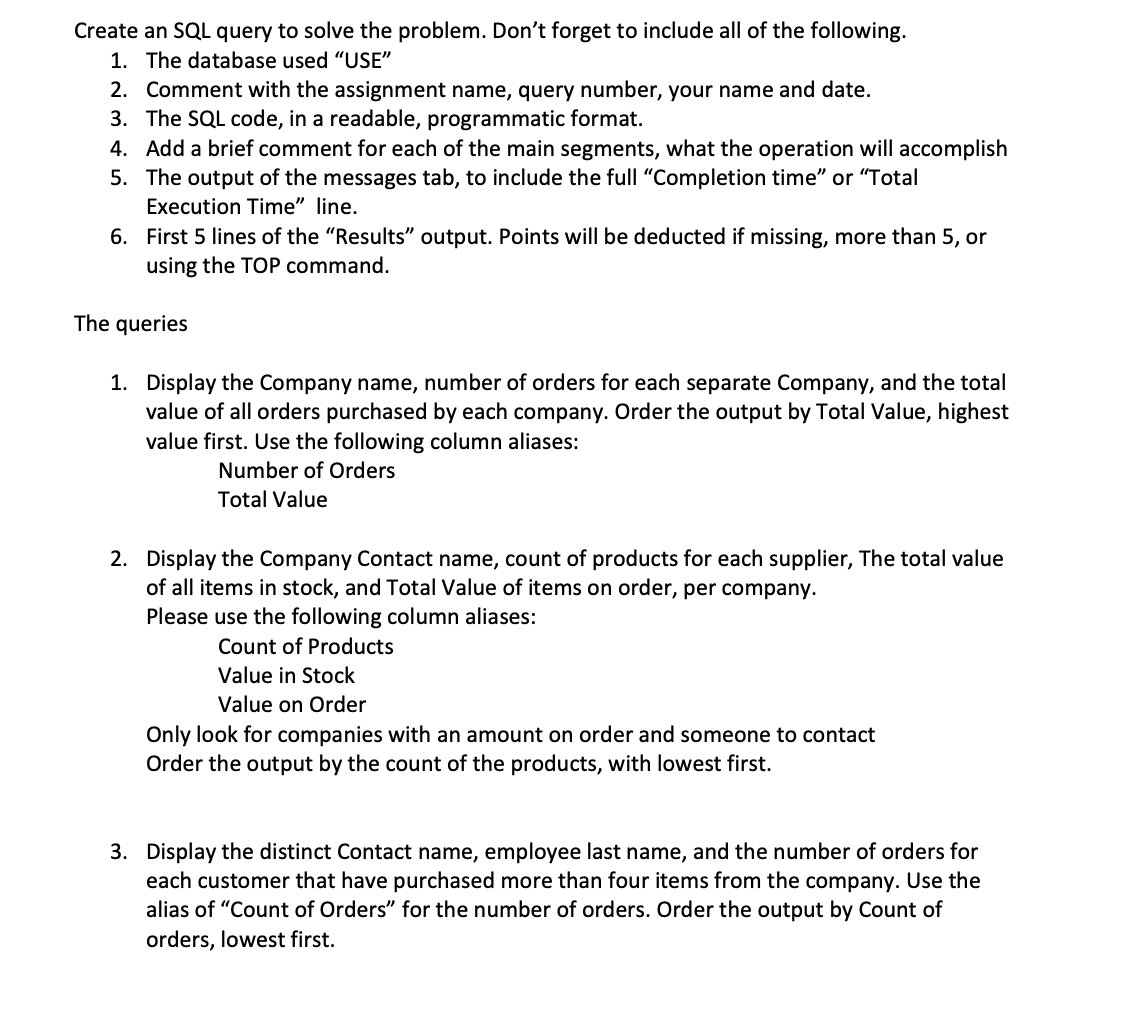
Create an SQL query to solve the problem. Don't forget to include all of the following. 1. The database used "USE" 2. Comment with the assignment name, query number, your name and date. 3. The SQL code, in a readable, programmatic format. 4. Add a brief comment for each of the main segments, what the operation will accomplish 5. The output of the messages tab, to include the full "Completion time" or "Total Execution Time" line. 6. First 5 lines of the "Results" output. Points will be deducted if missing, more than 5, or using the TOP command. The queries 1. Display the Company name, number of orders for each separate Company, and the total value of all orders purchased by each company. Order the output by Total Value, highest value first. Use the following column aliases: Number of Orders Total Value 2. Display the Company Contact name, count of products for each supplier, The total value of all items in stock, and Total Value of items on order, per company. Please use the following column aliases: Count of Products Value in Stock Value on Order Only look for companies with an amount on order and someone to contact Order the output by the count of the products, with lowest first. 3. Display the distinct Contact name, employee last name, and the number of orders for each customer that have purchased more than four items from the company. Use the alias of "Count of Orders" for the number of orders. Order the output by Count of orders, lowest first
Step by Step Solution
There are 3 Steps involved in it

Get step-by-step solutions from verified subject matter experts
 Study Help