







Question: Create Display Filter in Wireshark Create a diplay filter in Wireshark that will answer the prompt In Wireshark, open the workVPN capture file (This PC
Create Display Filter in Wireshark
Create a diplay filter in Wireshark that will answer the prompt
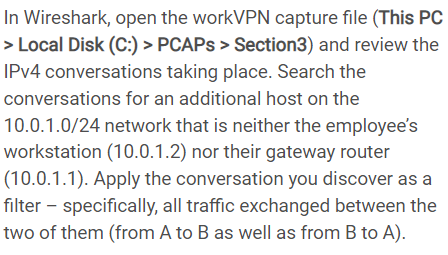
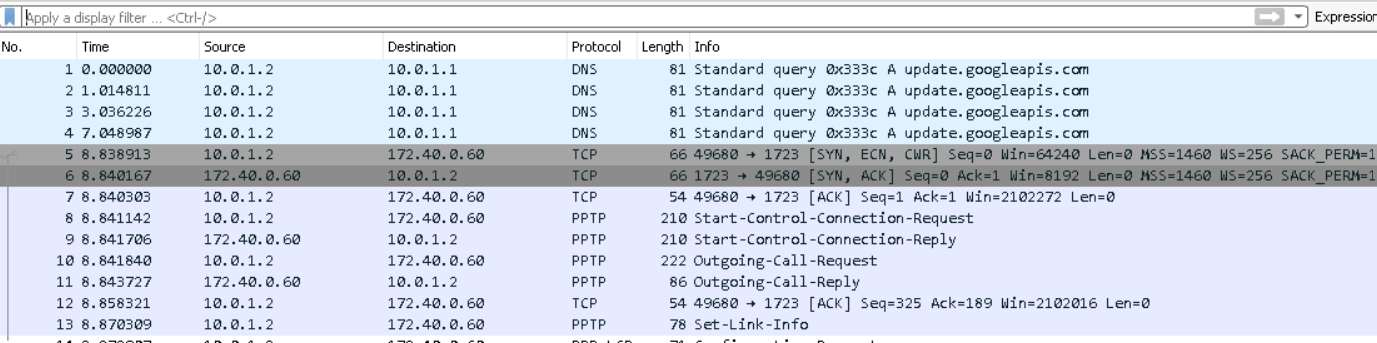
In Wireshark, open the workVPN capture file (This PC > Local Disk (C:) > PCAPs > Section3) and review the IPv4 conversations taking place. Search the conversations for an additional host on the 10.0.1.0/24 network that is neither the employee's workstation (10.0.1.2) nor their gateway router (10.0.1.1). Apply the conversation you discover as a filter - specifically, all traffic exchanged between the two of them (from A to B as well as from B to A ). Apply a display filter ... Ctri- In Wireshark, open the workVPN capture file (This PC > Local Disk (C:) > PCAPs > Section3) and review the IPv4 conversations taking place. Search the conversations for an additional host on the 10.0.1.0/24 network that is neither the employee's workstation (10.0.1.2) nor their gateway router (10.0.1.1). Apply the conversation you discover as a filter - specifically, all traffic exchanged between the two of them (from A to B as well as from B to A ). Apply a display filter ... Ctri
Step by Step Solution
There are 3 Steps involved in it

Get step-by-step solutions from verified subject matter experts
 Study Help