







Question: Create new project (Labo 7) for the program Drawing methods.java five activities for you. The activities are designed to make you familiar with java methods
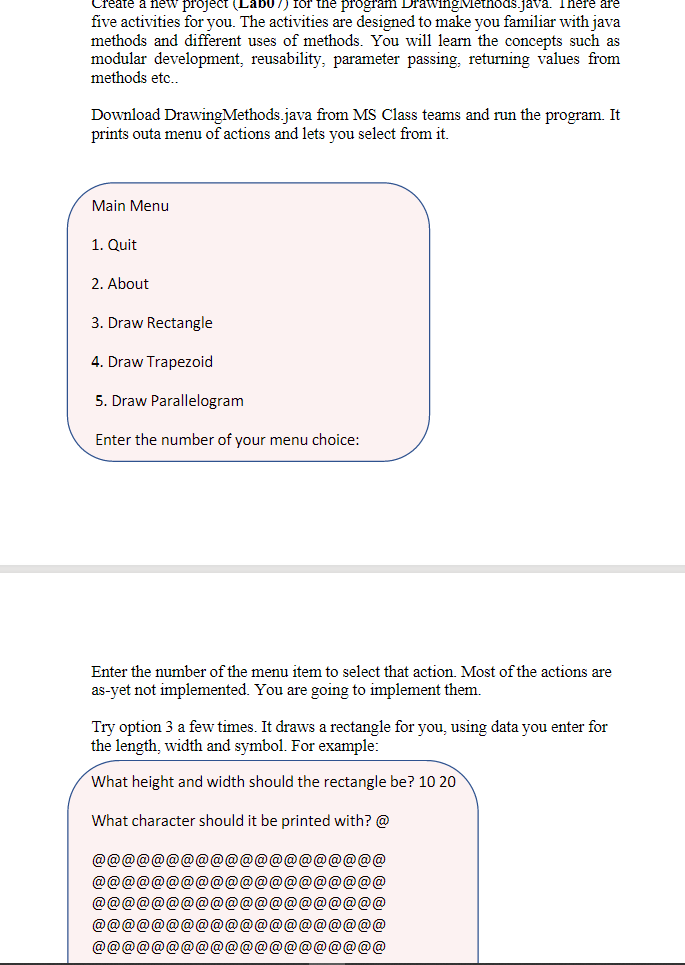
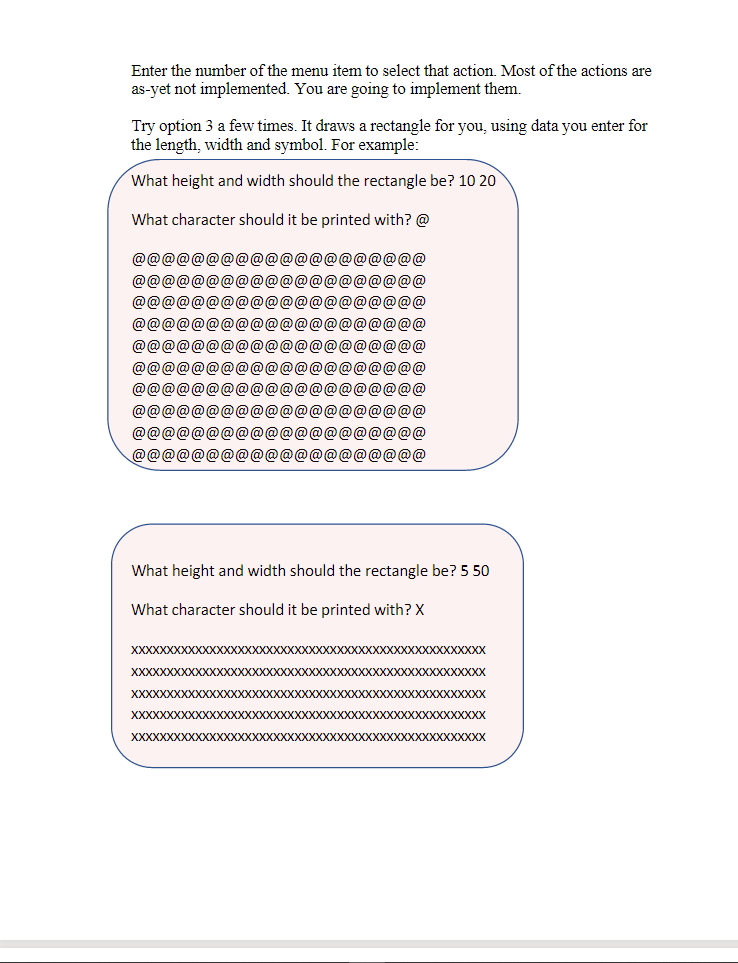
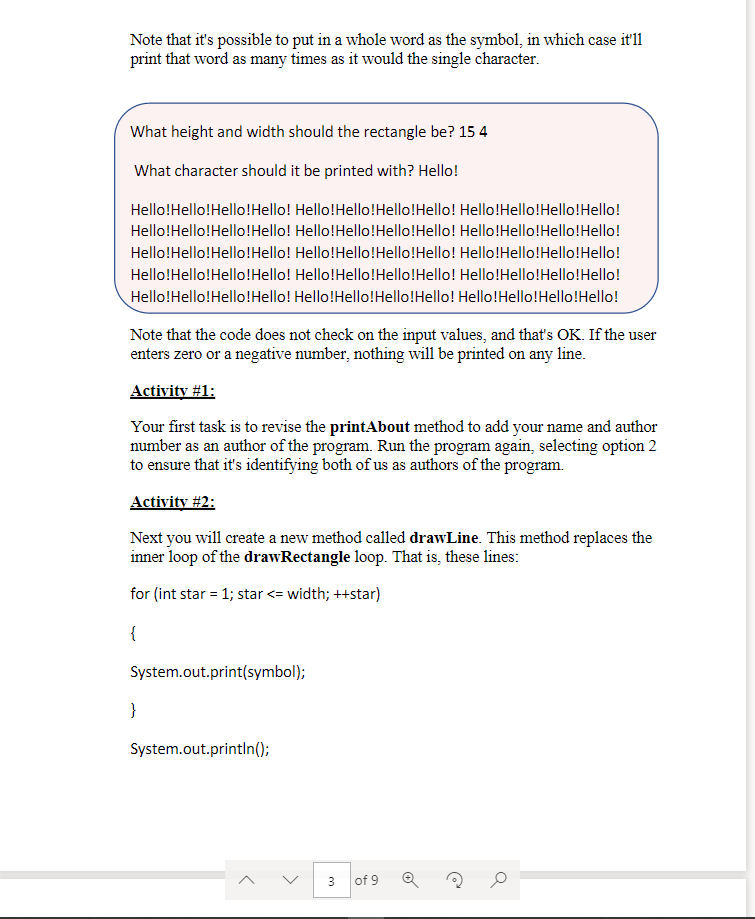
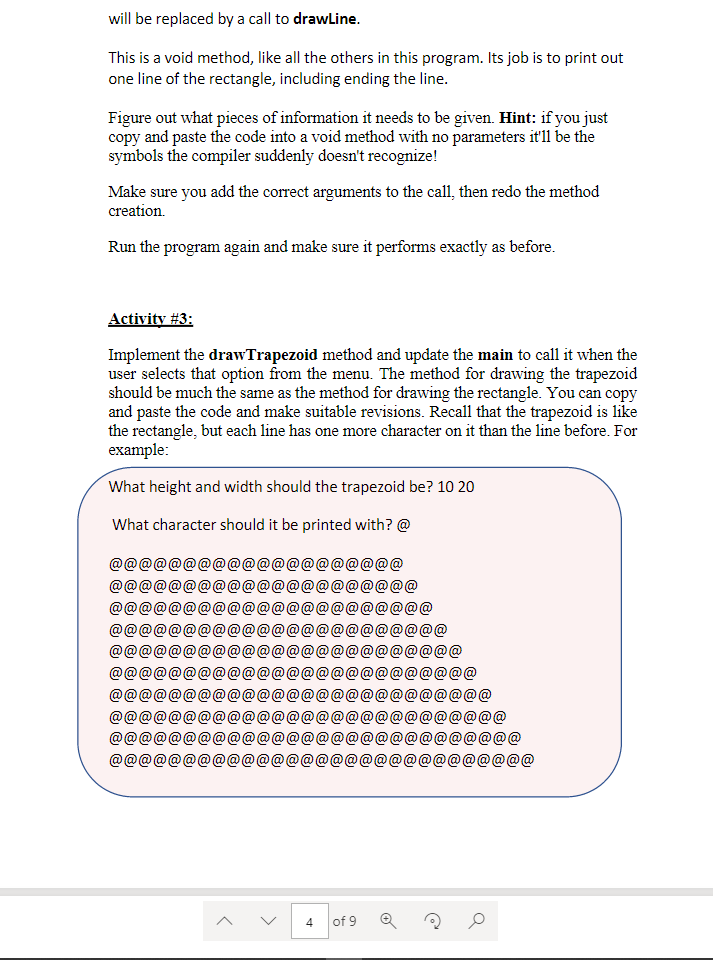
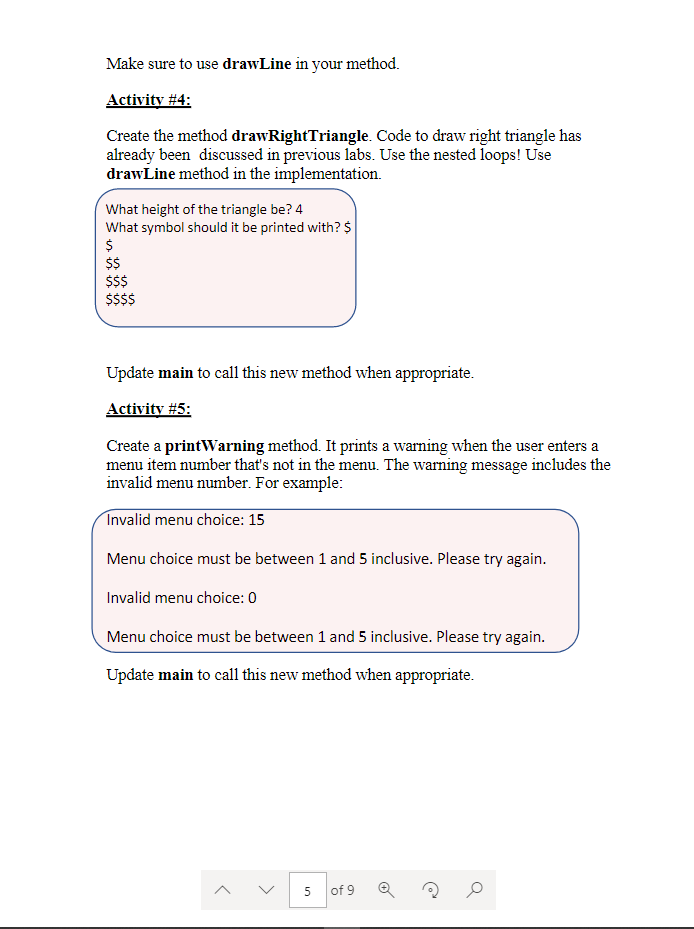
Create new project (Labo 7) for the program Drawing methods.java five activities for you. The activities are designed to make you familiar with java methods and different uses of methods. You will learn the concepts such as modular development, reusability, parameter passing, returning values from methods etc. Download DrawingMethods.java from MS Class teams and run the program. It prints outa menu of actions and lets you select from it. Main Menu 1. Quit 2. About 3. Draw Rectangle 4. Draw Trapezoid 5. Draw Parallelogram Enter the number of your menu choice: Enter the number of the menu item to select that action. Most of the actions are as-yet not implemented. You are going to implement them. Try option 3 a few times. It draws a rectangle for you, using data you enter for the length, width and symbol. For example: What height and width should the rectangle be? 10 20 What character should it be printed with? @ @@@@@@@@@@@@@@@@@@@@ @@@@@@@@@@@@@@@@@@@@ @@@@@@@ P@@@@@@@@@@ @@@@@@@@@@@@@@@@@@@@ @@@@@@@@@@@@@@@@@@@@ Enter the number of the menu item to select that action. Most of the actions are as-yet not implemented. You are going to implement them. Try option 3 a few times. It draws a rectangle for you, using data you enter for the length, width and symbol. For example: What height and width should the rectangle be? 10 20 What character should it be printed with? @ @@@@@@@@@@@@@@@@@@@@ @@@@@@@@@ @@@@@@ @@@@ @@@@ @@@@@ @@ @@@@@@@@@@@@@@@@@@@@ @@@@@@@@@@@@@@@@@@@@ @@@@@@@@@@@@@@@@@@@@ @@@@@@@@@@@@@@@@@@@@ What height and width should the rectangle be? 5 50 What character should it be printed with? X XXXXXXXXXXXXXXXXXXXXXXXXXXXXXXXXXXXXXXXXXXXXXXXXXX XXXXXXXXXXXXX XXXXXXXXXXXXXXXX XXXXXXXXXXXXXXXXXXXXXXXXXXXXXXXXXXXXXXXXXXXXXXXXXX XXXXXXXXXXXXXXXXXXXXXXXXXXXXXXXXXXXXXXXXXXXXXXXXXX Note that it's possible to put in a whole word as the symbol, in which case it'll print that word as many times as it would the single character. What height and width should the rectangle be? 15 4 What character should it be printed with? Hello! Hello!Hello!Hello!Hello! Hello!Hello!Hello!Hello! Hello!Hello!Hello!Hello! Hello!Hello!Hello!Hello! Hello!Hello!Hello!Hello! Hello!Hello!Hello!Hello! Hello!Hello!Hello!Hello! Hello!Hello!Hello!Hello! Hello!Hello!Hello!Hello! Hello!Hello!Hello!Hello! Hello!Hello!Hello!Hello! Hello!Hello!Hello!Hello! Hello!Hello!Hello!Hello! Hello!Hello!Hello!Hello! Hello!Hello!Hello!Hello! Note that the code does not check on the input values, and that's OK. If the user enters zero or a negative number, nothing will be printed on any line. Activity #1: Your first task is to revise the printAbout method to add your name and author number as an author of the program. Run the program again, selecting option 2 to ensure that it's identifying both of us as authors of the program. Activity #2: Next you will create a new method called drawLine. This method replaces the inner loop of the drawRectangle loop. That is, these lines: for (int star = 1; star G G G G G G G G G i (di e di si di i (di di G G G G G G G G G 6) G G G G G G G G G G G G G G G G G G G G G G G G G G G G G G G G G G G G G G) i &i di i di di di (8 G G G G G G G G G G @ Make sure to use drawLine in your method. Activity #4: Create the method drawRightTriangle. Code to draw right triangle has already been discussed in previous labs. Use the nested loops! Use drawLine method in the implementation. What height of the triangle be? 4 What symbol should it be printed with? $ $ $$ $$$ $$$$ Update main to call this new method when appropriate. Activity #5: Create a printWarning method. It prints a warning when the user enters a menu item number that's not in the menu. The warning message includes the invalid menu number. For example: Invalid menu choice: 15 Menu choice must be between 1 and 5 inclusive. Please try again. Invalid menu choice: 0 Menu choice must be between 1 and 5 inclusive. Please try again. Update main to call this new method when appropriate. >
Step by Step Solution
There are 3 Steps involved in it

Get step-by-step solutions from verified subject matter experts
 Study Help