







Question: CREATE TABLE employee AS SELECT * FROM emp; CREATE TABLE department AS SELECT * FROM dept; 1. Add a table level PRIMARY KEY constraint
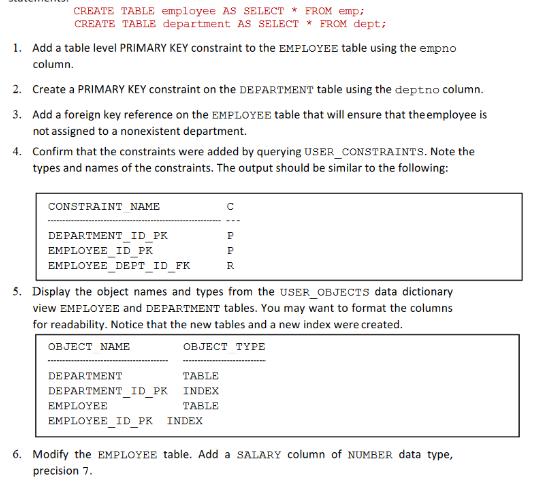
CREATE TABLE employee AS SELECT * FROM emp; CREATE TABLE department AS SELECT * FROM dept; 1. Add a table level PRIMARY KEY constraint to the EMPLOYEE table using the empno column. 2. Create a PRIMARY KEY constraint on the DEPARTMENT table using the dept no column. 3. Add a foreign key reference on the EMPLOYEE table that will ensure that the employee is not assigned to a nonexistent department. 4. Confirm that the constraints were added by querying USER_CONSTRAINTS. Note the types and names of the constraints. The output should be similar to the following: CONSTRAINT NAME DEPARTMENT ID PK EMPLOYEE ID PK EMPLOYEE DEPT ID FK DEPARTMENT 5. Display the object names and types from the USER_OBJECTS data dictionary view EMPLOYEE and DEPARTMENT tables. You may want to format the columns for readability. Notice that the new tables and a new index were created. OBJECT NAME OBJECT TYPE DEPARTMENT_ID_PK TABLE INDEX TABLE C EMPLOYEE EMPLOYEE_ID_PR INDEX P P R 6. Modify the EMPLOYEE table. Add a SALARY column of NUMBER data type, precision 7.
Step by Step Solution
3.31 Rating (151 Votes )
There are 3 Steps involved in it
here are the SQL statements to accomplish the tasks youve described Add a table level PRIMARY KEY co... View full answer

Get step-by-step solutions from verified subject matter experts
 Study Help